


Other Parts Discussed in Thread: CC2540
您好!
Smart RF 监听器代理未插入 CC2540 USB 软件狗。 设备管理器中列出了 Cebal 驱动程序。 我安装 了 SmartRF_Packag_Sniffer2_1.5.0和 smarttrftm_studio-2.11.0。 我有一个从 FTDIChip 下载的 USBView 实用程序、它提供了一个我通常看不到的黄色黑色图标。 接下来该怎么办?
弗兰克
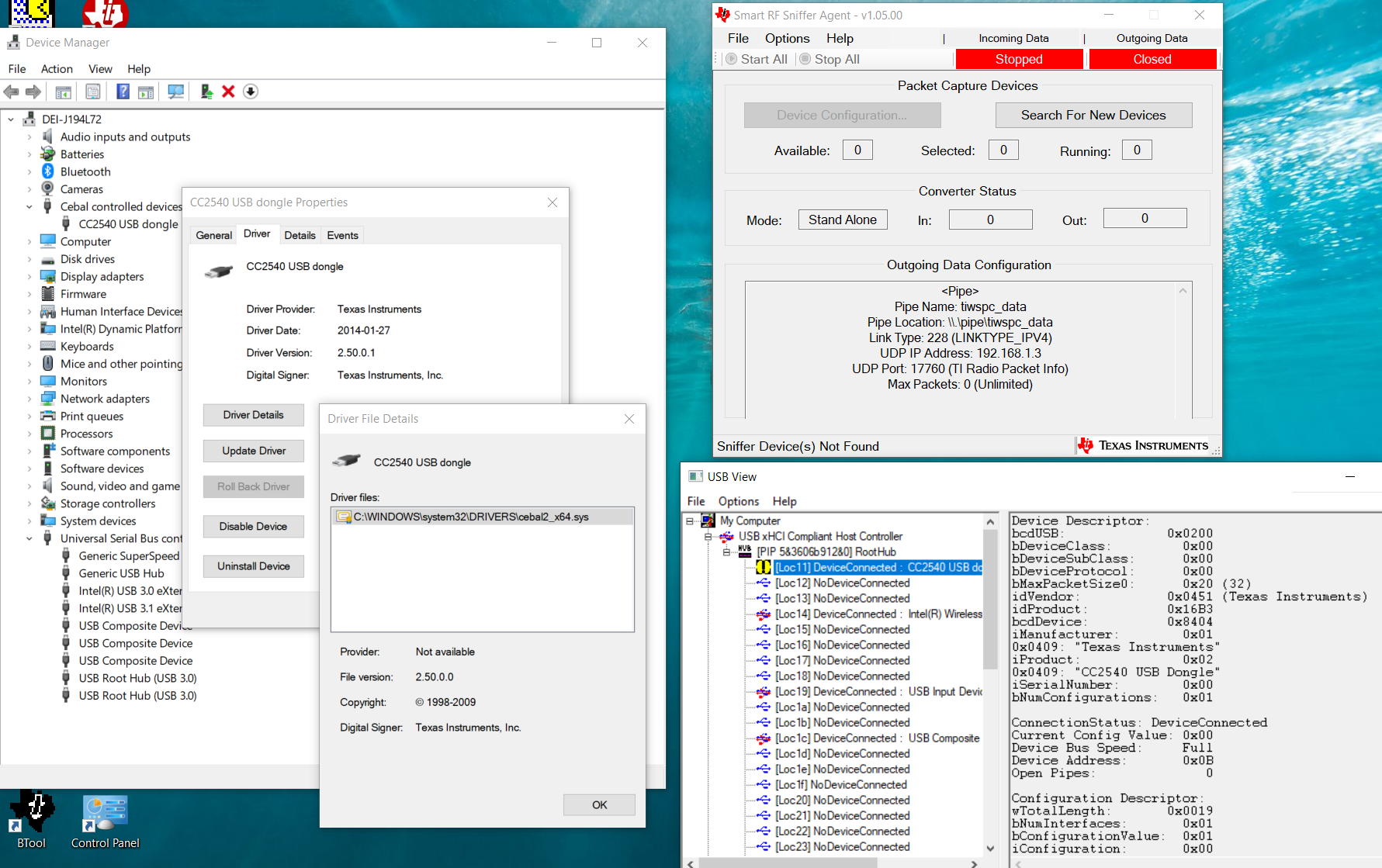
器件描述符:
BcdUSB:0x0200
b DeviceClass:0x00
bDeviceSubClass:0x00
b 设备协议:0x00
bMaxPacketSize0:0x20 (32)
idVendor:0x0451 (德州仪器(TI))
IDProduct:0x16B3
bcdDevice:0x8404
制造商:0x01
0x0409:"德州仪器"
iProduct:0x02
0x0409:"CC2540 USB 软件狗"
iSerialNumber:0x00
b 数字配置:0x01
连接状态:设备连接
当前配置值:0x00
器件总线速度:全速
器件地址:0x0E
打开管道:0
配置描述符:
wTotalLength:0x0019
b 数字接口:0x01
b ConfigurationValue:0x01
iConfiguration:0x00
bmAttributes:0x80 (总线供电)
最大功率:0x32 (100mA)
接口描述符:
b 接口编号:0x00
b AlternateSetting:0x00
b 数字结束点:0x01
b 接口类:0xFF
b 接口子类:0xFF
b 接口协议:0xFF
iInterface:0x00
端点描述符:
b 结束地址:0x83
传输类型:批量
wMaxPacketSize:0x0040 (64)
b 间隔:0x05
