This thread has been locked.

If you have a related question, please click the "Ask a related question" button in the top right corner. The newly created question will be automatically linked to this question.

[参考译文] MSP430F5529:如何使用 UART BSL 更新 MSP430固件?

Guru**** 2563000 points
Other Parts Discussed in Thread: MSP430F5529

请注意,本文内容源自机器翻译,可能存在语法或其它翻译错误,仅供参考。如需获取准确内容,请参阅链接中的英语原文或自行翻译。

https://e2e.ti.com/support/microcontrollers/msp-low-power-microcontrollers-group/msp430/f/msp-low-power-microcontroller-forum/1079533/msp430f5529-how-can-i-use-uart-bsl-to-update-msp430-firmware

《线程》中讨论的其他部件:MSP430F5529

亲爱的各位,

我使用 MSP430F5529LP。

我使用 MSPFlasher_1.3.20闪存 MSP430F5529 UART BSL (BSL.00.07.5.04.txt)

>>在 windows -> MSP430Flasher.exe -n MSP430F5529 -b -w BSL.00.07.05.04.txt -v 上使用此命令

之后,我连接了 MSP430F5529LP RX (P1.2), TX (P1.1), TST/SBWTCK, RST/SBWTDIO。

并按照 BSL 输入序列信号执行吹气:

RST/SBWTDIO >>>低
延迟(20毫秒)
TST/SBWTCK >>>低
延迟(20毫秒)
TST/SBWTCK >>>高
延迟(20毫秒)
TST/SBWTCK >>>低
延迟(20毫秒)
RST/SBWDIO >>>高
延迟(20毫秒)
TST/SBWTCK >>>高

然后,我使用 BSL_Scripter.exe 更新新固件
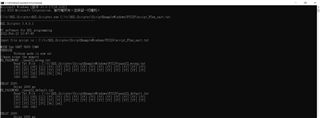
它未显示任何错误消息。但固件更新未成功。

如何解决? 请帮帮我。 谢谢。

  • 请注意,本文内容源自机器翻译,可能存在语法或其它翻译错误,仅供参考。如需获取准确内容,请参阅链接中的英语原文或自行翻译。

    首先,不成功意味着什么? 您是否已尝试过关机后再开机?

    您是否尝试通过 SBW 下载映像,它是否有效?

    您还可以通过 SBW 从图像中读取数据,以查看它是否通过 BSL 成功下载。

  • 请注意,本文内容源自机器翻译,可能存在语法或其它翻译错误,仅供参考。如需获取准确内容,请参阅链接中的英语原文或自行翻译。

    加里:

    我解决了我的问题。 我认为是输入序列错误。

    我更改输入顺序,然后可以通过 UART BSL 更新固件。

    GPIO 写入(Board_P2_0_RST,0);
    GPIO 写入(Board_P2_1_TCK,0);
    TASK_SLEE((unsigned int)100);
    GPIO 写入(Board_P2_1_TCK,1);
    TASK_SLEE((unsigned int)20);
    GPIO 写入(Board_P2_1_TCK,0);
    TASK_SLEE(((unsigned int)40);
    GPIO 写入(Board_P2_1_TCK,1);
    TASK_SLEE((unsigned int)20);
    GPIO 写入(电路板_P2_0_RST,1);
    TASK_SLEE((unsigned int)20);
    GPIO 写入(Board_P2_1_TCK,0);