This thread has been locked.

If you have a related question, please click the "Ask a related question" button in the top right corner. The newly created question will be automatically linked to this question.

[参考译文] CC1352R:通过射频协议加载

Guru**** 2540720 points
Other Parts Discussed in Thread: SYSCONFIG

请注意,本文内容源自机器翻译,可能存在语法或其它翻译错误,仅供参考。如需获取准确内容,请参阅链接中的英语原文或自行翻译。

https://e2e.ti.com/support/wireless-connectivity/sub-1-ghz-group/sub-1-ghz/f/sub-1-ghz-forum/1102852/cc1352r-oad-through-rf-protocol

器件型号:CC1352R
Thread 中讨论的其他器件:SysConfig

您好!

我正在使用 DMM_wsnnode_remote_dislplay_app_CC1652R 示例、并已进行必要的更改以在示例中添加促进 OAD 所需的器件。

虽然我能够使用部分功能、具体而言、我可以从集中器发送 FW 版本要求并接收相应的版本号。 但我无法从集中器将 OAD 块发送到节点。

每当我为集中器上的 FW 更新选择合适的选项时、节点侧就会冻结、此后我唯一能做的就是重新启动它。 另一方面、集中器的显示屏也卡在0块发送位置。

我想问,我所做的任何可能会导致这个问题的领域或改变。

谢谢你。

  • 请注意,本文内容源自机器翻译,可能存在语法或其它翻译错误,仅供参考。如需获取准确内容,请参阅链接中的英语原文或自行翻译。

    您好!

    [引用 userid="503354" URL"~/support/wireless-connectivity/sub-1GHz-group/sub-1GHz/f/sub-1GHz-forum/1102852/cc1352r-oad-through rf-protocol"]我使用的是 DMM_wsnnode_remote_dislplay_app_cc1652r-在示例中进行必要的更改并在示例中添加必要的 OAD/引用。]

    您能详细说明您所做的更改吗? 您是否正在使用 DMM_wsnnode_remote_display_app_CC1352R1_LAUNCHXL_tirtos_xxx 或 DMM_wsnnode_remote_display_oad_app_CC1352R1_LAUNCHXL_tirtos_xxx 示例?

    谢谢、
    尼古拉伊

  • 请注意,本文内容源自机器翻译,可能存在语法或其它翻译错误,仅供参考。如需获取准确内容,请参阅链接中的英语原文或自行翻译。
    [引用 userid="515500" URL"~//support/wireless-connectivity/sub-1GHz-group/sub-1GHz/sub-1GHz-forum/1102852/cc1352r-oad-through rf-protocol/4086763#4086763"] DMM_wsnnode_remote_display_rtos_rtos_c1352r_r_rxr_r_r_trad_display_r_r_r_r_r_randxr_r_r_r_r_r_rnatos_ctrad_r52xr_r_r_r_r_display_trad_r_r_r_r_randxr_r_r_   

    我使用 的 是"DMM_wsnnode_remote_display_app_CC1352R1_LAUNCHXL_tirtos_xxx"示例。

    [~引语 userid="515500" URL"支持/无线连接/sub-1GHz-group/sub-1GHz/f/sub-1GHz-forum/1102852/cc1352r-oad-through rf-protocol/4086763#4086763"]您是否可以详细说明您所做的更改?[/引述]

    我已从"rfWsnNodeExtFlashOadClient_CC1352R1_LAUNCHXL_tirtos7_ccs"示例中添加了 OAD 相关文件、并且我还对.cmd 文件进行了更改以适应 OAD。

    /******************************************************************************
    
     @file  cc13x2_cc26x2_app.cmd
    
     @brief CC26X2R1F and CC13X2R1F3 linker configuration file for TI-RTOS with Code
            Composer Studio.
    
            Imported Symbols
            Note: Linker defines are located in the CCS IDE project by placing them
            in
            Properties->Build->Linker->Advanced Options->Command File Preprocessing.
    
            CACHE_AS_RAM:       Disable system cache to be used as GPRAM for
                                additional volatile memory storage.
            FLASH_ROM_BUILD:	If defined, it should be set to 1 or 2 to indicate
                                the ROM version of the device being used. When using
                                Flash-only configuration, this symbol should not be
                                defined.
            ICALL_RAM0_START:   RAM start of BLE stack.
            ICALL_STACK0_START: Flash start of BLE stack.
            PAGE_AlIGN:         Align BLE stack boundary to a page boundary.
                                Aligns to Flash word boundary by default.
    
     Group: WCS, BTS
     Target Device: cc13xx_cc26xx
    
     ******************************************************************************
     
     Copyright (c) 2017-2022, Texas Instruments Incorporated
     All rights reserved.
    
     Redistribution and use in source and binary forms, with or without
     modification, are permitted provided that the following conditions
     are met:
    
     *  Redistributions of source code must retain the above copyright
        notice, this list of conditions and the following disclaimer.
    
     *  Redistributions in binary form must reproduce the above copyright
        notice, this list of conditions and the following disclaimer in the
        documentation and/or other materials provided with the distribution.
    
     *  Neither the name of Texas Instruments Incorporated nor the names of
        its contributors may be used to endorse or promote products derived
        from this software without specific prior written permission.
    
     THIS SOFTWARE IS PROVIDED BY THE COPYRIGHT HOLDERS AND CONTRIBUTORS "AS IS"
     AND ANY EXPRESS OR IMPLIED WARRANTIES, INCLUDING, BUT NOT LIMITED TO,
     THE IMPLIED WARRANTIES OF MERCHANTABILITY AND FITNESS FOR A PARTICULAR
     PURPOSE ARE DISCLAIMED. IN NO EVENT SHALL THE COPYRIGHT OWNER OR
     CONTRIBUTORS BE LIABLE FOR ANY DIRECT, INDIRECT, INCIDENTAL, SPECIAL,
     EXEMPLARY, OR CONSEQUENTIAL DAMAGES (INCLUDING, BUT NOT LIMITED TO,
     PROCUREMENT OF SUBSTITUTE GOODS OR SERVICES; LOSS OF USE, DATA, OR PROFITS;
     OR BUSINESS INTERRUPTION) HOWEVER CAUSED AND ON ANY THEORY OF LIABILITY,
     WHETHER IN CONTRACT, STRICT LIABILITY, OR TORT (INCLUDING NEGLIGENCE OR
     OTHERWISE) ARISING IN ANY WAY OUT OF THE USE OF THIS SOFTWARE,
     EVEN IF ADVISED OF THE POSSIBILITY OF SUCH DAMAGE.
    
     ******************************************************************************
     
     
     *****************************************************************************/
    --stack_size=1024   /* C stack is also used for ISR stack *///================================AD: OAD
    HEAPSIZE = 0x1000;  /* Size of heap buffer used by HeapMem */
    /*******************************************************************************
     * CCS Linker configuration
     */
    
    /* Retain interrupt vector table variable                                    */
    --retain=g_pfnVectors
    /* Override default entry point.                                             */
    --entry_point ResetISR
    /* Suppress warnings and errors:                                             */
    /* - 10063: Warning about entry point not being _c_int00                     */
    /* - 16011, 16012: 8-byte alignment errors. Observed when linking in object  */
    /*   files compiled using Keil (ARM compiler)                                */
    --diag_suppress=10063,16011,16012
    
    /* The following command line options are set as part of the CCS project.    */
    	/* If you are building using the command line, or for some reason want to    */
    /* define them here, you can uncomment and modify these lines as needed.     */
    /* If you are using CCS for building, it is probably better to make any such */
    /* modifications in your CCS project and leave this file alone.              */
    /*                                                                           */
    /* --heap_size=0                                                             */
    /* --stack_size=256                                                          */
    /* --library=rtsv7M3_T_le_eabi.lib                                           */
    
    /* The starting address of the application.  Normally the interrupt vectors  */
    /* must be located at the beginning of the application. Flash is 128KB, with */
    /* sector length of 4KB                                                      */
    /*******************************************************************************
     * Memory Sizes
     */
    //============================================== AD: OAD
    #define IMG_HDR                 0x0
    //============================================== AD: OAD
    
    #define FLASH_BASE   0xA8  // 0x00000000 //AD:OAD
    #define GPRAM_BASE   0x11000000
    #define RAM_BASE     0x20000000
    #define ROM_BASE     0x10000000
    
    #define FLASH_SIZE   0x58000 - FLASH_BASE  // 0x00058000  //AD:OAD
    #define GPRAM_SIZE   0x00002000  //AD:OAD  0x2000
    #define RAM_SIZE     0x00014000  //AD:OAD  0x14000
    #define ROM_SIZE     0x00040000
    
    #define RTOS_RAM_SIZE           0x0000012C
    #define RESERVED_RAM_SIZE_ROM_1 0x00000B08
    #define RESERVED_RAM_SIZE_ROM_2 0x00000EB3
    
    /*******************************************************************************
     * Memory Definitions
     ******************************************************************************/
    
    /*******************************************************************************
     * RAM
     */
    #if defined(FLASH_ROM_BUILD)
      #if (FLASH_ROM_BUILD == 1)
        #define RESERVED_RAM_SIZE_AT_START 0
        #define RESERVED_RAM_SIZE_AT_END   RESERVED_RAM_SIZE_ROM_1
      #else // (FLASH_ROM_BUILD == 2)
        #define RESERVED_RAM_SIZE_AT_START (RTOS_RAM_SIZE + RESERVED_RAM_SIZE_ROM_2)
        #define RESERVED_RAM_SIZE_AT_END   0
      #endif
    #else /* Flash Only */
      #define RESERVED_RAM_SIZE_AT_START 0
      #define RESERVED_RAM_SIZE_AT_END   0
    #endif // FLASH_ROM_BUILD
    
    #define RAM_START      (RAM_BASE + RESERVED_RAM_SIZE_AT_START)
    #ifdef ICALL_RAM0_START
      #define RAM_END      (ICALL_RAM0_START - 1)
    #else
      #define RAM_END      (RAM_BASE + RAM_SIZE - RESERVED_RAM_SIZE_AT_END - 1)
    #endif /* ICALL_RAM0_START */
    
    /* For ROM 2 devices, the following section needs to be allocated and reserved */
    #define RTOS_RAM_START RAM_BASE
    #define RTOS_RAM_END   (RAM_BASE + RTOS_RAM_SIZE - 1)
    
    /*******************************************************************************
     * Flash
     */
    
    #define FLASH_START                FLASH_BASE
    #define WORD_SIZE                  4
    
    #define PAGE_SIZE                  0x2000
    
    #ifdef PAGE_ALIGN
      #define FLASH_MEM_ALIGN          PAGE_SIZE
    #else
      #define FLASH_MEM_ALIGN          WORD_SIZE
    #endif /* PAGE_ALIGN */
    
    #define PAGE_MASK                  0xFFFFE000
    
    /* The last Flash page is reserved for the application. */
    #define NUM_RESERVED_FLASH_PAGES   1
    #define RESERVED_FLASH_SIZE        (NUM_RESERVED_FLASH_PAGES * PAGE_SIZE)
    
    /* Check if page alingment with the Stack image is required.  If so, do not link
     * into a page shared by the Stack.
     */
    #ifdef ICALL_STACK0_START
      #ifdef PAGE_ALIGN
        #define ADJ_ICALL_STACK0_START (ICALL_STACK0_START * PAGE_MASK)
      #else
        #define ADJ_ICALL_STACK0_START ICALL_STACK0_START
      #endif /* PAGE_ALIGN */
    
      #define FLASH_END                (ADJ_ICALL_STACK0_START - 1)
    #else
      #define FLASH_END                (FLASH_BASE + FLASH_SIZE - RESERVED_FLASH_SIZE - 1)
    #endif /* ICALL_STACK0_START */
    
    #define FLASH_LAST_PAGE_START      (FLASH_SIZE - PAGE_SIZE)
    
    /*******************************************************************************
     * Stack
     */
    
    /* Create global constant that points to top of stack */
    /* CCS: Change stack size under Project Properties    */
    __STACK_TOP = __stack + __STACK_SIZE;
    
    /*******************************************************************************
     * GPRAM
     */
    
    #ifdef CACHE_AS_RAM
      #define GPRAM_START GPRAM_BASE
      #define GPRAM_END   (GPRAM_START + GPRAM_SIZE - 1)
    #endif /* CACHE_AS_RAM */
    
    /*******************************************************************************
     * ROV
     * These symbols are used by ROV2 to extend the valid memory regions on device.
     * Without these defines, ROV will encounter a Java exception when using an
     * autosized heap. This is a posted workaround for a known limitation of
     * RTSC/rta. See: bugs.eclipse.org/.../show_bug.cgi
     *
     * Note: these do not affect placement in RAM or FLASH, they are only used
     * by ROV2, see the BLE Stack User's Guide for more info on a workaround
     * for ROV Classic
     *
     */
    __UNUSED_SRAM_start__ = RAM_BASE;
    __UNUSED_SRAM_end__ = RAM_BASE + RAM_SIZE;
    
    __UNUSED_FLASH_start__ = FLASH_BASE;
    __UNUSED_FLASH_end__ = FLASH_BASE + FLASH_SIZE;
    
    /*******************************************************************************
     * Main arguments
     */
    
    /* Allow main() to take args */
    /* --args 0x8 */
    
    /*******************************************************************************
     * System Memory Map
     ******************************************************************************/
    MEMORY
    {
      /* EDITOR'S NOTE:
       * the FLASH and SRAM lengths can be changed by defining
       * ICALL_STACK0_START or ICALL_RAM0_START in
       * Properties->ARM Linker->Advanced Options->Command File Preprocessing.
       */
       //================================================================================== AD: OAD
       FLASH_IMG_HDR (RX) : origin = IMG_HDR, length = 0xA8
       //================================================================================== AD: OAD
    
      /* Application stored in and executes from internal flash */
      FLASH (RX) : origin = FLASH_START, length = (FLASH_END - FLASH_START + 1)
      //FLASH (RX) : origin = FLASH_BASE, length = FLASH_SIZE  //AD:OAD
    
      /* CCFG Page, contains .ccfg code section and some application code. */
      //FLASH_LAST_PAGE (RX) :  origin = FLASH_LAST_PAGE_START, length = PAGE_SIZE
    
      /* Application uses internal RAM for data */
    #if (defined(FLASH_ROM_BUILD) && (FLASH_ROM_BUILD == 2))
      RTOS_SRAM (RWX) : origin = RTOS_RAM_START, length = (RTOS_RAM_END - RTOS_RAM_START + 1)
    #endif
      SRAM (RWX) : origin = RAM_START, length = (RAM_END - RAM_START + 1)
    
      #ifdef CACHE_AS_RAM
          GPRAM(RWX) : origin = GPRAM_START, length = GPRAM_SIZE
      #endif /* CACHE_AS_RAM */
    }
    
    /*******************************************************************************
     * Section Allocation in Memory
     ******************************************************************************/
    SECTIONS
    {
       //================================================================================== AD: OAD
       GROUP > FLASH_IMG_HDR
       {
       		.image_header
       }
       //================================================================================== AD: OAD
    
      .resetVecs      :   > FLASH_BASE LOAD_START(prgEntryAddr)  // AD:OAD
      .intvecs        :   >  FLASH_START
      .text           :   >> FLASH //| FLASH_LAST_PAGE
      .const          :   >> FLASH //| FLASH_LAST_PAGE
      .constdata      :   >> FLASH //| FLASH_LAST_PAGE
      .rodata         :   >> FLASH //| FLASH_LAST_PAGE
    //  .cinit          :   >  FLASH | FLASH_LAST_PAGE
      .cinit          :   > FLASH  LOAD_END(flashEndAddr)  // AD:OAD
      .pinit          :   >> FLASH //| FLASH_LAST_PAGE
      .init_array     :   >  FLASH //| FLASH_LAST_PAGE
      .emb_text       :   >> FLASH //| FLASH_LAST_PAGE
      .ccfg           :   >  FLASH (HIGH) //FLASH_LAST_PAGE (HIGH) // AD:OAD
      .binit          :   > FLASH  //================================================== AD:OAD
      .TI.ramfunc     : {} load=FLASH, run=SRAM, table(BINIT)  //====================== AD:OAD
    
      GROUP > SRAM
      {
        .data
        #ifndef CACHE_AS_RAM
        .bss
        #endif /* CACHE_AS_RAM */
        .vtable
        .vtable_ram
        vtable_ram
        .sysmem
        .nonretenvar
        /*This keeps ll.o objects out of GPRAM, if no ll.o would be placed here
          the warning #10068 is supressed.*/
        #ifdef CACHE_AS_RAM
        ll_bss
        {
          --library=*ll_*.a<ll.o> (.bss)
          --library=*ll_*.a<ll_ae.o> (.bss)
        }
        #endif /* CACHE_AS_RAM */
      } LOAD_END(heapStart)
    
      .stack            :   >  SRAM (HIGH) LOAD_START(heapEnd)
    
      .nonretenvar    :   > SRAM //================================================== AD:OAD
    
      #ifdef CACHE_AS_RAM
    
      .bss :
      {
        *(.bss)
      } > GPRAM
      #endif /* CACHE_AS_RAM */
    
      // .gpram          :   > GPRAM  //================================================== AD:OAD
    }
    //================================================================================== AD: OAD
    -u_c_int00
    --retain "*(.resetVecs)"
    --retain "*(.vecs)"
    
    SECTIONS
    {
        .resetVecs: load > 0
        .vecs: load > 0x20000000, type = NOLOAD
    }
    //================================================================================== AD: OAD


  • 请注意,本文内容源自机器翻译,可能存在语法或其它翻译错误,仅供参考。如需获取准确内容,请参阅链接中的英语原文或自行翻译。

    我在调试期间遇到以下错误。 (仅当我在集中器上选择"节点固件更新"选项时才会发生这种情况。

    Cortex_M4_0: GEL Output: Memory Map Initialization Complete.
    Cortex_M4_0: GEL Output: Memory Map Initialization Complete.
    Cortex_M4_0: GEL Output: Board Reset Complete.
    Cortex_M4_0: Error: (Error -1170 @ 0x0) Unable to access the DAP. Reset the device, and retry the operation. If error persists, confirm configuration, power-cycle the board, and/or try more reliable JTAG settings (e.g. lower TCLK). (Emulation package 9.4.0.00129) 
    Cortex_M4_0: Trouble Halting Target CPU: (Error -2064 @ 0x0) Unable to read device status. Reset the device, and retry the operation. If error persists, confirm configuration, power-cycle the board, and/or try more reliable JTAG settings (e.g. lower TCLK). (Emulation package 9.4.0.00129) 
    Cortex_M4_0: Error: (Error -1170 @ 0x0) Unable to access the DAP. Reset the device, and retry the operation. If error persists, confirm configuration, power-cycle the board, and/or try more reliable JTAG settings (e.g. lower TCLK). (Emulation package 9.4.0.00129) 
    Cortex_M4_0: Trouble Halting Target CPU: (Error -2064 @ 0x0) Unable to read device status. Reset the device, and retry the operation. If error persists, confirm configuration, power-cycle the board, and/or try more reliable JTAG settings (e.g. lower TCLK). (Emulation package 9.4.0.00129) 
    Cortex_M4_0: Error: (Error -1170 @ 0x0) Unable to access the DAP. Reset the device, and retry the operation. If error persists, confirm configuration, power-cycle the board, and/or try more reliable JTAG settings (e.g. lower TCLK). (Emulation package 9.4.0.00129) 
    Cortex_M4_0: Trouble Halting Target CPU: (Error -2064 @ 0x0) Unable to read device status. Reset the device, and retry the operation. If error persists, confirm configuration, power-cycle the board, and/or try more reliable JTAG settings (e.g. lower TCLK). (Emulation package 9.4.0.00129) 
    Cortex_M4_0: Error: (Error -1170 @ 0x0) Unable to access the DAP. Reset the device, and retry the operation. If error persists, confirm configuration, power-cycle the board, and/or try more reliable JTAG settings (e.g. lower TCLK). (Emulation package 9.4.0.00129) 
    Cortex_M4_0: Trouble Halting Target CPU: (Error -2064 @ 0x0) Unable to read device status. Reset the device, and retry the operation. If error persists, confirm configuration, power-cycle the board, and/or try more reliable JTAG settings (e.g. lower TCLK). (Emulation package 9.4.0.00129) 
    Cortex_M4_0: Error: (Error -1170 @ 0x0) Unable to access the DAP. Reset the device, and retry the operation. If error persists, confirm configuration, power-cycle the board, and/or try more reliable JTAG settings (e.g. lower TCLK). (Emulation package 9.4.0.00129) 
    Cortex_M4_0: Trouble Halting Target CPU: (Error -2064 @ 0x0) Unable to read device status. Reset the device, and retry the operation. If error persists, confirm configuration, power-cycle the board, and/or try more reliable JTAG settings (e.g. lower TCLK). (Emulation package 9.4.0.00129) 
    Cortex_M4_0: Error: (Error -1170 @ 0x0) Unable to access the DAP. Reset the device, and retry the operation. If error persists, confirm configuration, power-cycle the board, and/or try more reliable JTAG settings (e.g. lower TCLK). (Emulation package 9.4.0.00129) 
    Cortex_M4_0: Trouble Halting Target CPU: (Error -2064 @ 0x0) Unable to read device status. Reset the device, and retry the operation. If error persists, confirm configuration, power-cycle the board, and/or try more reliable JTAG settings (e.g. lower TCLK). (Emulation package 9.4.0.00129) 
    Cortex_M4_0: Error: (Error -1170 @ 0x0) Unable to access the DAP. Reset the device, and retry the operation. If error persists, confirm configuration, power-cycle the board, and/or try more reliable JTAG settings (e.g. lower TCLK). (Emulation package 9.4.0.00129) 
    Cortex_M4_0: Trouble Halting Target CPU: (Error -2064 @ 0x0) Unable to read device status. Reset the device, and retry the operation. If error persists, confirm configuration, power-cycle the board, and/or try more reliable JTAG settings (e.g. lower TCLK). (Emulation package 9.4.0.00129) 
    Cortex_M4_0: Error: (Error -1170 @ 0x0) Unable to access the DAP. Reset the device, and retry the operation. If error persists, confirm configuration, power-cycle the board, and/or try more reliable JTAG settings (e.g. lower TCLK). (Emulation package 9.4.0.00129) 
    Cortex_M4_0: Trouble Halting Target CPU: (Error -2064 @ 0x0) Unable to read device status. Reset the device, and retry the operation. If error persists, confirm configuration, power-cycle the board, and/or try more reliable JTAG settings (e.g. lower TCLK). (Emulation package 9.4.0.00129) 
    Cortex_M4_0: Error: (Error -1170 @ 0x0) Unable to access the DAP. Reset the device, and retry the operation. If error persists, confirm configuration, power-cycle the board, and/or try more reliable JTAG settings (e.g. lower TCLK). (Emulation package 9.4.0.00129) 
    Cortex_M4_0: Trouble Halting Target CPU: (Error -2064 @ 0x0) Unable to read device status. Reset the device, and retry the operation. If error persists, confirm configuration, power-cycle the board, and/or try more reliable JTAG settings (e.g. lower TCLK). (Emulation package 9.4.0.00129) 
    Cortex_M4_0: Error: (Error -1170 @ 0x0) Unable to access the DAP. Reset the device, and retry the operation. If error persists, confirm configuration, power-cycle the board, and/or try more reliable JTAG settings (e.g. lower TCLK). (Emulation package 9.4.0.00129) 
    Cortex_M4_0: Trouble Halting Target CPU: (Error -2064 @ 0x0) Unable to read device status. Reset the device, and retry the operation. If error persists, confirm configuration, power-cycle the board, and/or try more reliable JTAG settings (e.g. lower TCLK). (Emulation package 9.4.0.00129) 
    Cortex_M4_0: Error: (Error -1170 @ 0x0) Unable to access the DAP. Reset the device, and retry the operation. If error persists, confirm configuration, power-cycle the board, and/or try more reliable JTAG settings (e.g. lower TCLK). (Emulation package 9.4.0.00129) 
    Cortex_M4_0: Trouble Halting Target CPU: (Error -2064 @ 0x0) Unable to read device status. Reset the device, and retry the operation. If error persists, confirm configuration, power-cycle the board, and/or try more reliable JTAG settings (e.g. lower TCLK). (Emulation package 9.4.0.00129) 
    Cortex_M4_0: Error: (Error -1170 @ 0x0) Unable to access the DAP. Reset the device, and retry the operation. If error persists, confirm configuration, power-cycle the board, and/or try more reliable JTAG settings (e.g. lower TCLK). (Emulation package 9.4.0.00129) 
    Cortex_M4_0: Trouble Halting Target CPU: (Error -2064 @ 0x0) Unable to read device status. Reset the device, and retry the operation. If error persists, confirm configuration, power-cycle the board, and/or try more reliable JTAG settings (e.g. lower TCLK). (Emulation package 9.4.0.00129) 
    Cortex_M4_0: Error: (Error -1170 @ 0x0) Unable to access the DAP. Reset the device, and retry the operation. If error persists, confirm configuration, power-cycle the board, and/or try more reliable JTAG settings (e.g. lower TCLK). (Emulation package 9.4.0.00129) 
    Cortex_M4_0: Trouble Halting Target CPU: (Error -2064 @ 0x0) Unable to read device status. Reset the device, and retry the operation. If error persists, confirm configuration, power-cycle the board, and/or try more reliable JTAG settings (e.g. lower TCLK). (Emulation package 9.4.0.00129) 
    Cortex_M4_0: Error: (Error -1170 @ 0x0) Unable to access the DAP. Reset the device, and retry the operation. If error persists, confirm configuration, power-cycle the board, and/or try more reliable JTAG settings (e.g. lower TCLK). (Emulation package 9.4.0.00129) 
    Cortex_M4_0: Trouble Halting Target CPU: (Error -2064 @ 0x0) Unable to read device status. Reset the device, and retry the operation. If error persists, confirm configuration, power-cycle the board, and/or try more reliable JTAG settings (e.g. lower TCLK). (Emulation package 9.4.0.00129) 
    Cortex_M4_0: Error: (Error -1170 @ 0x0) Unable to access the DAP. Reset the device, and retry the operation. If error persists, confirm configuration, power-cycle the board, and/or try more reliable JTAG settings (e.g. lower TCLK). (Emulation package 9.4.0.00129) 
    Cortex_M4_0: Trouble Halting Target CPU: (Error -2064 @ 0x0) Unable to read device status. Reset the device, and retry the operation. If error persists, confirm configuration, power-cycle the board, and/or try more reliable JTAG settings (e.g. lower TCLK). (Emulation package 9.4.0.00129) 
    Cortex_M4_0: Error: (Error -1170 @ 0x0) Unable to access the DAP. Reset the device, and retry the operation. If error persists, confirm configuration, power-cycle the board, and/or try more reliable JTAG settings (e.g. lower TCLK). (Emulation package 9.4.0.00129) 
    Cortex_M4_0: Trouble Halting Target CPU: (Error -2064 @ 0x0) Unable to read device status. Reset the device, and retry the operation. If error persists, confirm configuration, power-cycle the board, and/or try more reliable JTAG settings (e.g. lower TCLK). (Emulation package 9.4.0.00129) 
    Cortex_M4_0: Error: (Error -1170 @ 0x0) Unable to access the DAP. Reset the device, and retry the operation. If error persists, confirm configuration, power-cycle the board, and/or try more reliable JTAG settings (e.g. lower TCLK). (Emulation package 9.4.0.00129) 
    Cortex_M4_0: Trouble Halting Target CPU: (Error -2064 @ 0x0) Unable to read device status. Reset the device, and retry the operation. If error persists, confirm configuration, power-cycle the board, and/or try more reliable JTAG settings (e.g. lower TCLK). (Emulation package 9.4.0.00129) 
    Cortex_M4_0: Error: (Error -1170 @ 0x0) Unable to access the DAP. Reset the device, and retry the operation. If error persists, confirm configuration, power-cycle the board, and/or try more reliable JTAG settings (e.g. lower TCLK). (Emulation package 9.4.0.00129) 
    Cortex_M4_0: Trouble Halting Target CPU: (Error -2064 @ 0x0) Unable to read device status. Reset the device, and retry the operation. If error persists, confirm configuration, power-cycle the board, and/or try more reliable JTAG settings (e.g. lower TCLK). (Emulation package 9.4.0.00129) 
    Cortex_M4_0: Error: (Error -1170 @ 0x0) Unable to access the DAP. Reset the device, and retry the operation. If error persists, confirm configuration, power-cycle the board, and/or try more reliable JTAG settings (e.g. lower TCLK). (Emulation package 9.4.0.00129) 
    Cortex_M4_0: Trouble Halting Target CPU: (Error -2064 @ 0x0) Unable to read device status. Reset the device, and retry the operation. If error persists, confirm configuration, power-cycle the board, and/or try more reliable JTAG settings (e.g. lower TCLK). (Emulation package 9.4.0.00129) 
    Cortex_M4_0: Unable to determine target status after 20 attempts
    Cortex_M4_0: Failed to remove the debug state from the target before disconnecting.  There may still be breakpoint op-codes embedded in program memory.  It is recommended that you reset the emulator before you connect and reload your program before you continue debugging

  • 请注意,本文内容源自机器翻译,可能存在语法或其它翻译错误,仅供参考。如需获取准确内容,请参阅链接中的英语原文或自行翻译。

    您好、Ashwin、

    1.您使用的是片上还是片外 OAD?

    2.您说您添加了 OAD 相关文件并更改了.cmd 文件。 您是否还记得更改复位矢量地址? (SysConfig -> TI 器件->器件配置->设置闪存矢量表的地址)。

    我们有一个 SimpleLink Academy 实验、其中介绍了如何将 OAD 添加到 BLE 项目中。 我建议您查看、 但您需要忽略 BLE 特定部件:

    https://dev.ti.com/tirex/explore/node?node=ADOaQDCK0VGDDB5njm-wDQ__BSEc4rl__LATEST

    3.关于您从 CCS 收到的错误消息:看起来您的节点执行了复位、因此调试探针断开连接。 这应该在下载 OAD 映像后发生。

    谢谢、

    玛丽·H

  • 请注意,本文内容源自机器翻译,可能存在语法或其它翻译错误,仅供参考。如需获取准确内容,请参阅链接中的英语原文或自行翻译。

    您好、Marie、

    [~引语 userid="277653" URL"/support/wireless-connectivity/sub-1GHz-group/sub-1GHz/f/sub-1-GHz-forum/1102852/cc1352r-oad-through rf-protocol/4088138#4088138"]1. 您使用的是片上还是片外 OAD?[/quot]

    我正在使用片外 OAD。

    [~引语 userid="277653" URL"/support/wireless-connectivity/sub-1GHz-group/sub-1GHz/f/sub-1-GHz-forum/1102852/cc1352r-oad-through rf-protocol/4088138#4088138"]2. 您说您添加了 OAD 相关文件并更改了.cmd 文件。 您是否还记得更改复位矢量地址? (SysConfig -> TI 器件->器件配置->设置闪存矢量表的地址)。[/quot]

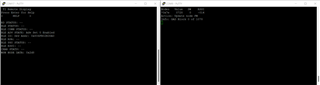
    感谢您的提示。 我对复位矢量地址进行了所需的更改。 从集中器启动 OAD 后、我不再收到错误。 但屏幕在这之后仍然冻结、如图片所示

  • 请注意,本文内容源自机器翻译,可能存在语法或其它翻译错误,仅供参考。如需获取准确内容,请参阅链接中的英语原文或自行翻译。

    您好、Ashwin、

    我链接的 SimpleLink Academy 实验还包含一些调试提示。

    您能否在连接了调试器的情况下运行应用程序映像、并检查其是否按预期运行?

    如果是、您能否按照步骤测试从 BIM 跳转到应用程序映像?

    谢谢、

    玛丽·H

  • 请注意,本文内容源自机器翻译,可能存在语法或其它翻译错误,仅供参考。如需获取准确内容,请参阅链接中的英语原文或自行翻译。
    [引用 userid="277653" URL"~/support/wireless-connectivity/sub-1GHz-group/sub-1GHz/f/sub-1-GHz-forum/1102852/cc1352r-load-through rf-protocol/4089765#4089765"]是否可以在附加调试器的情况下运行应用程序映像并检查其是否按预期运行[报价]

    我确实使用调试器运行了映像、它也按预期运行、直到我 从集中器启动 OAD。 执行此操作后、屏幕冻结、我也看不到调试器中的任何错误或警告。

  • 请注意,本文内容源自机器翻译,可能存在语法或其它翻译错误,仅供参考。如需获取准确内容,请参阅链接中的英语原文或自行翻译。

    您好、Ashwin、

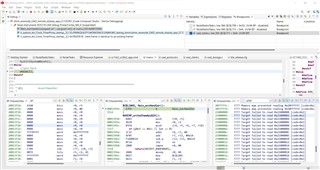
    发生这种情况时、您能否暂停调试会话并发布调用堆栈的屏幕截图?

    谢谢、

    玛丽·H

  • 请注意,本文内容源自机器翻译,可能存在语法或其它翻译错误,仅供参考。如需获取准确内容,请参阅链接中的英语原文或自行翻译。

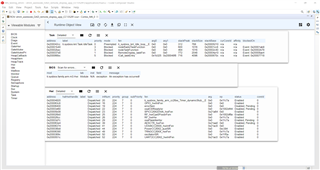
    您好、Marie、

    如果我错了、请告诉我、但我认为这正是您所说的

    谢谢、

    Ashwin

  • 请注意,本文内容源自机器翻译,可能存在语法或其它翻译错误,仅供参考。如需获取准确内容,请参阅链接中的英语原文或自行翻译。

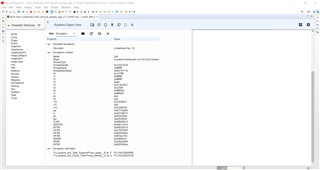
    我还有一个与正在发生的异常相关的映像

  • 请注意,本文内容源自机器翻译,可能存在语法或其它翻译错误,仅供参考。如需获取准确内容,请参阅链接中的英语原文或自行翻译。

    您好!

    我真的需要一些帮助来解决这个问题、并尽快解决这个问题。 您能建议我可以处理的任何方向吗?

    此致、

    Ashwin。

  • 请注意,本文内容源自机器翻译,可能存在语法或其它翻译错误,仅供参考。如需获取准确内容,请参阅链接中的英语原文或自行翻译。

    您好、Ashwin、

    是的、HWI->Exception 视图是我所讨论的内容。 未定义 HWI、这对我们没有太大影响。 您能否使用 Disassembly 和 Memory Browser 来确定存储在 sp、LR、PC、PSR 地址中的内容? 它可能会提示导致异常的代码部分。

    用户指南中提供了一些有关调试 HWI 异常的更多信息、以防您尚未看到该异常:

    https://dev.ti.com/tirex/explore/content/simplelink_cc13xx_cc26xx_sdk_6_10_00_29/docs/dmm/dmm_user_guide/html/dmm-guide/debugging-index.html#deciphering-cpu-exceptions

    谢谢、

    Marie

  • 请注意,本文内容源自机器翻译,可能存在语法或其它翻译错误,仅供参考。如需获取准确内容,请参阅链接中的英语原文或自行翻译。

    您好、Marie、

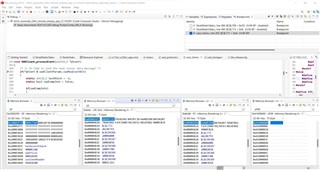
    请在 所附图片中找到"Disassembly and Memory Browser"中的信息-  

    谢谢你

    Ashwin

  • 请注意,本文内容源自机器翻译,可能存在语法或其它翻译错误,仅供参考。如需获取准确内容,请参阅链接中的英语原文或自行翻译。

    您好、Ashwin、

    很抱歉、我无法从这些屏幕截图中获得太多信息。 我希望 从这个网站中获得更多信息...

    要尝试找出问题、请执行以下操作:

    1) 1)在调试会话中启动节点应用程序

    2) 2)在集中器处理"OAD start"消息的位置放置断点。

    3) 3)单步执行代码、查看其进入异常处理程序的位置。

    为了单步执行代码、您可能需要降低 API 或文件的优化:

    https://dev.ti.com/tirex/content/simplelink_cc13xx_cc26xx_sdk_6_10_00_29/docs/dmm/dmm_user_guide/html/dmm-guide/debugging-index.html#optimizations

    谢谢、

    玛丽·H

  • 请注意,本文内容源自机器翻译,可能存在语法或其它翻译错误,仅供参考。如需获取准确内容,请参阅链接中的英语原文或自行翻译。

    您好、Marie、

    我已经使用断点执行了调试、我可以得出结论、该过程在第一部分顺利地穿过 OAD 过程。

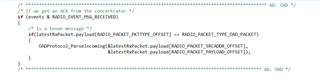
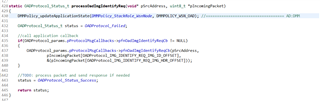
    为了更简明-当请求从节点侧的集中器(IMG_Identify_Req)发送时、会触发适当的事件=>  

    触发后 processOadImgIdentifyReq() function 、代码顺利通过其他函数并退出事件循环(如图所示)。 它还会检查其他事件、并最终返回到 while 循环的顶部=>

    这是遇到异常 的地方、代码在这里停止。

    ============================================================================================================================================================================================================================================================================================================================================================================================================================================================================================================================================================================================================================================================================================================================================================================================================================================================================================================================================================================================================================

    我还想了其他一些东西、我想知道 DMM 策略表是否会有问题。 我在以下位置添加了用于更新应用程序状态的函数-

    void OADClient_processEvent(uint32_t *pEvent)
    {
        /* Is it time to send the next sensor data message? */
        if(*pEvent & oadClientParams.oadReqEventBit)
        {
    //        DMMPolicy_updateApplicationState(DMMPolicy_StackRole_WsnNode, DMMPOLICY_WSN_OAD); //=================================== AD:DMM
    
            static int32_t lastBlock = -1;
            static bool oadComplete = false;
    
            if(oadComplete)
            {
                /* reset to BIM */
                SysCtrlSystemReset();
    
                /* Clear complete flag in case reset did not work */
                oadComplete = false;
    
            }
    
            if(oadInProgress)
            {
                if(oadBlock == lastBlock)
                {
                    /*
                     * allow 3 retries before aborting
                     */
                    if(oadRetries++ > OADClient_MAX_RETRIES)
                    {
                        /*abort OAD */
                        oadInProgress = false;
    
                        /* Stop OAD timer */
                        oadBlockReqClkSet(0);
    
                        /* stop rsp poll timer */
                        oadRsPollClkSet(0);
    
                        OADStorage_close();
    
                        NodeTask_displayOadStatusUpdate(OADStorage_Failed);
    
                        lastBlock = -1;
                    }
                    else
                    {
                        /* reduce the lastBlock by 1 to force a re-request */
                        lastBlock -= 1;
                    }
    
                    oadRetriesTotal++;
                }
            }
    
            if(oadInProgress)
            {
                if(oadBlock < oadBNumBlocks)
                {
                    lastBlock = oadBlock;
    
                    /* Send Block request specifying number of blocks per multi
                     * blocks. The OAD_MULTI_BLOCK_SIZE hard coded here, but it is
                     * intended that an advanced user would use information from
                     * oadRetries and Sensor_msgStats to implement a sliding window
                     * algorithm
                     */
                    OADProtocol_sendOadImgBlockReq(&oadServerAddr, 0, oadBlock, 1);
    
                    /* update display */
                    NodeTask_displayOadBlockUpdate(oadBlock, oadBNumBlocks, oadRetriesTotal);  //AD:testing
    
                    /*
                     * Send poll request to get rsp in OADClient_BLOCK_REQ_POLL_DELAY ms
                     * to flush the block response from OAD servers MAC Queue
                     */
                    oadRsPollClkSet(OADClient_BLOCK_REQ_POLL_DELAY);
    
                    /*
                     * set timer to time out in OADClient_BLOCK_REQ_RATE ms to request
                     * or re-request block
                     * */
                    oadBlockReqClkSet(OADClient_BLOCK_REQ_RATE);
                }
                else
                {
                    OADStorage_Status_t status;
    
                    /*
                     * Check that CRC is correct and mark the image as new
                     * image to be booted in to by BIM on next reset
                     */
                    status = OADStorage_imgFinalise();
    
                    /* Display result */
                    NodeTask_displayOadStatusUpdate(status);
    
                    /* Stop any further OAD message processing */
                    oadInProgress = false;
    
                    /* If OAD was successful reset the device */
                    if(status == OADStorage_Status_Success)
                    {
                        oadComplete = true;
    
                        /*
                         * Set time 1 more time to reset the device
                         * after the display has been written to
                         */
                        oadBlockReqClkSet(OADClient_BLOCK_REQ_RATE);
                    }
                    else
                    {
                        //something went wrong abort
                        oadBlockReqClkSet(0);
                    }
    
                    DMMPolicy_updateApplicationState(DMMPolicy_StackRole_WsnNode, ANY); //=================================== AD:DMM
                }
            }
        }
    }
     

    我想知道您是否也可以验证这一点。

    谢谢、

    Ashwin

  • 请注意,本文内容源自机器翻译,可能存在语法或其它翻译错误,仅供参考。如需获取准确内容,请参阅链接中的英语原文或自行翻译。

    您好、Ashwin、

    您能否与我们分享您的项目、以便我们可以尝试在我们身边重现您的问题?

    谢谢、
    尼古拉伊

  • 请注意,本文内容源自机器翻译,可能存在语法或其它翻译错误,仅供参考。如需获取准确内容,请参阅链接中的英语原文或自行翻译。

    您好 Nikolaj、

    我已附加项目的 zip 文件。  

    期待您的输入。

    谢谢你。

    Ashwin

    e2e.ti.com/.../WS_5F00_testing_5F00_dmm_5F00_2.zip

  • 请注意,本文内容源自机器翻译,可能存在语法或其它翻译错误,仅供参考。如需获取准确内容,请参阅链接中的英语原文或自行翻译。

    您好!

    您是否能够在您的身边重现此问题?

    谢谢。

    Ashwin

  • 请注意,本文内容源自机器翻译,可能存在语法或其它翻译错误,仅供参考。如需获取准确内容,请参阅链接中的英语原文或自行翻译。

    您好、Ashwin、

    由于在挪威度假、我只开始查看您今天共享的文件。

    您的工作区包含许多不同的项目、我应该使用哪一个来重现问题?

    谢谢、
    尼古拉伊

  • 请注意,本文内容源自机器翻译,可能存在语法或其它翻译错误,仅供参考。如需获取准确内容,请参阅链接中的英语原文或自行翻译。

    您好!

    很抱歉、我没有意识到这一点。 我附加了一个新的 zip 文件、其中包含我正在使用的工程。

    e2e.ti.com/.../dmm_5F00_wsnnode_5F00_OAD_5F00_remote_5F00_display_5F00_app_5F00_CC1352R1.zip

    谢谢、

    Ashwin

  • 请注意,本文内容源自机器翻译,可能存在语法或其它翻译错误,仅供参考。如需获取准确内容,请参阅链接中的英语原文或自行翻译。

    您好、Ashwin、

    我无法构建您的项目。 我得到以下链接错误:

    Invoking: Arm Linker
    "C:/ti/ti-cgt-arm_20.2.4.LTS/bin/armcl" --cmd_file="C:/Users/a0490475/workspace_v11_apps_1102852/dmm_wsnnode_OAD_remote_display_app_CC1352R1/TOOLS/defines/dmm_wsnnode_remote_display_app.opts" --cmd_file="C:/Users/a0490475/workspace_v11_apps_1102852/dmm_wsnnode_OAD_remote_display_app_CC1352R1/TOOLS/build_components.opt" --cmd_file="C:/Users/a0490475/workspace_v11_apps_1102852/dmm_wsnnode_OAD_remote_display_app_CC1352R1/TOOLS/factory_config.opt" --cmd_file="C:/Users/a0490475/workspace_v11_apps_1102852/dmm_wsnnode_OAD_remote_display_app_CC1352R1/Release/syscfg/ti_ble_app_config.opt" --cmd_file="C:/Users/a0490475/workspace_v11_apps_1102852/dmm_wsnnode_OAD_remote_display_app_CC1352R1/Release/syscfg/ti_build_config.opt"  -mv7M4 --code_state=16 --float_support=FPv4SPD16 -me -O4 --opt_for_speed=0 --define=FLASH_ROM_BUILD --define=CC13XX --define=CC13X2 --define=CC13X2R1_LAUNCHXL --define=DeviceFamily_CC13X2 --define=SUPPORT_PHY_CUSTOM --define=SUPPORT_PHY_50KBPS2GFSK --define=SUPPORT_PHY_5KBPSSLLR --define=SUPPORT_PHY_200KBPS2GFSK -g --c99 --gcc --diag_warning=225 --diag_warning=255 --diag_wrap=off --display_error_number --gen_func_subsections=on --abi=eabi -z -m"dmm_wsnnode_OAD_remote_display_app_CC1352R1.map" -i"C:/ti/simplelink_cc13xx_cc26xx_sdk_6_10_00_29/source" -i"C:/ti/simplelink_cc13xx_cc26xx_sdk_6_10_00_29/kernel/tirtos/packages" -i"C:/Users/a0490475/workspace_v11_apps_1102852/dmm_wsnnode_OAD_remote_display_app_CC1352R1/Release/syscfg" -i"C:/ti/ti-cgt-arm_20.2.4.LTS/lib" -i"C:/ti/simplelink_cc13xx_cc26xx_sdk_6_10_00_29/kernel/tirtos7/packages" --reread_libs --define=FLASH_ROM_BUILD=2 --diag_suppress=16002-D --diag_suppress=10247-D --diag_suppress=10325-D --diag_suppress=10229-D --diag_suppress=16032-D --diag_wrap=off --display_error_number --warn_sections --xml_link_info="dmm_wsnnode_OAD_remote_display_app_CC1352R1_linkInfo.xml" --rom_model -o "dmm_wsnnode_OAD_remote_display_app_CC1352R1.out" "./syscfg/ti_ble_config.obj" "./syscfg/ti_easylink_config.obj" "./syscfg/ti_dmm_application_policy.obj" "./syscfg/ti_devices_config.obj" "./syscfg/ti_radio_config.obj" "./syscfg/ti_drivers_config.obj" "./application/ble_remote_display/board_key.obj" "./application/ble_remote_display/remote_display_custom.obj" "./application/ble_remote_display/startup/ble_user_config_stack.obj" "./application/ble_remote_display/startup/osal_icall_ble.obj" "./application/ble_remote_display/startup/rom_init.obj" "./application/ble_remote_display/util/util.obj" "./application/cui/cui.obj" "./application/cui/util_timer.obj" "./application/main.obj" "./application/wsn_node/NodeRadioTask.obj" "./application/wsn_node/NodeTask.obj" "./application/wsn_node/SceAdc.obj" "./application/wsn_node/easylink/EasyLink.obj" "./application/wsn_node/sce/scif.obj" "./application/wsn_node/sce/scif_framework.obj" "./application/wsn_node/sce/scif_osal_tirtos.obj" "./common/cc26xx/crc/crc32.obj" "./common/cc26xx/flash_interface/external/flash_interface_ext_rtos_NVS.obj" "./dmm/dmm_priority_ble_wsn.obj" "./drivers/nv/crc.obj" "./drivers/nv/nvocmp.obj" "./oad/ble_oad/oad_switch.obj" "./oad/native_oad/oad_client.obj" "./oad/native_oad/oad_image_header_app.obj" "./oad/native_oad/oad_protocol.obj" "./oad/native_oad/oad_storage.obj" "./software_stacks/ble_stack/icall/icall.obj" "./software_stacks/ble_stack/icall/icall_cc2650.obj" "./software_stacks/ble_stack/icall/icall_user_config.obj" "./software_stacks/ble_stack/icall_ble/icall_api_lite.obj" "./software_stacks/ble_stack/icall_ble/icall_hci_tl.obj" "./software_stacks/ble_stack/icall_ble/rd_ble_user_config.obj" "./software_stacks/ble_stack/profiles/devinfoservice.obj" "./software_stacks/ble_stack/profiles/gattservapp_util.obj" "./software_stacks/ble_stack/profiles/remote_display_gatt_profile.obj" "./software_stacks/ble_stack/rosc/rcosc_calibration.obj" "C:/ti/simplelink_cc13xx_cc26xx_sdk_6_10_00_29/source/ti/ble5stack/common/cc26xx/ccs/cc13x2_cc26x2_app.cmd" -l"configPkg/linker.cmd"  -l"C:/Users/a0490475/workspace_v11_apps_1102852/dmm_wsnnode_OAD_remote_display_app_CC1352R1/Release/syscfg/ti_utils_build_linker.cmd.genlibs" -lti_utils_build_linker.cmd.genlibs -l"C:/ti/simplelink_cc13xx_cc26xx_sdk_6_10_00_29/source/ti/devices/cc13x2_cc26x2/driverlib/bin/ccs/driverlib.lib" -llibc.a 
    <Linking>
     
     undefined    first referenced
      symbol          in file     
     ---------    ----------------
     flashEndAddr <whole-program> 
     prgEntryAddr <whole-program> 
     
    error #10234-D: unresolved symbols remain
    error #10010: errors encountered during linking; "dmm_wsnnode_OAD_remote_display_app_CC1352R1.out" not built

    是否确定已共享正确的项目?
    此外、请确保您没有对链接到工程(来自 SDK)的文件进行任何更改、而是对其进行了复制。  

    此致、
    尼古拉伊

  • 请注意,本文内容源自机器翻译,可能存在语法或其它翻译错误,仅供参考。如需获取准确内容,请参阅链接中的英语原文或自行翻译。

    您好 Nikolaj、

    很抱歉出现问题。 请找到我做了更多工作的 zip 文件。

    在这里 、我对"remote_display"和"DMM_priority_Ble_WSN"文件进行了更改、但 没有在项目中链接它们。 我复制了这些文件并对其进行了适当的重命名。 (_custom)。

    e2e.ti.com/.../7331.dmm_5F00_wsnnode_5F00_OAD_5F00_remote_5F00_display_5F00_app_5F00_CC1352R1.zip

    我还遇到了相同的错误、并为此对 cmd 文件进行了相应的更改。 我已附加.cmd 文件。

    我还更改了"Ble_release.cfg"文件以更改复位矢量的地址。

    /******************************************************************************
    
     @file  cc13x2_cc26x2_app.cmd
    
     @brief CC26X2R1F and CC13X2R1F3 linker configuration file for TI-RTOS with Code
            Composer Studio.
    
            Imported Symbols
            Note: Linker defines are located in the CCS IDE project by placing them
            in
            Properties->Build->Linker->Advanced Options->Command File Preprocessing.
    
            CACHE_AS_RAM:       Disable system cache to be used as GPRAM for
                                additional volatile memory storage.
            FLASH_ROM_BUILD:	If defined, it should be set to 1 or 2 to indicate
                                the ROM version of the device being used. When using
                                Flash-only configuration, this symbol should not be
                                defined.
            ICALL_RAM0_START:   RAM start of BLE stack.
            ICALL_STACK0_START: Flash start of BLE stack.
            PAGE_AlIGN:         Align BLE stack boundary to a page boundary.
                                Aligns to Flash word boundary by default.
    
     Group: WCS, BTS
     Target Device: cc13xx_cc26xx
    
     ******************************************************************************
     
     Copyright (c) 2017-2022, Texas Instruments Incorporated
     All rights reserved.
    
     Redistribution and use in source and binary forms, with or without
     modification, are permitted provided that the following conditions
     are met:
    
     *  Redistributions of source code must retain the above copyright
        notice, this list of conditions and the following disclaimer.
    
     *  Redistributions in binary form must reproduce the above copyright
        notice, this list of conditions and the following disclaimer in the
        documentation and/or other materials provided with the distribution.
    
     *  Neither the name of Texas Instruments Incorporated nor the names of
        its contributors may be used to endorse or promote products derived
        from this software without specific prior written permission.
    
     THIS SOFTWARE IS PROVIDED BY THE COPYRIGHT HOLDERS AND CONTRIBUTORS "AS IS"
     AND ANY EXPRESS OR IMPLIED WARRANTIES, INCLUDING, BUT NOT LIMITED TO,
     THE IMPLIED WARRANTIES OF MERCHANTABILITY AND FITNESS FOR A PARTICULAR
     PURPOSE ARE DISCLAIMED. IN NO EVENT SHALL THE COPYRIGHT OWNER OR
     CONTRIBUTORS BE LIABLE FOR ANY DIRECT, INDIRECT, INCIDENTAL, SPECIAL,
     EXEMPLARY, OR CONSEQUENTIAL DAMAGES (INCLUDING, BUT NOT LIMITED TO,
     PROCUREMENT OF SUBSTITUTE GOODS OR SERVICES; LOSS OF USE, DATA, OR PROFITS;
     OR BUSINESS INTERRUPTION) HOWEVER CAUSED AND ON ANY THEORY OF LIABILITY,
     WHETHER IN CONTRACT, STRICT LIABILITY, OR TORT (INCLUDING NEGLIGENCE OR
     OTHERWISE) ARISING IN ANY WAY OUT OF THE USE OF THIS SOFTWARE,
     EVEN IF ADVISED OF THE POSSIBILITY OF SUCH DAMAGE.
    
     ******************************************************************************
     
     
     *****************************************************************************/
    --stack_size=1024   /* C stack is also used for ISR stack *///================================AD: OAD
    HEAPSIZE = 0x1000;  /* Size of heap buffer used by HeapMem */
    /*******************************************************************************
     * CCS Linker configuration
     */
    
    /* Retain interrupt vector table variable                                    */
    --retain=g_pfnVectors
    /* Override default entry point.                                             */
    --entry_point ResetISR
    /* Suppress warnings and errors:                                             */
    /* - 10063: Warning about entry point not being _c_int00                     */
    /* - 16011, 16012: 8-byte alignment errors. Observed when linking in object  */
    /*   files compiled using Keil (ARM compiler)                                */
    --diag_suppress=10063,16011,16012
    
    /* The following command line options are set as part of the CCS project.    */
    	/* If you are building using the command line, or for some reason want to    */
    /* define them here, you can uncomment and modify these lines as needed.     */
    /* If you are using CCS for building, it is probably better to make any such */
    /* modifications in your CCS project and leave this file alone.              */
    /*                                                                           */
    /* --heap_size=0                                                             */
    /* --stack_size=256                                                          */
    /* --library=rtsv7M3_T_le_eabi.lib                                           */
    
    /* The starting address of the application.  Normally the interrupt vectors  */
    /* must be located at the beginning of the application. Flash is 128KB, with */
    /* sector length of 4KB                                                      */
    /*******************************************************************************
     * Memory Sizes
     */
    //============================================== AD: OAD
    #define IMG_HDR                 0x0
    //============================================== AD: OAD
    
    #define FLASH_BASE   0xA8  // 0x00000000 //AD:OAD
    #define GPRAM_BASE   0x11000000
    #define RAM_BASE     0x20000000
    #define ROM_BASE     0x10000000
    
    #define FLASH_SIZE   0x58000 - FLASH_BASE  // 0x00058000  //AD:OAD
    #define GPRAM_SIZE   0x00002000  //AD:OAD  0x2000
    #define RAM_SIZE     0x00014000  //AD:OAD  0x14000
    #define ROM_SIZE     0x00040000
    
    #define RTOS_RAM_SIZE           0x0000012C
    #define RESERVED_RAM_SIZE_ROM_1 0x00000B08
    #define RESERVED_RAM_SIZE_ROM_2 0x00000EB3
    
    /*******************************************************************************
     * Memory Definitions
     ******************************************************************************/
    
    /*******************************************************************************
     * RAM
     */
    #if defined(FLASH_ROM_BUILD)
      #if (FLASH_ROM_BUILD == 1)
        #define RESERVED_RAM_SIZE_AT_START 0
        #define RESERVED_RAM_SIZE_AT_END   RESERVED_RAM_SIZE_ROM_1
      #else // (FLASH_ROM_BUILD == 2)
        #define RESERVED_RAM_SIZE_AT_START (RTOS_RAM_SIZE + RESERVED_RAM_SIZE_ROM_2)
        #define RESERVED_RAM_SIZE_AT_END   0
      #endif
    #else /* Flash Only */
      #define RESERVED_RAM_SIZE_AT_START 0
      #define RESERVED_RAM_SIZE_AT_END   0
    #endif // FLASH_ROM_BUILD
    
    #define RAM_START      (RAM_BASE + RESERVED_RAM_SIZE_AT_START)
    #ifdef ICALL_RAM0_START
      #define RAM_END      (ICALL_RAM0_START - 1)
    #else
      #define RAM_END      (RAM_BASE + RAM_SIZE - RESERVED_RAM_SIZE_AT_END - 1)
    #endif /* ICALL_RAM0_START */
    
    /* For ROM 2 devices, the following section needs to be allocated and reserved */
    #define RTOS_RAM_START RAM_BASE
    #define RTOS_RAM_END   (RAM_BASE + RTOS_RAM_SIZE - 1)
    
    /*******************************************************************************
     * Flash
     */
    
    #define FLASH_START                FLASH_BASE
    #define WORD_SIZE                  4
    
    #define PAGE_SIZE                  0x2000
    
    #ifdef PAGE_ALIGN
      #define FLASH_MEM_ALIGN          PAGE_SIZE
    #else
      #define FLASH_MEM_ALIGN          WORD_SIZE
    #endif /* PAGE_ALIGN */
    
    #define PAGE_MASK                  0xFFFFE000
    
    /* The last Flash page is reserved for the application. */
    #define NUM_RESERVED_FLASH_PAGES   1
    #define RESERVED_FLASH_SIZE        (NUM_RESERVED_FLASH_PAGES * PAGE_SIZE)
    
    /* Check if page alingment with the Stack image is required.  If so, do not link
     * into a page shared by the Stack.
     */
    #ifdef ICALL_STACK0_START
      #ifdef PAGE_ALIGN
        #define ADJ_ICALL_STACK0_START (ICALL_STACK0_START * PAGE_MASK)
      #else
        #define ADJ_ICALL_STACK0_START ICALL_STACK0_START
      #endif /* PAGE_ALIGN */
    
      #define FLASH_END                (ADJ_ICALL_STACK0_START - 1)
    #else
      #define FLASH_END                (FLASH_BASE + FLASH_SIZE - RESERVED_FLASH_SIZE - 1)
    #endif /* ICALL_STACK0_START */
    
    #define FLASH_LAST_PAGE_START      (FLASH_SIZE - PAGE_SIZE)
    
    /*******************************************************************************
     * Stack
     */
    
    /* Create global constant that points to top of stack */
    /* CCS: Change stack size under Project Properties    */
    __STACK_TOP = __stack + __STACK_SIZE;
    
    /*******************************************************************************
     * GPRAM
     */
    
    #ifdef CACHE_AS_RAM
      #define GPRAM_START GPRAM_BASE
      #define GPRAM_END   (GPRAM_START + GPRAM_SIZE - 1)
    #endif /* CACHE_AS_RAM */
    
    /*******************************************************************************
     * ROV
     * These symbols are used by ROV2 to extend the valid memory regions on device.
     * Without these defines, ROV will encounter a Java exception when using an
     * autosized heap. This is a posted workaround for a known limitation of
     * RTSC/rta. See: bugs.eclipse.org/.../show_bug.cgi
     *
     * Note: these do not affect placement in RAM or FLASH, they are only used
     * by ROV2, see the BLE Stack User's Guide for more info on a workaround
     * for ROV Classic
     *
     */
    __UNUSED_SRAM_start__ = RAM_BASE;
    __UNUSED_SRAM_end__ = RAM_BASE + RAM_SIZE;
    
    __UNUSED_FLASH_start__ = FLASH_BASE;
    __UNUSED_FLASH_end__ = FLASH_BASE + FLASH_SIZE;
    
    /*******************************************************************************
     * Main arguments
     */
    
    /* Allow main() to take args */
    /* --args 0x8 */
    
    /*******************************************************************************
     * System Memory Map
     ******************************************************************************/
    MEMORY
    {
      /* EDITOR'S NOTE:
       * the FLASH and SRAM lengths can be changed by defining
       * ICALL_STACK0_START or ICALL_RAM0_START in
       * Properties->ARM Linker->Advanced Options->Command File Preprocessing.
       */
       //================================================================================== AD: OAD
       FLASH_IMG_HDR (RX) : origin = IMG_HDR, length = 0xA8
       //================================================================================== AD: OAD
    
      /* Application stored in and executes from internal flash */
      FLASH (RX) : origin = FLASH_START, length = (FLASH_END - FLASH_START + 1)
      //FLASH (RX) : origin = FLASH_BASE, length = FLASH_SIZE  //AD:OAD
    
      /* CCFG Page, contains .ccfg code section and some application code. */
      //FLASH_LAST_PAGE (RX) :  origin = FLASH_LAST_PAGE_START, length = PAGE_SIZE
    
      /* Application uses internal RAM for data */
    #if (defined(FLASH_ROM_BUILD) && (FLASH_ROM_BUILD == 2))
      RTOS_SRAM (RWX) : origin = RTOS_RAM_START, length = (RTOS_RAM_END - RTOS_RAM_START + 1)
    #endif
      SRAM (RWX) : origin = RAM_START, length = (RAM_END - RAM_START + 1)
    
      #ifdef CACHE_AS_RAM
          GPRAM(RWX) : origin = GPRAM_START, length = GPRAM_SIZE
      #endif /* CACHE_AS_RAM */
    }
    
    /*******************************************************************************
     * Section Allocation in Memory
     ******************************************************************************/
    SECTIONS
    {
       //================================================================================== AD: OAD
       GROUP > FLASH_IMG_HDR
       {
       		.image_header
       }
       //================================================================================== AD: OAD
    
      .resetVecs      :   > FLASH_BASE LOAD_START(prgEntryAddr)  // AD:OAD
      .intvecs        :   >  FLASH_START
      .text           :   >> FLASH //| FLASH_LAST_PAGE
      .const          :   >> FLASH //| FLASH_LAST_PAGE
      .constdata      :   >> FLASH //| FLASH_LAST_PAGE
      .rodata         :   >> FLASH //| FLASH_LAST_PAGE
    //  .cinit          :   >  FLASH | FLASH_LAST_PAGE
      .cinit          :   > FLASH  LOAD_END(flashEndAddr)  // AD:OAD
      .pinit          :   >> FLASH //| FLASH_LAST_PAGE
      .init_array     :   >  FLASH //| FLASH_LAST_PAGE
      .emb_text       :   >> FLASH //| FLASH_LAST_PAGE
      .ccfg           :   >  FLASH (HIGH) //FLASH_LAST_PAGE (HIGH) // AD:OAD
      .binit          :   > FLASH  //================================================== AD:OAD
      .TI.ramfunc     : {} load=FLASH, run=SRAM, table(BINIT)  //====================== AD:OAD
    
      GROUP > SRAM
      {
        .data
        #ifndef CACHE_AS_RAM
        .bss
        #endif /* CACHE_AS_RAM */
        .vtable
        .vtable_ram
        vtable_ram
        .sysmem
        .nonretenvar
        /*This keeps ll.o objects out of GPRAM, if no ll.o would be placed here
          the warning #10068 is supressed.*/
        #ifdef CACHE_AS_RAM
        ll_bss
        {
          --library=*ll_*.a<ll.o> (.bss)
          --library=*ll_*.a<ll_ae.o> (.bss)
        }
        #endif /* CACHE_AS_RAM */
      } LOAD_END(heapStart)
    
      .stack            :   >  SRAM (HIGH) LOAD_START(heapEnd)
    
      .nonretenvar    :   > SRAM //================================================== AD:OAD
    
      #ifdef CACHE_AS_RAM
    
      .bss :
      {
        *(.bss)
      } > GPRAM
      #endif /* CACHE_AS_RAM */
    
    //================================================================================ AD:OAD
    	/* Heap buffer used by HeapMem */
        .priheap   : {
            __primary_heap_start__ = .;
            . += HEAPSIZE;
            __primary_heap_end__ = .;
        } > SRAM align 8
       //.gpram          :   > GPRAM  //================================================== AD:OAD
    }
    //================================================================================== AD: OAD
    //--symbol_map __TI_STACK_SIZE=__STACK_SIZE
    //--symbol_map __TI_STACK_BASE=__stack
    
    -u_c_int00
    --retain "*(.resetVecs)"
    --retain "*(.vecs)"
    
    SECTIONS
    {
        .resetVecs: load > 0
        .vecs: load > 0x20000000, type = NOLOAD
    }
    //================================================================================== AD: OAD
    

    /******************************************************************************
    
     @file  ble_release.cfg
    
     @brief TI RTOS (in ROM release) Configuration file for BLE5-Stack
    
     Group: WCS, BTS
     Target Device: cc13xx_cc26xx
    
     ******************************************************************************
     
     Copyright (c) 2017-2022, Texas Instruments Incorporated
     All rights reserved.
    
     Redistribution and use in source and binary forms, with or without
     modification, are permitted provided that the following conditions
     are met:
    
     *  Redistributions of source code must retain the above copyright
        notice, this list of conditions and the following disclaimer.
    
     *  Redistributions in binary form must reproduce the above copyright
        notice, this list of conditions and the following disclaimer in the
        documentation and/or other materials provided with the distribution.
    
     *  Neither the name of Texas Instruments Incorporated nor the names of
        its contributors may be used to endorse or promote products derived
        from this software without specific prior written permission.
    
     THIS SOFTWARE IS PROVIDED BY THE COPYRIGHT HOLDERS AND CONTRIBUTORS "AS IS"
     AND ANY EXPRESS OR IMPLIED WARRANTIES, INCLUDING, BUT NOT LIMITED TO,
     THE IMPLIED WARRANTIES OF MERCHANTABILITY AND FITNESS FOR A PARTICULAR
     PURPOSE ARE DISCLAIMED. IN NO EVENT SHALL THE COPYRIGHT OWNER OR
     CONTRIBUTORS BE LIABLE FOR ANY DIRECT, INDIRECT, INCIDENTAL, SPECIAL,
     EXEMPLARY, OR CONSEQUENTIAL DAMAGES (INCLUDING, BUT NOT LIMITED TO,
     PROCUREMENT OF SUBSTITUTE GOODS OR SERVICES; LOSS OF USE, DATA, OR PROFITS;
     OR BUSINESS INTERRUPTION) HOWEVER CAUSED AND ON ANY THEORY OF LIABILITY,
     WHETHER IN CONTRACT, STRICT LIABILITY, OR TORT (INCLUDING NEGLIGENCE OR
     OTHERWISE) ARISING IN ANY WAY OUT OF THE USE OF THIS SOFTWARE,
     EVEN IF ADVISED OF THE POSSIBILITY OF SUCH DAMAGE.
    
     ******************************************************************************
     
     
     *****************************************************************************/


    /* ================ ROM configuration ================ */
    /*
     * To use BIOS in flash, comment out the code block below.
     */
    var ROM = xdc.useModule('ti.sysbios.rom.ROM');
    if (Program.cpu.deviceName.match(/CC26/)) {
      ROM.romName = ROM.CC26X2V2;
    }
    else if (Program.cpu.deviceName.match(/CC13/)) {
      ROM.romName = ROM.CC13X2V2;
    }


    /* ================ Boot configuration ================ */
    /*
     * This module contains family specific Boot APIs and configuration settings.
     * See the SYS/BIOS API guide for more information.
     */
    var Boot = xdc.useModule('ti.sysbios.family.arm.cc26xx.Boot');


    /* ================ Clock configuration ================ */
    var Clock = xdc.useModule('ti.sysbios.knl.Clock');
    /*
     * When using Power and calibrateRCOSC is set to true, this should be set to 10.
     * The timer used by the Clock module supports TickMode_DYNAMIC. This enables us
     * to set the tick period to 10 us without generating the overhead of additional
     * interrupts.
     *
     * Note: The calibrateRCOSC parameter is set within the Power configuration
     *     structure in the "Board.c" file.
     */
    Clock.tickPeriod = 10;
    Clock.swiPriority = 5;
    
    
    /* ================ Types configuration ================ */
    var Types = xdc.useModule('xdc.runtime.Types');
    /*
     * This module defines basic constants and types used throughout the
     * xdc.runtime package.
     */


    /* ================ Defaults (module) configuration ================ */
    var Defaults = xdc.useModule('xdc.runtime.Defaults');
    /*
     * A flag to allow module names to be loaded on the target. Module name
     * strings are placed in the .const section for debugging purposes.
     *
     * Pick one:
     *  - true (default)
     *      Setting this parameter to true will include name strings in the .const
     *      section so that Errors and Asserts are easier to debug.
     *  - false
     *      Setting this parameter to false will reduce footprint in the .const
     *      section. As a result, Error and Assert messages will contain an
     *      "unknown module" prefix instead of the actual module name.
     *
     *  When using BIOS in ROM:
     *      This option must be set to false.
     */
    //Defaults.common$.namedModule = true;
    Defaults.common$.namedModule = false;
    
    /* Compile out all Assert's */
    //Defaults.common$.diags_ASSERT = Diags.ALWAYS_OFF;
    
    /* Allow Mod_create() and Mod_construct() but not delete() or destruct() */
    Defaults.common$.memoryPolicy = Types.DELETE_POLICY;


    /* ================ Error configuration ================ */
    var Error = xdc.useModule('xdc.runtime.Error');
    /*
     * This function is called to handle all raised errors, but unlike
     * Error.raiseHook, this function is responsible for completely handling the
     * error with an appropriately initialized Error_Block.
     *
     * Pick one:
     *  - Error.policyDefault (default)
     *      Calls Error.raiseHook with an initialized Error_Block structure and logs
     *      the error using the module's logger.
     *  - Error.policySpin
     *      Simple alternative that traps on a while(1) loop for minimized target
     *      footprint.
     *      Using Error.policySpin, the Error.raiseHook will NOT called.
     */
    //Error.policyFxn = Error.policyDefault;
    Error.policyFxn = Error.policySpin;
    
    /*
     * If Error.policyFxn is set to Error.policyDefault, this function is called
     * whenever an error is raised by the Error module.
     *
     * Pick one:
     *  - Error.print (default)
     *      Errors are formatted and output via System_printf() for easier
     *      debugging.
     *  - null
     *      Errors are trapped with a while(1) stub function. This option reduces
     *      code footprint.
     *  - non-null function
     *      Errors invoke custom user function. See the Error module documentation
     *      for more details.
     */
    //Error.raiseHook = Error.print;
    Error.raiseHook = null;
    //Error.raiseHook = "&myErrorFxn";
    
    /*
     * If Error.policyFxn is set to Error.policyDefault, this option applies to the
     * maximum number of times the Error.raiseHook function can be recursively
     * invoked. This option limits the possibility of an infinite recursion that
     * could lead to a stack overflow.
     * The default value is 16.
     */
    Error.maxDepth = 2;


    /* ================ Hwi configuration ================ */
    var halHwi = xdc.useModule('ti.sysbios.hal.Hwi');
    var m3Hwi = xdc.useModule('ti.sysbios.family.arm.m3.Hwi');
    /*
     * Checks for Hwi (system) stack overruns while in the Idle loop.
     *
     * Pick one:
     *  - true (default)
     *      Checks the top word for system stack overflows during the idle loop and
     *      raises an Error if one is detected.
     *  - false
     *      Disabling the runtime check improves runtime performance and yields a
     *      reduced flash footprint.
     */
    //halHwi.checkStackFlag = true;
    halHwi.checkStackFlag = false;
    
    /*
     * The following options alter the system's behavior when a hardware exception
     * is detected.
     *
     * Pick one:
     *  - Hwi.enableException = true
     *      This option causes the default m3Hwi.excHandlerFunc function to fully
     *      decode an exception and dump the registers to the system console.
     *      This option raises errors in the Error module and displays the
     *      exception in ROV.
     *  - Hwi.enableException = false
     *      This option reduces code footprint by not decoding or printing the
     *      exception to the system console.
     *      It however still raises errors in the Error module and displays the
     *      exception in ROV.
     *  - Hwi.excHandlerFunc = null
     *      This is the most aggressive option for code footprint savings; but it
     *      can difficult to debug exceptions. It reduces flash footprint by
     *      plugging in a default while(1) trap when exception occur. This option
     *      does not raise an error with the Error module.
     */
    //m3Hwi.enableException = true;
    //m3Hwi.enableException = false;
    m3Hwi.excHandlerFunc = "&Main_excHandler";
    
    /*
     * Enable hardware exception generation when dividing by zero.
     *
     * Pick one:
     *  - 0 (default)
     *      Disables hardware exceptions when dividing by zero
     *  - 1
     *      Enables hardware exceptions when dividing by zero
     */
    m3Hwi.nvicCCR.DIV_0_TRP = 0;
    //m3Hwi.nvicCCR.DIV_0_TRP = 1;
    
    /*
     * Enable hardware exception generation for invalid data alignment.
     *
     * Pick one:
     *  - 0 (default)
     *      Disables hardware exceptions for data alignment
     *  - 1
     *      Enables hardware exceptions for data alignment
     */
    m3Hwi.nvicCCR.UNALIGN_TRP = 0;
    //m3Hwi.nvicCCR.UNALIGN_TRP = 1;
    
    /* Put reset vector at start of Flash */
    m3Hwi.resetVectorAddress  = 0xa8 ;   // 0x0 AD:OAD header
    
    /* Put interrupt vector at start of RAM so interrupts can be configured at runtime */
    m3Hwi.vectorTableAddress  = 0x20000000;


    /* ================ Idle configuration ================ */
    var Idle = xdc.useModule('ti.sysbios.knl.Idle');
    /*
     * The Idle module is used to specify a list of functions to be called when no
     * other tasks are running in the system.
     *
     * Functions added here will be run continuously within the idle task.
     *
     * Function signature:
     *     Void func(Void);
     */
    //Idle.addFunc("&myIdleFunc");
    /* Allow power management */
    Idle.addFunc('&Power_idleFunc');


    /* ================ Kernel (SYS/BIOS) configuration ================ */
    var BIOS = xdc.useModule('ti.sysbios.BIOS');
    /*
     * Enable asserts in the BIOS library.
     *
     * Pick one:
     *  - true (default)
     *      Enables asserts for debugging purposes.
     *  - false
     *      Disables asserts for a reduced code footprint and better performance.
     *
     *  When using BIOS in ROM:
     *      This option must be set to false.
     */
    //BIOS.assertsEnabled = true;
    BIOS.assertsEnabled = false;
    
    /*
     * A flag to determine if xdc.runtime sources are to be included in a custom
     * built BIOS library.
     *
     * Pick one:
     *  - false (default)
     *      The pre-built xdc.runtime library is provided by the respective target
     *      used to build the application.
     *  - true
     *      xdc.runtime library sources are to be included in the custom BIOS
     *      library. This option yields the most efficient library in both code
     *      footprint and runtime performance.
     */
    //BIOS.includeXdcRuntime = false;
    BIOS.includeXdcRuntime = true;
    
    /*
     * The SYS/BIOS runtime is provided in the form of a library that is linked
     * with the application. Several forms of this library are provided with the
     * SYS/BIOS product.
     *
     * Pick one:
     *   - BIOS.LibType_Custom
     *      Custom built library that is highly optimized for code footprint and
     *      runtime performance.
     *   - BIOS.LibType_Debug
     *      Custom built library that is non-optimized that can be used to
     *      single-step through APIs with a debugger.
     *
     */
    BIOS.libType = BIOS.LibType_Custom;
    //BIOS.libType = BIOS.LibType_Debug;
    
    /*
     * Runtime instance creation enable flag.
     *
     * Pick one:
     *   - true (default)
     *      Allows Mod_create() and Mod_delete() to be called at runtime which
     *      requires a default heap for dynamic memory allocation.
     *   - false
     *      Reduces code footprint by disallowing Mod_create() and Mod_delete() to
     *      be called at runtime. Object instances are constructed via
     *      Mod_construct() and destructed via Mod_destruct().
     *
     *  When using BIOS in ROM:
     *      This option must be set to true.
     */
    BIOS.runtimeCreatesEnabled = true;
    //BIOS.runtimeCreatesEnabled = false;
    
    /*
     * Enable logs in the BIOS library.
     *
     * Pick one:
     *  - true (default)
     *      Enables logs for debugging purposes.
     *  - false
     *      Disables logging for reduced code footprint and improved runtime
     *      performance.
     *
     *  When using BIOS in ROM:
     *      This option must be set to false.
     */
    //BIOS.logsEnabled = true;
    BIOS.logsEnabled = false;
    
    BIOS.swiEnabled = true;


    /* ================ Program configuration ================ */
    /*
     *  Program.stack is ignored with IAR. Use the project options in
     *  IAR Embedded Workbench to alter the system stack size.
     */
    if (!Program.build.target.$name.match(/iar/)) {
      Program.stack = 2560;
    }
    Program.argSize = 0;


    /* ================ Semaphore configuration ================ */
    var Semaphore = xdc.useModule('ti.sysbios.knl.Semaphore');
    /*
     * Enables global support for Task priority pend queuing.
     *
     * Pick one:
     *  - true (default)
     *      This allows pending tasks to be serviced based on their task priority.
     *  - false
     *      Pending tasks are services based on first in, first out basis.
     *
     *  When using BIOS in ROM:
     *      This option must be set to false.
     */
    //Semaphore.supportsPriority = true;
    Semaphore.supportsPriority = false;
    
    /*
     * Allows for the implicit posting of events through the semaphore,
     * disable for additional code saving.
     *
     * Pick one:
     *  - true
     *      This allows the Semaphore module to post semaphores and events
     *      simultaneously.
     *  - false (default)
     *      Events must be explicitly posted to unblock tasks.
     *
     *  When using BIOS in ROM:
     *      This option must be set to false.
     */
    //Semaphore.supportsEvents = true;
    Semaphore.supportsEvents = false;


    /* ================ Events configuration ================ */
    var Events = xdc.useModule('ti.sysbios.knl.Event');


    /* ================ Swi configuration ================ */
    var Swi = xdc.useModule('ti.sysbios.knl.Swi');
    /*
     * A software interrupt is an object that encapsulates a function to be
     * executed and a priority. Software interrupts are prioritized, preempt tasks
     * and are preempted by hardware interrupt service routines.
     *
     * This module is included to allow Swi's in a users' application.
     */
    Swi.numPriorities = 6;


    /* ================ System configuration ================ */
    var System = xdc.useModule('xdc.runtime.System');
    /*
     * The Abort handler is called when the system exits abnormally.
     *
     * Pick one:
     *  - System.abortStd (default)
     *      Call the ANSI C Standard 'abort()' to terminate the application.
     *  - System.abortSpin
     *      A lightweight abort function that loops indefinitely in a while(1) trap
     *      function.
     *  - A custom abort handler
     *      A user-defined function. See the System module documentation for
     *      details.
     */
    //System.abortFxn = System.abortStd;
    System.abortFxn = System.abortSpin;
    //System.abortFxn = "&myAbortSystem";
    
    /*
     * The Exit handler is called when the system exits normally.
     *
     * Pick one:
     *  - System.exitStd (default)
     *      Call the ANSI C Standard 'exit()' to terminate the application.
     *  - System.exitSpin
     *      A lightweight exit function that loops indefinitely in a while(1) trap
     *      function.
     *  - A custom exit function
     *      A user-defined function. See the System module documentation for
     *      details.
     */
    //System.exitFxn = System.exitStd;
    System.exitFxn = System.exitSpin;
    //System.exitFxn = "&myExitSystem";
    
    /*
     * Minimize exit handler array in the System module. The System module includes
     * an array of functions that are registered with System_atexit() which is
     * called by System_exit(). The default value is 8.
     */
    System.maxAtexitHandlers = 0;
    
    /*
     * The System.SupportProxy defines a low-level implementation of System
     * functions such as System_printf(), System_flush(), etc.
     *
     * Pick one pair:
     *  - SysMin
     *      This module maintains an internal configurable circular buffer that
     *      stores the output until System_flush() is called.
     *      The size of the circular buffer is set via SysMin.bufSize.
     *  - SysCallback
     *      SysCallback allows for user-defined implementations for System APIs.
     *      The SysCallback support proxy has a smaller code footprint and can be
     *      used to supply custom System_printf services.
     *      The default SysCallback functions point to stub functions. See the
     *      SysCallback module's documentation.
     */
    //var SysMin = xdc.useModule('xdc.runtime.SysMin');
    //SysMin.bufSize = 768;
    //System.SupportProxy = SysMin;
    var SysCallback = xdc.useModule('xdc.runtime.SysCallback');
    System.SupportProxy = SysCallback;
    //SysCallback.abortFxn = "&myUserAbort";
    //SysCallback.exitFxn  = "&myUserExit";
    //SysCallback.flushFxn = "&myUserFlush";
    //SysCallback.putchFxn = "&myUserPutch";
    //SysCallback.readyFxn = "&myUserReady";


    /* ================ Task configuration ================ */
    var Task = xdc.useModule('ti.sysbios.knl.Task');
    /*
     * Check task stacks for overflow conditions.
     *
     * Pick one:
     *  - true (default)
     *      Enables runtime checks for task stack overflow conditions during
     *      context switching ("from" and "to")
     *  - false
     *      Disables runtime checks for task stack overflow conditions.
     *
     *  When using BIOS in ROM:
     *      This option must be set to false.
     */
    //Task.checkStackFlag = true;
    Task.checkStackFlag = false;
    
    /*
     * Set the default task stack size when creating tasks.
     *
     * The default is dependent on the device being used. Reducing the default stack
     * size yields greater memory savings.
     */
    Task.defaultStackSize = 512;
    
    /*
     * Enables the idle task.
     *
     * Pick one:
     *  - true (default)
     *      Creates a task with priority of 0 which calls idle hook functions. This
     *      option must be set to true to gain power savings provided by the Power
     *      module.
     *  - false
     *      No idle task is created. This option consumes less memory as no
     *      additional default task stack is needed.
     *      To gain power savings by the Power module without having the idle task,
     *      add Idle.run as the Task.allBlockedFunc.
     */
    Task.enableIdleTask = true;
    //Task.enableIdleTask = false;
    //Task.allBlockedFunc = Idle.run;
    
    /*
     * If Task.enableIdleTask is set to true, this option sets the idle task's
     * stack size.
     *
     * Reducing the idle stack size yields greater memory savings.
     */
    Task.idleTaskStackSize = 768;
    
    /*
     * Reduce the number of task priorities.
     * The default is 16.
     * Decreasing the number of task priorities yield memory savings.
     */
    Task.numPriorities = 6;


    /* ================ Text configuration ================ */
    var Text = xdc.useModule('xdc.runtime.Text');
    /*
     * These strings are placed in the .const section. Setting this parameter to
     * false will save space in the .const section. Error, Assert and Log messages
     * will print raw ids and args instead of a formatted message.
     *
     * Pick one:
     *  - true (default)
     *      This option loads test string into the .const for easier debugging.
     *  - false
     *      This option reduces the .const footprint.
     */
    //Text.isLoaded = true;
    Text.isLoaded = false;


    /* ================ Diagnostics configuration ================ */
    var Diags = xdc.useModule('xdc.runtime.Diags');
    /*
     * You use the Diags module to set and clear bits in a module's diagnostics
     * mask for the purpose of controlling diagnostics within that module. A
     * module diagnostics mask controls both Assert and Log statements
     * within that module, disabling these statements yields
     * code savings.
     */


    /* ================ Main configuration ================ */
    var Main = xdc.useModule('xdc.runtime.Main');
    /*  Configuration of this Main module is used for all code not in a module */
    
    var Reset = xdc.useModule('xdc.runtime.Reset');


    /*
     * Heap Configuration defines the type of Heap you want to use for the system (application + Stack)
     * Only one Heap buffer will be allocated. This heap will be shared by the system and the stack through
     * one manager (HeapMem, HeapMem+HeapTrack or OSAL)
     * You can still decide to create several heaps if you want, but at least one heap needs to be created.
     * The stack must have a Heap to run.
     * The different Heap manager available are :
     * OSAL HEAP: legacy Heap manager provided with all BLE sdk. By default, this Heap manager is used.
     *  HeapMem:  heap manager provided by TI-RTOS (see TI-RTOS user guide for properties)
     * HeapTrack: module on top of HeapMem allowing an easy debugging of memory allocated through HeapMem.
     *
     * The heap manager to use is selected by setting  HEAPMGR_CONFIG to the corresponding value (see below)
     * 0    = osal Heap manager, size is static.
     * 0x80 = osal Heap manager, with auto-size: The remainning RAM (not used by the system) will be fully assign to the Heap.
     * 1    = HeapMem with Static size
     * 0x81 = HeapMem with auto-size. The remainning RAM (not used by the system) will be fully assign to the Heap.
     * 2    = HeapTrack (with HeapMem) with fixe size
     * 0x82 = HeapTrack (with HeapMem) with auto-size: The remainning RAM (not used by the system) will be fully assign to the Heap.
     *
     * If HEAPMGR_CONFIG is not defined, but the configuration file ble_stack_heap.cfg is used, then the value
     * HEAPMGR_CONFIG = 0x80 is assumed.
     * If HEAPMGR_CONFIG is not defined, and the file ble_stack_heap.cfg is not used, then the value
     * HEAPMGR_CONFIG = 0x80 is assumed and the default Heap size will be 3072
     * unless you define HEAPMGR_SIZE to a different value in the project option (0 meaning auto-size).
     *
     * From the configuration below, two #define will be created that will be used by the application to setup the Heap:
     * #define HEAPMGR_SIZE
     * #define HEAPMGR_CONFIG
     * In order to use those define, this include line needs to be added: #include <xdc/cfg/global.h>
     *
     * In order for the auto-size Heap to work, the following symbol needs to be created by the linker:
     *  heapStart
     *  heapEnd
     */
    
    /*
     * DISCLAIMER: The HeapMem module in ROM can only use a GateMutex module. This means the malloc()
     * function cannot be used in a Hwi/Swi.
     * This means also that other access to the heap, with Icall_alloc for example, can potentially break the Heap...
     * Therefore this solution is most effective when TI-RTOS is located in FLASH, so that a GateHwi can be used.
     * If you try to use it in ROM, a workaround using HeapCallback is used, which will degrade performance.
     */
    var Memory = xdc.useModule('xdc.runtime.Memory');
    var HEAPMGR_CONFIG = 0x80;
    var HEAPMGR_SIZE   = 30000; //only valid if static size is used. This is the size of the buffer allocated for Heap.
    
    if (typeof HEAPMGR_CONFIG === 'undefined' )
    {
      var HEAPMGR_CONFIG = 0x80;
    }
    
    // The following will create the #define HEAPMGR_CONFIG. It can then be used by include  <xdc/cfg/global.h>
    Program.global.HEAPMGR_CONFIG = HEAPMGR_CONFIG;
    
    if (HEAPMGR_CONFIG === 1 || HEAPMGR_CONFIG === 0x81)
    {
      var HeapMem = xdc.useModule('ti.sysbios.heaps.HeapMem');
      var heapMemParams = new HeapMem.Params();
    
      if (HEAPMGR_CONFIG === 0x1)
      {
        heapMemParams.size = HEAPMGR_SIZE;
        Program.global.HEAPMGR_SIZE = HEAPMGR_SIZE;
      }
      else
      {
        // if you get an undefined error for the symbol bellow it means that AUTOHEAPSIZE has been defined in the application.
        Program.global.HEAPMGR_SIZE = 0;
        heapMemParams.usePrimaryHeap = true;
        HeapMem.primaryHeapBaseAddr = "&heapStart";
        HeapMem.primaryHeapEndAddr = "&heapEnd";
      }
    
      Program.global.stackHeap = HeapMem.create(heapMemParams);
    
      var HeapCallback = xdc.useModule('ti.sysbios.heaps.HeapCallback');
      var params = new HeapCallback.Params();
      params.arg = 1;
      Program.global.heap0 = HeapCallback.create(params);
      HeapCallback.initInstFxn = '&myHeapMemInitFxn';              // Call First When BIOS boot. Initialize the Heap Manager.
      HeapCallback.allocInstFxn = '&myHeapMemAllocFxn';            // Call for allocating a buffer
      HeapCallback.freeInstFxn = '&myHeapMemFreeFxn';              // Call for Freeing a buffer
      HeapCallback.getStatsInstFxn = '&myHeapMemGetStatsFxn';      // Return Statistic on the Heap.
      HeapCallback.isBlockingInstFxn = '&myHeapMemIsBlockingFxn';  // Return TRUE: This heap is always blocking ('Hwi Gate' like )
      Memory.defaultHeapInstance = Program.global.heap0;
    }
    else if (HEAPMGR_CONFIG === 2 || HEAPMGR_CONFIG === 0x82)
    {
      var HeapMem = xdc.useModule('ti.sysbios.heaps.HeapMem');
      var heapMemParams = new HeapMem.Params();
      if (HEAPMGR_CONFIG === 2)
      {
        heapMemParams.size =  HEAPMGR_SIZE;
        Program.global.HEAPMGR_SIZE = HEAPMGR_SIZE;
      }
      else
      {
        // if you get an undefined error for the symbol bellow it means that AUTOHEAPSIZE has been defined in the application.
        //
        heapMemParams.usePrimaryHeap = true;
        HeapMem.primaryHeapBaseAddr = "&heapStart";
        HeapMem.primaryHeapEndAddr = "&heapEnd";
        Program.global.HEAPMGR_SIZE = 0;
      }
    
      var tempHeap = HeapMem.create(heapMemParams);
    
      var HeapTrack = xdc.useModule('ti.sysbios.heaps.HeapTrack');
      HeapTrack.common$.diags_ASSERT = xdc.module("xdc.runtime.Diags").ALWAYS_ON;
      var heapTrackParams = new HeapTrack.Params();
      heapTrackParams.heap = tempHeap;
      Program.global.stackHeap = HeapTrack.create(heapTrackParams)
    
      var HeapCallback = xdc.useModule('ti.sysbios.heaps.HeapCallback');
      var params = new HeapCallback.Params();
      params.arg = 1;
      Program.global.heap0 = HeapCallback.create(params);
      HeapCallback.initInstFxn = '&myHeapTrackInitFxn';              // Call First When BIOS boot. Initialize the Heap Manager.
      HeapCallback.allocInstFxn = '&myHeapTrackAllocFxn';            // Call for allocating a buffer
      HeapCallback.freeInstFxn = '&myHeapTrackFreeFxn';              // Call for Freeing a buffer
      HeapCallback.getStatsInstFxn = '&myHeapTrackGetStatsFxn';      // Return Statistic on the Heap.
      HeapCallback.isBlockingInstFxn = '&myHeapTrackIsBlockingFxn';  // Return TRUE: This heap is always blocking ('Hwi Gate' like )
      Memory.defaultHeapInstance = Program.global.heap0;
    }
    else if (HEAPMGR_CONFIG === 0 || HEAPMGR_CONFIG === 0x80)
    {
    
      var HeapCallback = xdc.useModule('ti.sysbios.heaps.HeapCallback');
      var params = new HeapCallback.Params();
      params.arg = 1;
      Program.global.heap0 = HeapCallback.create(params);
      HeapCallback.initInstFxn = '&osalHeapInitFxn';              // Call First When BIOS boot. Initialize the Heap Manager.
      HeapCallback.allocInstFxn = '&osalHeapAllocFxn';            // Call for allocating a buffer
      HeapCallback.freeInstFxn = '&osalHeapFreeFxn';              // Call for Freeing a buffer
      HeapCallback.getStatsInstFxn = '&osalHeapGetStatsFxn';      // Return Statistic on the Heap.
      HeapCallback.isBlockingInstFxn = '&osalHeapIsBlockingFxn';  // Return TRUE: This heap is always blocking ('Hwi Gate' like )
      //HeapCallback.createInstFxn = '&osalHeapCreateFxn';        // Not Supported
      //HeapCallback.deleteInstFxn = '&osalHeapDeleteFxn';        // Not supported
      Memory.defaultHeapInstance = Program.global.heap0;
    
      if (HEAPMGR_CONFIG === 0)
      {
        // the following definition will create the #define HEAPMGR_SIZE ,
        // which is used by thestack to have information about the heap manager size.
        // if set to 0, this imply auto-size heap
        Program.global.HEAPMGR_SIZE = HEAPMGR_SIZE;
      }
      else
      {
        // the following definition will create the #define HEAPMGR_SIZE ,
        // which is used by the stack to have information about the heap manager size.
        // if set to 0, this imply auto-size heap
        // The heap buffer will be created automaticaly by using all the remaiing RAM available at the end of the build/link.
        // For this, 2 symbole needs to be created by teh linker file: heapStart and heapEnd
        Program.global.HEAPMGR_SIZE = 0;
      }
    }
    
    /* ================ GateMutexPri configuration ================ */
    var GateMutexPri = xdc.useModule('ti.sysbios.gates.GateMutexPri');
    

    此致、

    Ashwin

    PS:如果需要参考、我只会附加自定义文件。 尽管它们可以在 zip 文件中找到。

    e2e.ti.com/.../remote_5F00_display_5F00_custom.h

    e2e.ti.com/.../remote_5F00_display_5F00_custom.c

    e2e.ti.com/.../dmm_5F00_priority_5F00_ble_5F00_wsn_5F00_custom.c

    e2e.ti.com/.../dmm_5F00_priority_5F00_ble_5F00_wsn_5F00_custom.h

  • 请注意,本文内容源自机器翻译,可能存在语法或其它翻译错误,仅供参考。如需获取准确内容,请参阅链接中的英语原文或自行翻译。

    您好、 Ashwin、

    我在设置您的项目时遇到一些问题。 我将在下周继续工作。

    我确实注意到 DMM_wsnnode_OAD_REMOLE_DISPLAY_APP_CC1352R1示例包括一个 CCFG。 OAD 应用程序不应包含 CCFG、BIM 应用程序必须包含 CCFG。

    此致、
    尼古拉伊

  • 请注意,本文内容源自机器翻译,可能存在语法或其它翻译错误,仅供参考。如需获取准确内容,请参阅链接中的英语原文或自行翻译。

    您好、Nokolaj、

    谢谢你。 我将看看你指出的内容。

    此致、

    Ashwin

  • 请注意,本文内容源自机器翻译,可能存在语法或其它翻译错误,仅供参考。如需获取准确内容,请参阅链接中的英语原文或自行翻译。

    您好、Ashwin、

    我已经能够调试您的应用、并且在 NodeTask_init 中发现了一个问题。

      在创建事件句柄之前,您要将 nodeEventHandle 分配给 oadclientParams.eventHandle。

    您需要将以下行移至函数的末尾。

        oadclientParams.eventHandle = nodeEventHandle;
        oadclientParams.oadReqEventBit = NODE_EVENT_OAD_REQ;
        /* Reuse ADC message as poll */
        oadclientParams.oadRspPollEventBit = NODE_EVENT_NEW_ADC_VALUE;
        OADClient_open(&oadclientParams);


    此致、
    尼古拉伊