


按说明书的步骤:
首先在命令窗口输入命令“1”产生标定样式,将样式打印出来贴到一白底板上,在命令窗品中输入标定样式的长宽,输入“4”用Camera抓取10张图,进行Camera Calibration。
然后输入“2”和“3”进行Projector Preparation。
之后Projector and System Calibration,在这一步中投影机产生一幅棋盘一样的标定样式,用Camera对其进行抓图10张。但在此过程中是否将投影机产生的标定板投影到Camera Calibration board上进行抓图?如果是,命令窗提示找不到标定板。如果不是,是否只抓取投影机所产生的标定图像,但这样操作后又提示只抓取了Camera Calibration,投影机标定板没有找到,如图: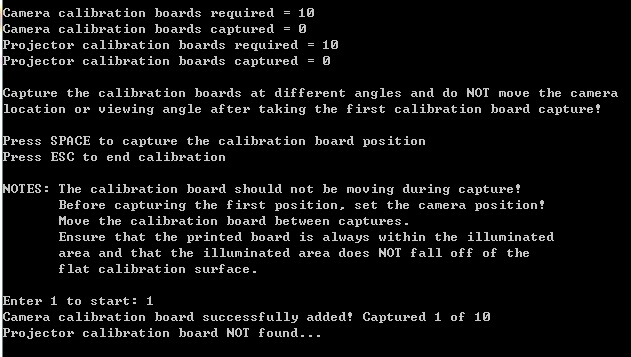 。
。
另外,投影机产生的calibration board是自动产生,还是要我设置?用软件自带的图还是需要我将标定图载入DLP LightCrafter 4500里面?
小弟非常感谢!


