Other Parts Discussed in Thread: MSPM0C1104, UNIFLASH
器件型号: MSPM0C1104
Thread 中讨论的其他器件: UNIFLASH
我的控制器(MSPM0C1104 16 引脚)看似随机、但闪存过程将失败、表示无法连接到目标。
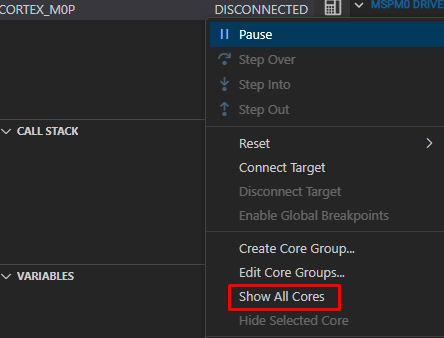
Texas Instruments XDS110 USB 调试探针/Cortex-M0P 连接到目标时出错:与 MSPM0 内核的连接失败。 可能的根本原因:1) 使用密码禁用或启用了 NONMAIN 内的调试访问。 2) 外设配置错误(例如看门狗或时钟不正确)。 要查看问题的更详细诊断、请按下“读取引导诊断“按钮。
或
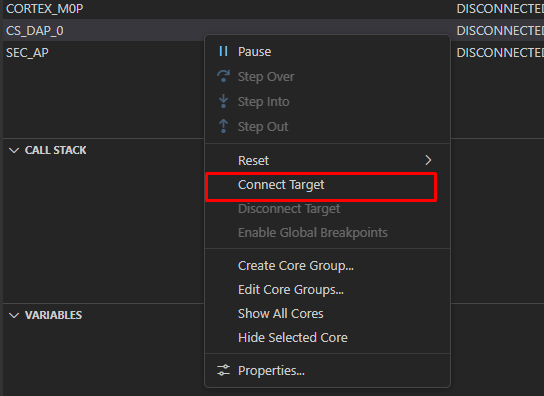
Texas Instruments XDS110 USB 调试探针/CS_DAP_0 连接到目标时出错:DAP 连接错误。 这可能是由于器件进入低功耗模式。 尝试强制外部复位。如果错误仍然存在、请尝试强制 BSL、批量擦除或恢复出厂设置。 有关更多信息、请查看器件常见问题解答。
通常、 任何闪存过程都会成功、连续数十次。 最多时、由于应用中禁用了复位线路、我将不得不恢复出厂设置。 但是、一旦问题发生、它会持续数天、然后在恢复出厂设置后突然消失。 到目前为止、任何和所有手动恢复出厂设置的尝试都将失败、 显示以下内容之一:
- DAP 连接错误
- 除了它不会成功之外,什么都不会成功,而是说按下重置按钮
我不以任何方式访问 NONMAIN。 我确实写入 ROM、但 据我所知、该 API 没有问题。 对于恢复出厂设置、请消耗电路板的电容器、将 GND 连接到 NRST、以确保电路板在初始化之前保持复位、然后将我的 VDD、SWCLK、SWDIO 线连接到调试器。
奇怪的是、这个问题会在不同的目标、软件版本甚至是我用于刷写的 Launchpad 中持续存在。
如果我断开 NRST 与 GND 的连接、会从连接测试中看到以下日志:
Test Connections

-----[Print the board config pathname(s)]------------------------------------

C:\Users\USER\AppData\Local\TEXASI~1\
CCS\ccs2041\1\0\BrdDat\testBoard.dat

-----[Print the reset-command software log-file]-----------------------------

This utility has selected a 100/110/510 class product.
This utility will load the adapter 'jioxds110.dll'.
The library build date was 'Jan 9 2026'.
The library build time was '14:41:05'.
The library package version is '20.4.0.3835'.
The library component version is '35.35.0.0'.
The controller does not use a programmable FPGA.
The controller has a version number of '5' (0x00000005).
The controller has an insertion length of '0' (0x00000000).
This utility will attempt to reset the controller to enter SWD mode.

-----[Print the reset-command hardware log-file]-----------------------------

This emulator does not create a reset log-file.

-----[Perform the SWD Mode Integrity test]-----------------------------------

This test will read the IDCODE register 1 time.


-----[An error has occurred and this utility has aborted]--------------------

This error is generated by TI's USCIF driver or utilities.

The value is '-615' (0xfffffd99).
The title is 'SC_ERR_SWD_PROTOCOL'.

The explanation is:
The target failed to see a correctly formatted SWD header. The
connection to the target may be unreliable. Try lowering the
TCLK setting before trying again.