请注意,本文内容源自机器翻译,可能存在语法或其它翻译错误,仅供参考。如需获取准确内容,请参阅链接中的英语原文或自行翻译。
器件型号:CC2340R5 主题中讨论的其他器件: SysConfig
您好!
我正在使用 CC2340R5 SDK 7.20示例代码 based_ble。
我想在我项目的当前代码中实施看门狗。
我们的应用是:BLE 仅从 GPIO 中断唤醒并广播数据、然后进入待机状态、直到下一个中断发生。
因此、对于此应用、我要实现看门狗。
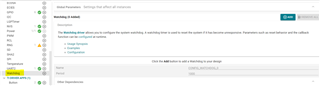
我已经配置了看门狗、参考了看门狗的示例代码。
下面是我的代码:
在这里、我将在该功能中配置中断以及看门狗。
void mainThread(void)
{
/* Configure GPIO pin */
GPIO_setConfig(CONFIG_GPIO_EXT_WAKEUP, GPIO_CFG_IN_PD | GPIO_CFG_IN_INT_FALLING); //Since, low & high value interrupts are not available for Low Power F3 devices
// GPIO_setConfig(CONFIG_GPIO_EXT_WAKEUP, GPIO_CFG_IN_INT_FALLING);
/* Install GPIO Interrupt callback */
GPIO_setCallback(CONFIG_GPIO_EXT_WAKEUP, gpioButtonFxn0);
/* Enable interrupts */
GPIO_enableInt(CONFIG_GPIO_EXT_WAKEUP);
//Rushi
Watchdog_Params params;
// Watchdog_Handle watchdogHandle;
/* Call driver init functions */
GPIO_init();
Watchdog_init();
/* Open a Watchdog driver instance */
Watchdog_Params_init(¶ms);
params.callbackFxn = (Watchdog_Callback)watchdogCallback;
params.debugStallMode = Watchdog_DEBUG_STALL_ON;
params.resetMode = Watchdog_RESET_ON;
watchdogHandle = Watchdog_open(CONFIG_WATCHDOG_0, ¶ms);
if (watchdogHandle == NULL)
{
/* Error opening Watchdog */
while (1) {}
}
这是中断的回调函数:
/*Interrupt Callback*/
void gpioButtonFxn0(uint8_t index)
{
    BLEAppUtil_invokeFunctionNoData(enableAdvertising);

}
在这个函数中、我将广播并清除看门狗。
/*This function enables advertising and does broadcast the TPMS data*/
void enableAdvertising()
{
    bStatus_t status;

    delay(7000);

    BLEAppUtil_advStart(broadcasterAdvHandle_1, &broadcasterStartAdvSet1);
    /*Don't free anything since we're going to use the same buffer to re-load*/
    status = GapAdv_prepareLoadByBuffer(advData1, FALSE);

    if (status == SUCCESS)   /*   Only update the data when return is successful*/
    {
        SensorMeasure();

        uint8_t ADV_DATA2_LEN = sizeof(advData1); /* Reload buffer to handle*/

        GapAdv_loadByBuffer(ADV_DATA2_LEN, advData1);
    }

//    usleep(SLEEP_US);
    Watchdog_clear(watchdogHandle);

}
全局声明了 watchdogHandle。
这里的主要问题是、即使我已经将其清除、看门狗也会在超时后进行复位。
也在 main 函数中调用了主线程。 而调试代码未输入到上述回调中。 它在函数 vTaskStartScheduler ()中的某处卡住;
看门狗在其超时后持续复位。