
This thread has been locked.

If you have a related question, please click the "Ask a related question" button in the top right corner. The newly created question will be automatically linked to this question.

[参考译文] CCS:如何使用 GUI 编写器修改"关于"对话框的内容?

Guru**** 2595770 points


请注意,本文内容源自机器翻译,可能存在语法或其它翻译错误,仅供参考。如需获取准确内容,请参阅链接中的英语原文或自行翻译。

https://e2e.ti.com/support/tools/code-composer-studio-group/ccs/f/code-composer-studio-forum/967956/ccs-how-can-i-modify-the-contents-of-the-about-dialog-box-using-gui-composer

工具/软件:Code Composer Studio

您好!

使用 GUI Composer 对应用程序进行编程时、我在应用程序的菜单栏中包含了"help"菜单。

运行应用程序并选择"Help -> About (帮助->关于)"后  、将显示以下对话框。
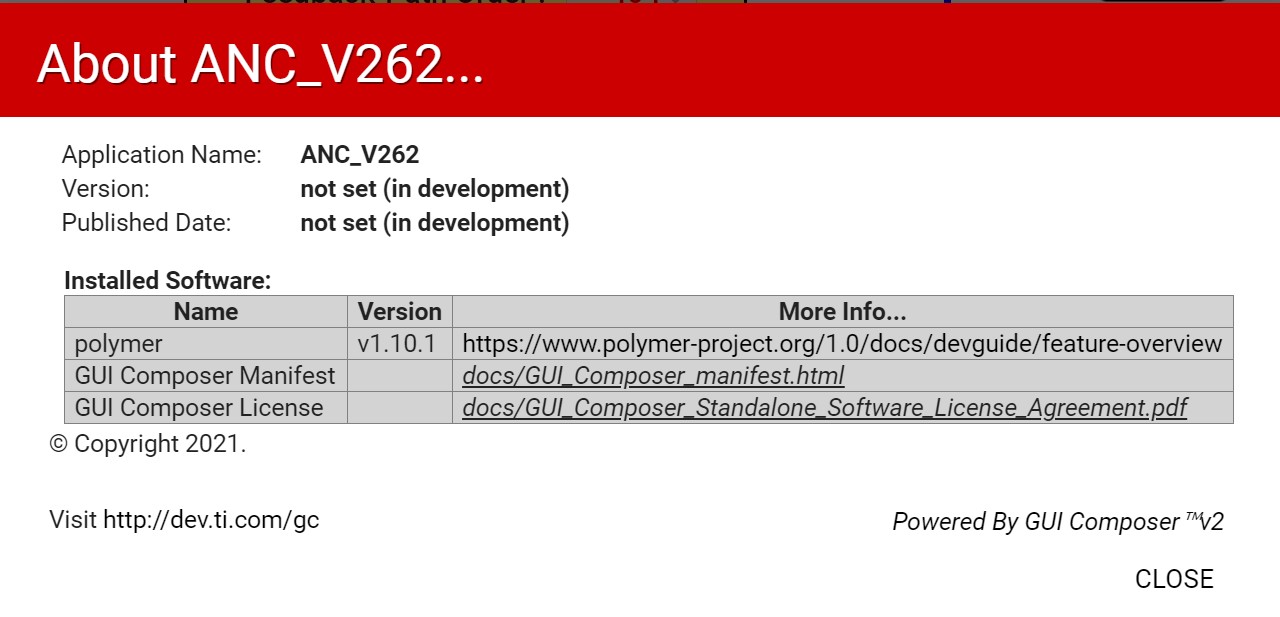
在上面的对话框中、如何修改项目"版本"和"发布日期"?

  • 请注意,本文内容源自机器翻译,可能存在语法或其它翻译错误,仅供参考。如需获取准确内容,请参阅链接中的英语原文或自行翻译。

    您好!
    版本和发布日期将自动填充在帮助->关于对话框中当应用程序发布到 Gallery 时,您可以在发布步骤中输入版本号。 无法在 GUI Composer 设计器的“帮助”->“关于”对话框中手动更改这两个值。

    此致、
    Patrick