


请注意,本文内容源自机器翻译,可能存在语法或其它翻译错误,仅供参考。如需获取准确内容,请参阅链接中的英语原文或自行翻译。
器件型号:CODECOMPOSER 工具/软件:Code Composer Studio
每次我单击项目中包含的文件时、都会在项目浏览器窗口中打开该文件。 如何在编辑器中获取 code composer 以打开这些文件? 我单击了带有编辑器图标的链接、它似乎不起作用? 我一直尝试恢复默认布局、就是这样

但是、我不断得到:
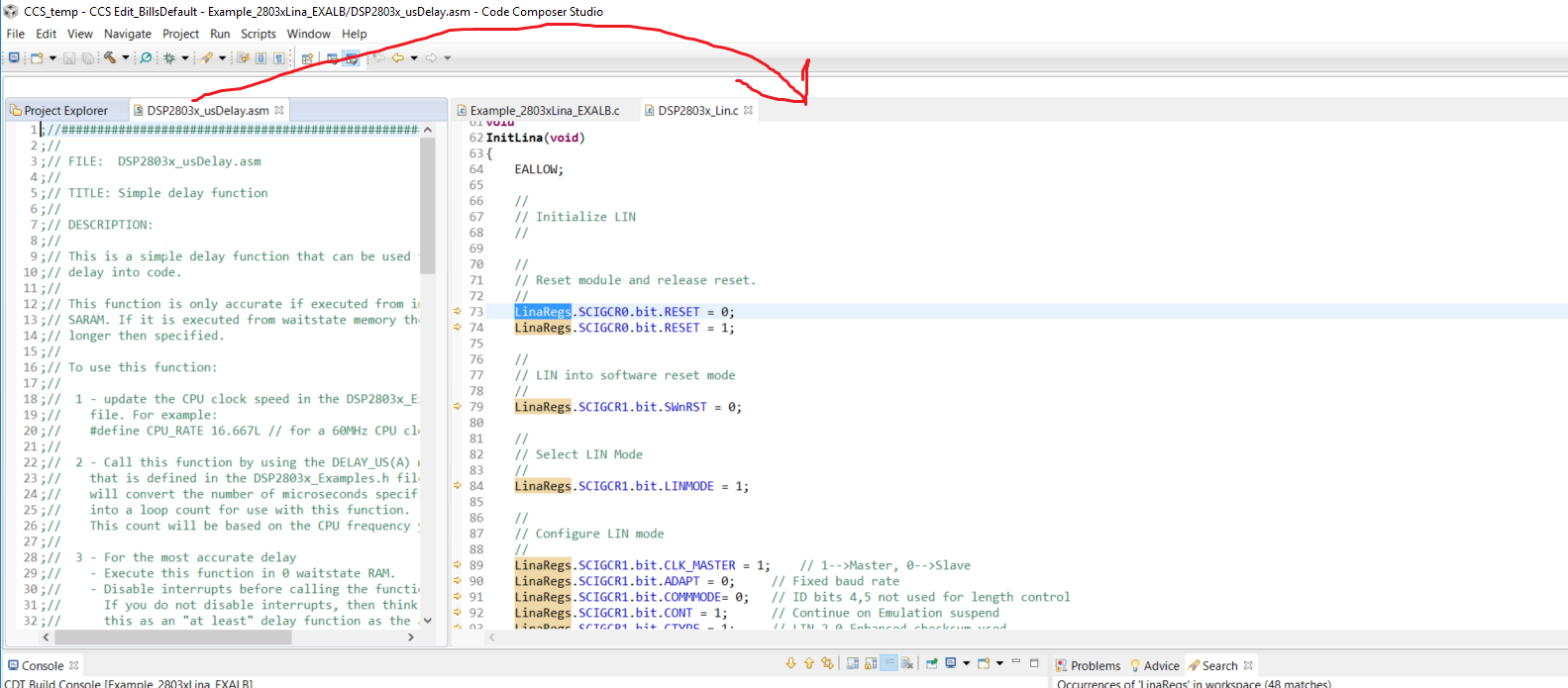
将屏幕向下按压将会很有帮助
Bill
工具/软件:Code Composer Studio
每次我单击项目中包含的文件时、都会在项目浏览器窗口中打开该文件。 如何在编辑器中获取 code composer 以打开这些文件? 我单击了带有编辑器图标的链接、它似乎不起作用? 我一直尝试恢复默认布局、就是这样
但是、我不断得到:
将屏幕向下按压将会很有帮助
Bill
