This thread has been locked.

If you have a related question, please click the "Ask a related question" button in the top right corner. The newly created question will be automatically linked to this question.

[参考译文] AM6442:Ospi 闪存、通过 UART uniflash

Guru**** 2943400 points

Other Parts Discussed in Thread: AM6442, UNIFLASH, AM62P

请注意,本文内容源自机器翻译,可能存在语法或其它翻译错误,仅供参考。如需获取准确内容,请参阅链接中的英语原文或自行翻译。

https://e2e.ti.com/support/interface-group/interface/f/interface-forum/1653274/am6442-ospi-flash-through-uart-uniflash

器件型号: AM6442
Thread 中讨论的其他器件: UNIFLASHAM62P

尊敬的 TI 团队:

我们正在使用 Processor SDK Linux 9.x 开发定制的 AM6442 电路板、并希望在不使用 SD 卡的情况下从 OSPI 闪存完全引导。

我们计划使用 UART UniFlash 刷写以下映像:

* tiboot3.bin
* tispl.bin
* u-boot.img
* k3-am642-evm.dtb
* am6-sdk-tiny-fs.ubi  

我们希望澄清以下几点:

1. UART UniFlash 支持将 UBIFS 映像 (root.ubifs) 直接刷写到 UBI 卷、还是仅支持刷写 UBI 映像 (root.ubi)?
2.如果支持 root.ubifs、在刷写过程中如何处理 UBI 卷创建和 UBI 连接操作?
3.是否建议生成并刷写 root.ubi 映像而不是 root.ubifs 以进行生产编程?
4.您能否提供一个用于将上述映像刷写到 OSPI 闪存的示例 UART UniFlash 配置文件?
5.刷写后,需要哪些引导参数和分区设置来确保内核自动连接 UBI 分区并装载 UBIFS 根文件系统?

任何指导或参考文档都将不胜感激。

谢谢、

Ganesh D.

  • 请注意,本文内容源自机器翻译,可能存在语法或其它翻译错误,仅供参考。如需获取准确内容,请参阅链接中的英语原文或自行翻译。

    尊敬的 Ganesh:

    用于 AM64x 器件的 UniFlash 工具用于刷写 MCU+ SDK RTOS 应用、并非设计用于刷写 Linux。

    您的电路板是否在设备模式下提供 USB 接口? 如果是、您可以使用 Snagfactory 工具刷写 Linux。

    https://software-dl.ti.com/processor-sdk-linux/esd/AM64X/12_00_00_07_04/exports/docs/linux/Foundational_Components Flash_via_Fastboot.html

  • 请注意,本文内容源自机器翻译,可能存在语法或其它翻译错误,仅供参考。如需获取准确内容,请参阅链接中的英语原文或自行翻译。

    尊敬的 Bin Liu:

    是的、我的电路板在器件模式下支持 USB 接口、但在您提供的链接中、您提供的 snagfactory 工具 没有 AM6442 电路板的示例。

    对于 OSPI 闪存、您能指导我如何在 snagfactor 工具上刷写 UbIfs (root.ubi) 吗?

    下面是关于 am62p soc 型号、我需要 am6442 soc 型号。


    板: 0451:6165:am62p soc 型号:am62p 固件: tiboot3: 路径:“/tiboot3.bin“ TISPL: 路径:“/tispl.bin“ U-boot: 路径:“/u-boot.img“ am62p-tasks: — eraseblk-size:0x40000 fb-buffer-addr:0x82000000 fb-buffer-size:0x7000000 target-device:nor0 - task:run 参数: -“oem_run:mtd list“ -“oem_run:setenv mtdids nor0=nor0“ -任务: mtd-parts 参数: -名称: ospi.tiboot3. 大小:0x80000 -名称: ospi.tispl 大小:0x200000 -名称: ospi.u-boot 大小:0x400000 — 任务:闪存 参数: -图片:“/tiboot3.bin“ 部分:ospi.tiboot3 -图像:“/tispl.bin“ 零件:ospi.tispl -映像:“/u-boot.img“ 部分:ospi.u-boot


  • 请注意,本文内容源自机器翻译,可能存在语法或其它翻译错误,仅供参考。如需获取准确内容,请参阅链接中的英语原文或自行翻译。

    尊敬的 Ganesh:

    您可以使用以下链接中的 am62xx-LP 平台 ospi-nand.yaml 作为示例、只需确保闪存分区信息与您在电路板器件树文件中定义的信息匹配即可。

    https://software-dl.ti.com/processor-sdk-linux/esd/AM64X/12_00_00_07_04/exports/docs/linux/Foundational_Components Flash_via_Fastboot.html

    用于创建 root.ubi 映像。 请按照下面链接的说明进行操作。

    https://software-dl.ti.com/processor-sdk-linux/esd/AM64X/12_00_00_07_04/exports/docs/linux/Foundational_Components、Kernel_Drivers Kernel/Kernel/UBIFS.html

  • 请注意,本文内容源自机器翻译,可能存在语法或其它翻译错误,仅供参考。如需获取准确内容,请参阅链接中的英语原文或自行翻译。

    尊敬的 Bin Liu:

    opsi-nor.yaml 文件、

    电路板:
     0451:6165: am6442

    soc 型号:
     am6442-firmware:
      tiboot3:
       路径:/home/asmgen2/ti-processor-sdk-linux-rt-am64xx-evm-12.00.00.07.04/u-boot_build_custom/tiboot3.bin
      TISPL:
       路径:/home/asmgen2/ti-processor-sdk-linux-rt-am64xx-evm-12.00.00.07.04/uboot_build_custom/tispl.bin
      U-boot:
       路径:/home/asmgen2/ti-processor-sdk-linux-rt-am64xx-evm-12.00.00.07.04/uboot_build_custom/u-boot.img

     am6442-tasks:
     - eraseblk-size: 0x40000
      fb-buffer-addr:0x82000000
      fb-buffer-size:0x7000000
      target-device:nor0

     -任务:运行
      参数:
       -“oem_run:mtd list“
       -“oem_run:setenv mtdids nor0=nor0“

     -任务: MTD 部分
      参数:
       -名称: ospi.tiboot3.      # 0x00000000、1MB
        大小:0x00100000
       -名称: ospi.tispl       # 0x00100000、2MB
        大小:0x00200000
       -名称: ospi.u-boot      # 0x00300000、4MB
        大小:0x00400000
       -名称: ospi.env        # 0x00700,000,256KB
        大小:0x00040000
       -名称: ospi.env.backup   # 0x00740000, 256KB
        大小:0x00040000
       -名称: ospi.dtb        # 0x00780,000,512KB
        大小:0x00080000
       -名称: ospi.kernel      # 0x00800000、20MB
        大小:0x01400000
       -名称: ospi.rootfs.      # 0x01c00000、~35.75MB
        大小:0x023c0000
       -名称: ospi.phypattern   # 0x03fc0000, 256KB
        大小:0x00040000

     -任务:闪存
      参数:
       -图片:“/home/asmgen2/ti-processor-sdk-linux-rt-am64xx-evm-12.00.00.07.04/asm_images/tiboot3.bin “
        部分:ospi.tiboot3
       -图片:“/home/asmgen2/ti-processor-sdk-linux-rt-am64xx-evm-12.00.00.07.04/asm_images/tispl.bin “
        零件:ospi.tispl
       -图片:“/home/asmgen2/ti-processor-sdk-linux-rt-am64xx-evm-12.00.00.07.04/asm_images/u-boot.img “
        部分:ospi.u-boot
       -图片:“/home/asmgen2/ti-processor-sdk-linux-rt-am64xx-evm-12.00.00.07.04/asm_images/k3-am642-evm.dtb “
        part:ospi.dtb
       -图片:“/home/asmgen2/ti-processor-sdk-linux-rt-am64xx-evm-12.00.00.07.04/asm_images/Image “
        部分:ospi.kernel
       -图片:“/home/asmgen2/ti-processor-sdk-linux-rt-am64xx-evm-12.00.00.07.04/asm_images/am6-sdk-tiny-fs.ubi “
        部分:ospi.rootfs
       
     恢复命令、  

    sudo /home/.local/bin/snagrecover -s am6442  -F “{'tiboot3':{'path':'/home/ti-processor-sdk-linux-rt-am64xx-evm-12.00.00.07.04/u-boot_build_custom/tiboot3.bin}}“  -F “{'tispl':{'path':'/home/ti-processor-sdk-linux-rt-am64xx-evm-12.00.00.07.04/u-boot_build_custom/tispl.bin}}“  -F “{'u-boot':{'path':'/home/ti-processor-sdk-linux-rt-am64xx-evm-12.00.00.07.04/u-boot_build_custom/u-boot.img}}“
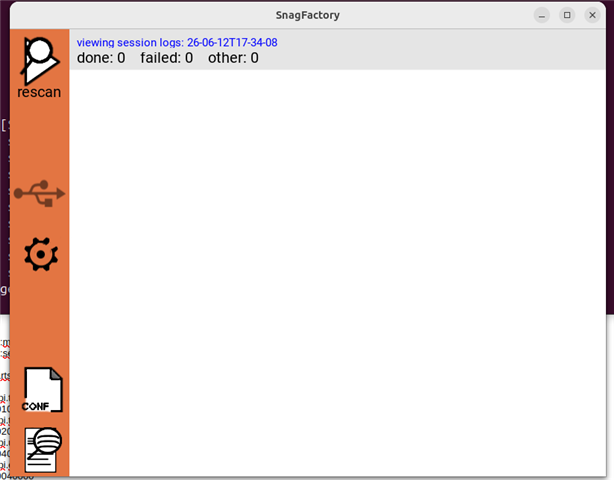
    2026年06月12日 17:32:56,841 [error]设备访问错误:无法访问 USB 设备 0451:6165,请检查其存在和访问权限

    我遇到了以下错误、

    我无法检测到 am6442 板。

    我使用了 snagfactory.config 并生成了 tiboot3.bin、u-boot.img、tispl.bin、 用于以下部分

    soc 型号:
     am6442-firmware:
      tiboot3:
       路径:/home/asmgen2/ti-processor-sdk-linux-rt-am64xx-evm-12.00.00.07.04/u-boot_build_custom/tiboot3.bin
      TISPL:
       路径:/home/asmgen2/ti-processor-sdk-linux-rt-am64xx-evm-12.00.00.07.04/uboot_build_custom/tispl.bin
      U-boot:
       路径:/home/asmgen2/ti-processor-sdk-linux-rt-am64xx-evm-12.00.00.07.04/uboot_build_custom/u-boot.img

    在以下部分中使用为 ospi 构建的实际工作文件:

    -任务:闪存
      参数:
       -图片:“/home/asmgen2/ti-processor-sdk-linux-rt-am64xx-evm-12.00.00.07.04/asm_images/tiboot3.bin “
        部分:ospi.tiboot3
       -图片:“/home/asmgen2/ti-processor-sdk-linux-rt-am64xx-evm-12.00.00.07.04/asm_images/tispl.bin “
        零件:ospi.tispl
       -图片:“/home/asmgen2/ti-processor-sdk-linux-rt-am64xx-evm-12.00.00.07.04/asm_images/u-boot.img “
        部分:ospi.u-boot
       -图片:“/home/asmgen2/ti-processor-sdk-linux-rt-am64xx-evm-12.00.00.07.04/asm_images/k3-am642-evm.dtb “
        part:ospi.dtb
       -图片:“/home/asmgen2/ti-processor-sdk-linux-rt-am64xx-evm-12.00.00.07.04/asm_images/Image “
        部分:ospi.kernel
       -图片:“/home/asmgen2/ti-processor-sdk-linux-rt-am64xx-evm-12.00.00.07.04/asm_images/am6-sdk-tiny-fs.ubi “
        部分:ospi.rootfs

  • 请注意,本文内容源自机器翻译,可能存在语法或其它翻译错误,仅供参考。如需获取准确内容,请参阅链接中的英语原文或自行翻译。

    尊敬的 Ganesh:

    我将在下周稍后回顾、然后返回给您。