Other Parts Discussed in Thread: MSP430F5438A, UNIFLASH, MSP-FET
主题中讨论的其他器件:MSP430F5438A、 UNIFLASH、 MSP-GANG、 MSP-FET
您好!
我很难获得 TI 为其 MSP430微控制器提供的任何命令行工具来写入或擦除 MSP430F5438A 上受保护的存储器。 如果有任何帮助,将不胜感激。
MSPFlasher (1.3.20.0)
我能够读取和写入主存储器和非保护信息存储器、但我无法擦除受保护的信息存储器(INFOA)或引导加载程序存储器(BSL)。
C:\ti\MSPFlasher_1.3.20>MSP430Flasher.exe -u -b -e ERASE_ALL
* -----/|-------------------------------------------------------------------- *
*     / |__                                                                   *
*    /_   /   MSP Flasher v1.3.20                                             *
*      | /                                                                    *
* -----|/-------------------------------------------------------------------- *
*
* Evaluating triggers...done
* Checking for available FET debuggers:
* Found USB FET @ COM6 <- Selected
* Initializing interface @ COM6...done
* Checking firmware compatibility:
* FET firmware is up to date.
* Reading FW version...done
* Setting VCC to 3000 mV...done
* Accessing device...done
* Reading device information...done
* Erasing device memory...done
*
* ----------------------------------------------------------------------------
* Arguments   : -u -b -e ERASE_ALL
* ----------------------------------------------------------------------------
* Driver      : loaded
* Dll Version : 31400000
* FwVersion   : 31200000
* Interface   : TIUSB
* HwVersion   : U 3.0
* JTAG Mode   : AUTO
* Device      : MSP430F5438A
* EEM         : Level 7, ClockCntrl 2
* Erase Mode  : ERASE_ALL
* VCC OFF
* ----------------------------------------------------------------------------
* Powering down...done
* Disconnecting from device...done
*
* ----------------------------------------------------------------------------
* Driver      : closed (No error)
* ----------------------------------------------------------------------------
*/
INFOA 和 BSL 存储器都保持不变。
UniFlash (6.2.0)
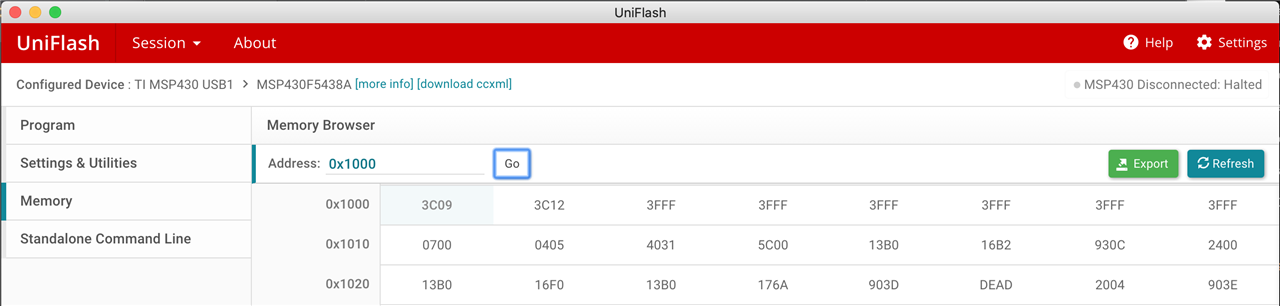
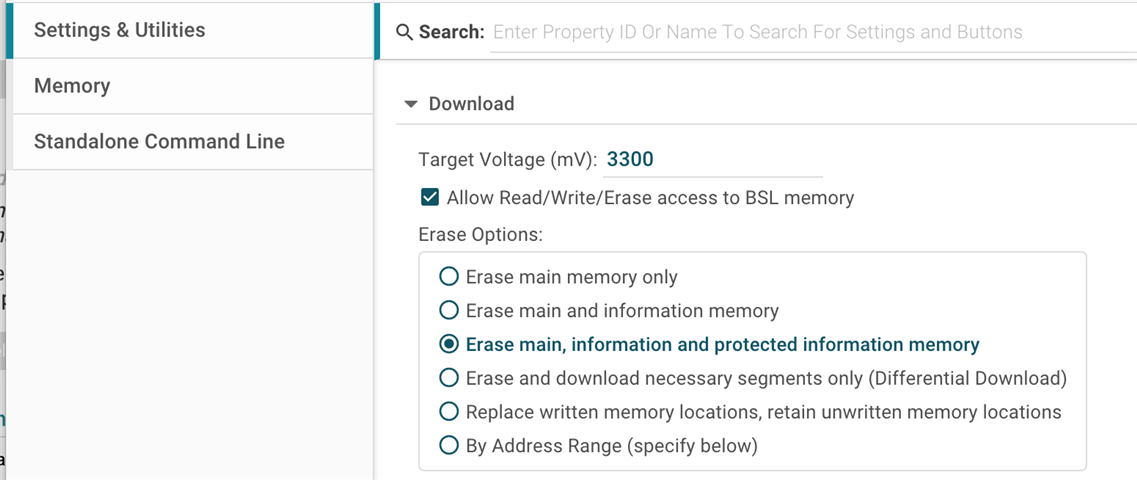
与 MSPFlasher 相同—能够读取和写入主存储器和非受保护的信息存储器、但仍然无法触摸 INFOA 或 BSL。 我首先尝试使用 GUI 执行此操作:
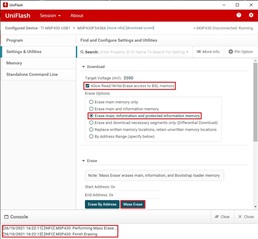
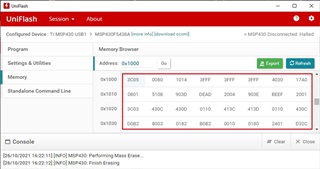
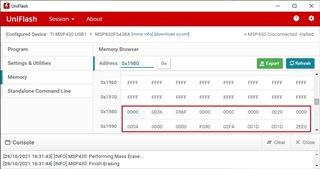
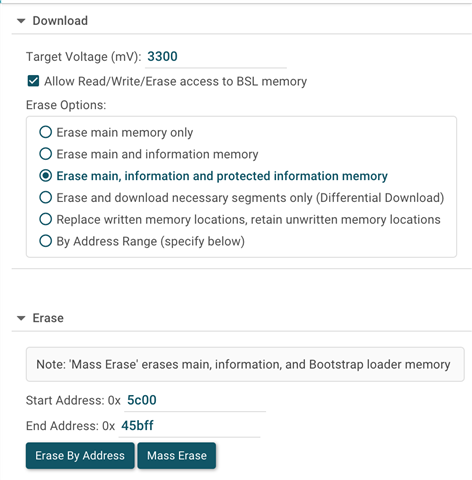
深入探究之后、我发现 UniFlash 也提供了命令行选项。 我使用 GUI 导出了"Standalone Command Line"软件包(以及上图所示的相同设置)、运行"one_time_setup.bat"文件、然后尝试执行以下命令:
C:\ti\uniflash_windows>dslite.bat --mode flash -c user_files/configs/MSP430F5438A.ccxml -l user_files/settings/settings.ufsettings -s VerifyAfterProgramLoad="No verification" --before Erase
Executing the following command:
> "C:\ti\uniflash_windows\ccs_base\DebugServer\bin\DSLite" flash -c user_files/configs/MSP430F5438A.ccxml -l user_files/settings/settings.ufsettings -s VerifyAfterProgramLoad="No verification" --before Erase

For more details and examples, please visit processors.wiki.ti.com/.../UniFlash_v4_Quick_Guide

info: MSP430: Performing Mass Erase...
info: MSP430: Finish Erasing
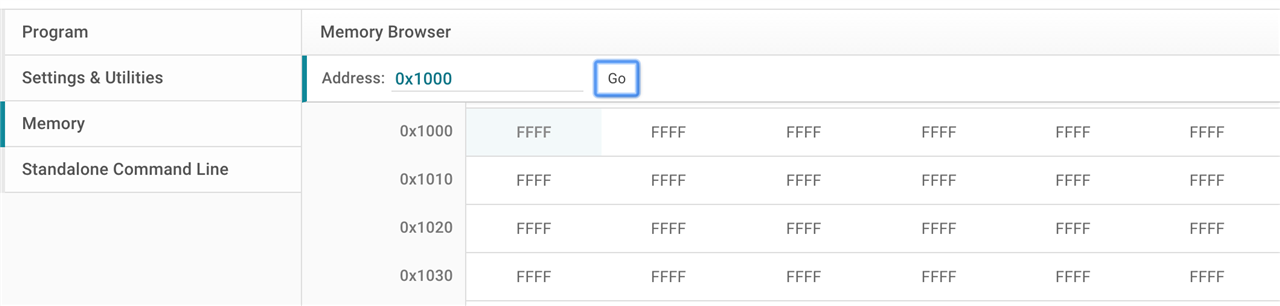
和以前一样、INFOA 和 BSL 存储器仍然存在。
Code Composer Studio
我完全能够使用具有以下项目设置的 CCS GUI 来写入和读取 INFOA 和 BSL:
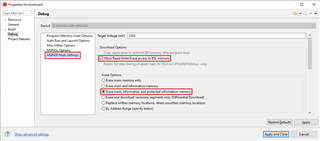
然后使用 GUI 顶部的"Flash"工具栏图标。 CCS 清楚地知道 UniFlash/MSPFlaser 不是私有的东西。
--
我花了很多时间深入了解这些命令行工具及其文档、但无法找出这一个。 我本来会获取 MSPFlasher 源代码并亲自逐步执行/修补该工具、但不会编译包含该工具的 Visual Studio 项目(缺少库/未解析符号)。
我们非常感谢您对此提供的任何进一步见解/帮助。 我真的需要使用命令行界面来自动化此过程、因为使用 GUI 手动编程这些人员只是在您需要完成数十万任务时无法很好地进行扩展。
此致、
km