工具/软件:Linux
您好:
背景
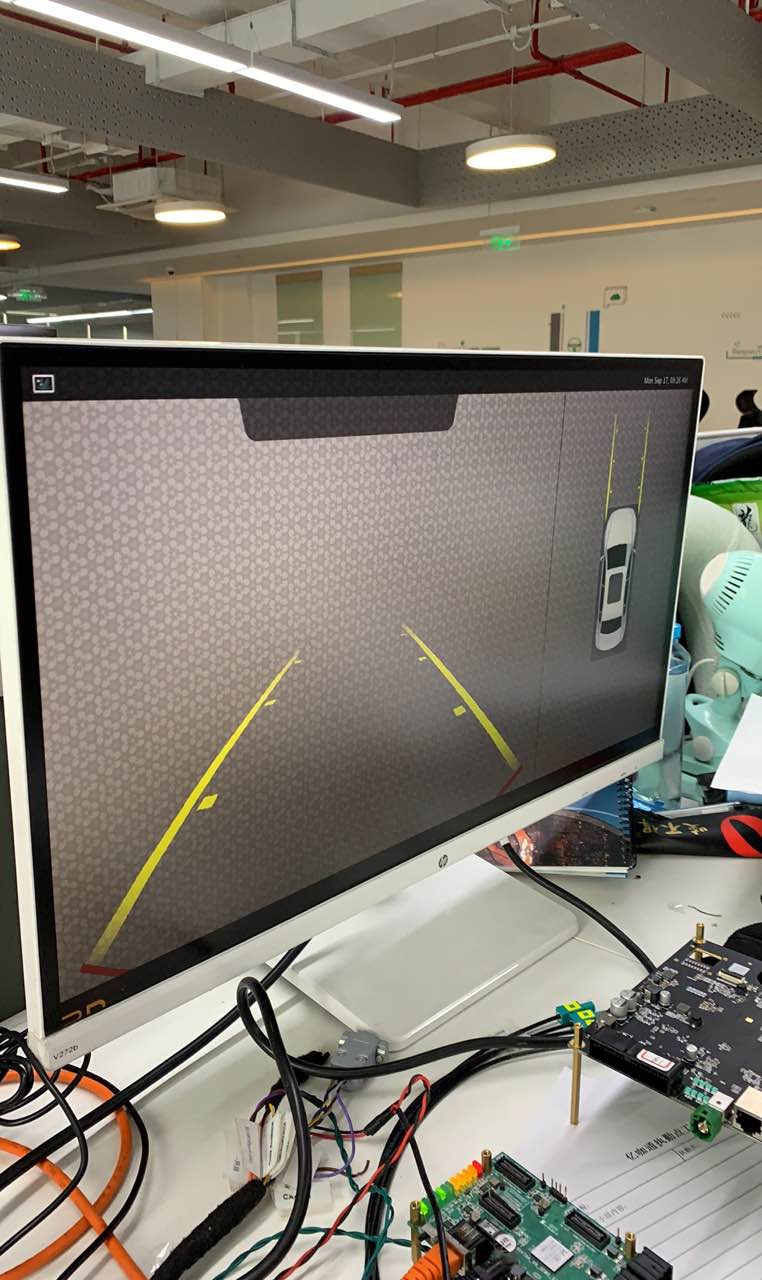
正如您在此处看到的图片、Weston 启动时会显示条形图和时间戳。
输出为1280x720、因此 QT 应用不是全屏应用。(在左角、2D 未完全显示)
问题
如何使用 Weston 使 QT 应用程序全屏显示
This thread has been locked.
If you have a related question, please click the "Ask a related question" button in the top right corner. The newly created question will be automatically linked to this question.
工具/软件:Linux
您好:
正如您在此处看到的图片、Weston 启动时会显示条形图和时间戳。
输出为1280x720、因此 QT 应用不是全屏应用。(在左角、2D 未完全显示)
如何使用 Weston 使 QT 应用程序全屏显示
您好,
这里使用的 Weston 版本是什么?
您能否引用这两个线程并将面板位置设置为无
https://e2e.ti.com/support/processors/f/791/t/734196
https://e2e.ti.com/support/processors/f/791/t/755778
您可以在/etc/weston.ini 中使用此更改将 Weston 配置为 IVI-shell
[内核]
shell=IVI-shell.so
[IVI-shell]
IVI-MODUE=IVI-CONTROLLER
IVI-input-module=IVI-input-controller.so
谢谢
RAM