
This thread has been locked.

If you have a related question, please click the "Ask a related question" button in the top right corner. The newly created question will be automatically linked to this question.

[参考译文] Linux:H264可解码标准的 yuv420p 数据

Guru**** 2614265 points


请注意,本文内容源自机器翻译,可能存在语法或其它翻译错误,仅供参考。如需获取准确内容,请参阅链接中的英语原文或自行翻译。

https://e2e.ti.com/support/processors-group/processors/f/processors-forum/582136/linux-h264-decodes-the-standard-yuv420p-data

工具/软件:Linux

你好

  我想使用 gstreamer H264文件、该文件将另存为 YUV 格式文件

  这是我使用的 gstreamer 命令

 gst-launch-1.0 -v 文件 rc location=airshow_p352x288_nv12.h264 ! 排队! h264parse! ducatih264dec! 排队! 文件链接位置=1.YUV

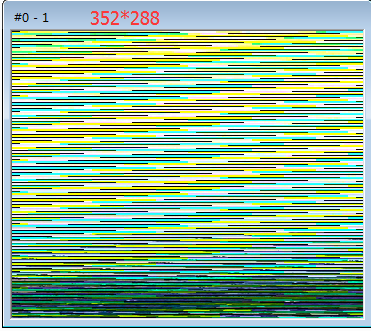
将 YUV 文件与要打开的工具一起打开、当参数设置为352 * 288时、将显示以下图片
  

  • 请注意,本文内容源自机器翻译,可能存在语法或其它翻译错误,仅供参考。如需获取准确内容,请参阅链接中的英语原文或自行翻译。
    您好!

    您如何播放 YUV 文件?
    h264编解码器使用 NV12格式。
    我还建议您查看本指南:
    processors.wiki.ti.com/.../Processor_Training:_Multimedia


    BR
    玛格丽塔
  • 请注意,本文内容源自机器翻译,可能存在语法或其它翻译错误,仅供参考。如需获取准确内容,请参阅链接中的英语原文或自行翻译。
    您好:
    使用 YUV 图片查看器

    我还会使用以下顺序将游戏中的 y2v h264,但效果仍然相同
    gst-launch-1.0 -v 文件 rc location=1.yUV! 视频粗宽度=352高度=288格式=nv12! ducatih264enc! 排队! filesink location=test.h264
    gst-launch-1.0 -v 文件 rc location=test.h264! 排队! h264parse! ducatih264dec! 陆上通信
  • 请注意,本文内容源自机器翻译,可能存在语法或其它翻译错误,仅供参考。如需获取准确内容,请参阅链接中的英语原文或自行翻译。

    您好!

    [引用 user="user420557"] gst-launch-1.0 -v 文件 rc location=test.h264! 排队! h264parse! ducatih264dec! 航迹 synk[/报价]

    请使用 playbin 对编码文件进行解码。

    GST-LAUNCH-1.0 playbin UI=文件:// VIDEOE-SINK = kmsSINK 
    GST-LAUNCH-1.0 playbin UI=文件:// VIDEE-SINK =航迹接收器 


    其中 是文件的完整路径。

    您还可以尝试:
    gst-launch-1.0 文件 rc location=output.264 ! 类型查找! h264parse! 杜拉蒂哈264decvpe  ! kmsink

    BR

    玛格丽塔