This thread has been locked.

If you have a related question, please click the "Ask a related question" button in the top right corner. The newly created question will be automatically linked to this question.

[参考译文] Linux/AM5728:支持1920x1200 H.264编码的 GStreamer

Guru**** 2587345 points
Other Parts Discussed in Thread: AM5728

请注意,本文内容源自机器翻译,可能存在语法或其它翻译错误,仅供参考。如需获取准确内容,请参阅链接中的英语原文或自行翻译。

https://e2e.ti.com/support/processors-group/processors/f/processors-forum/632161/linux-am5728-gstreamer-support-for-1920x1200-h-264-encode

器件型号:AM5728

工具/软件:Linux

您好!

am5728 GST-LAUNCH-1.0是否支持1920x1200 h264 编码器?

我使用"gst-launch-1.0 videTestsrc pattern=ball! 视频/x-raw、宽=1920、高=108、帧速率=30/1! ducatih264enc! fakesink"来测试1920x1200 h264编码器、但它将失败!

root@am57xx-EVM:~# gst-launch-1.0 videotestsrc pattern=ball! 视频/x-raw、宽=1920、高=108、帧速率=30/1! ducatih264enc! fakesink
将流水线设置为暂停...[105.603348] OMAP-iommu 55082000.MMU:55082000.MMU:版本2.1

管道是 PREROLLING ...
管道是 PREROLLED...
正在将管道设置为正在播放...
新时钟:GstSystemClock
^[[A^Chandling 中断。
中断:正在停止管道...
执行在0:00:01.143122429之后结束
正在将管道设置为暂停...
正在将管道设置为就绪...
正在将管道设置为 NULL ...
正在释放管道...

BR、

Vefone

  • 请注意,本文内容源自机器翻译,可能存在语法或其它翻译错误,仅供参考。如需获取准确内容,请参阅链接中的英语原文或自行翻译。
    正确的:
    命令为"GST-LAUNCH-1.0 videTestsrc pattern=ball! 视频/x-raw、宽=1920、高=1200、帧速率=30/1! ducatih264enc! fakesink"
  • 请注意,本文内容源自机器翻译,可能存在语法或其它翻译错误,仅供参考。如需获取准确内容,请参阅链接中的英语原文或自行翻译。

    您好、Vefone、

    h264编码 器的默认级别4.2不能配置为1920x1200。

    请将属性中的级别设置为50、如图所示

    GS-launch-1.0 videTestsrc pattern=ball ! 视频/x-raw、宽=1920、高=1200、帧速率=30/1! ducatih264enc 级别=50! fakesink

  • 请注意,本文内容源自机器翻译,可能存在语法或其它翻译错误,仅供参考。如需获取准确内容,请参阅链接中的英语原文或自行翻译。

    您好!

    管道在我们一边工作。 以下是输出:

    root@am57xx-EVM:~# gst-launch-1.0 -e videotestsrc ! 视频/x-raw、宽=1920、高=1200、帧速率=30/1! ducatih264enc 级别=50! fakesink

    正在将管道设置为暂停...

    [58.983042] OMAP-IMU 55082000.MMU:55082000.MMU:2.1版

    管道是 PREROLLING ...

    管道是 PREROLLED...

    正在将管道设置为正在播放...

    新时钟:GstSystemClock

    μ^Chandling 中断。

    中断:正在停止管道...

    EOS on shutdown enabled --强制 EOS 在管线上

    正在等待 EOS...

    从元件"流水线0"获得 EOS。

    接收到 EOS -正在停止管道...

    执行在0:00:03.140711221之后结束

    正在将管道设置为暂停...

    正在将管道设置为就绪...

    正在将管道设置为 NULL ...

    正在释放管道...

    此管道也在工作:

    root@am57xx-EVM:~# gst-launch-1.0 -e videotestsrc ! 视频/x-raw、宽=1920、高=1200、帧速率=30/1! ducatih264enc 级别=50! h264parse! filesink location=test.h264

    以下是在 电路板上解码 test.h264时的输出:

    GST-LAUNCH-1.0 playbin UI=文件:///home/root/test.h264 -v

    (笑声)

    /GstPlayBin:playbin0/GstURIDecodeBin:uridecodebin0/GstDecodeBin:bingdebin0/GstDucatiH264decVpe:ducatih264decvpe0/GstDucatiH264Dec:decoder.gstPad\\\\\\\:cap ="video /trategy=(trlegy)x=(strategy)x=(trategy)x)x=(trategy)x=(trategy)x)x=(true=(true=)x)x)x)x/264, true=(true=(true=(true=(fringu)x)x)/264x)x)x)x(true=(true=(true=(fringu)x)x)x)x)x)x(fringu,true=

    (笑声)

    如果这解决了您的问题、请关闭此主题。

    BR
    玛格丽塔

  • 请注意,本文内容源自机器翻译,可能存在语法或其它翻译错误,仅供参考。如需获取准确内容,请参阅链接中的英语原文或自行翻译。

    您好!
    玛格丽塔,它仍然不能正常工作。如果我编码1920x1200视频,则视频不能正常工作。
    我使用该命令测试1920x1200 h264编码:

    gst-launch-1.0 -v videotestsrc! 'video/x-raw、format=(string) YUY2、width=(int) 1920、height=(int) 1200'! VPE! ducatih264enc level=level-51 profile=high bitrate =6000! h264parse! 文件链接位置=/home/root/1920x1200.264


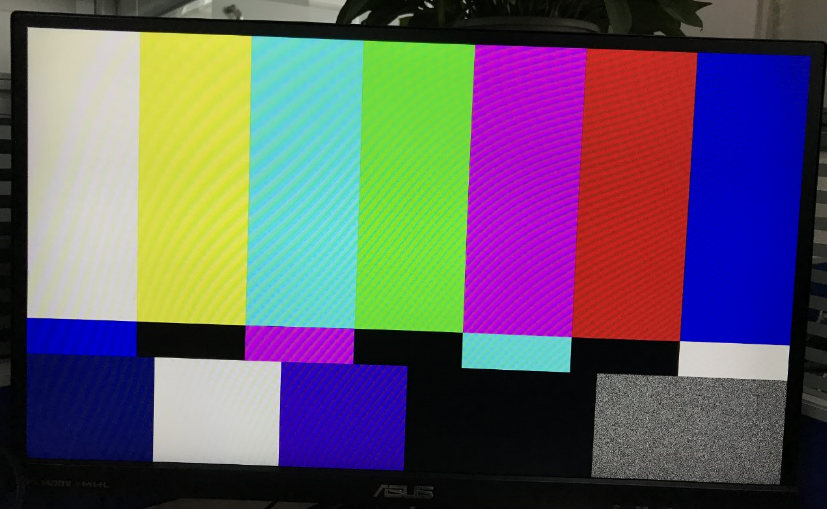
    视频如下: 图像下方有绿色

    如果我使用该命令测试1920x1080 h264编码:

    gst-launch-1.0 -v videotestsrc! 'video/x-raw、format=(string) YUY2、width=(int) 1920、height=(int) 1080/'! VPE! ducatih264enc level=level-51 profile=high bitrate =6000! h264parse! 文件链接位置=/home/root/1920x1080.264

    视频正常。

    有什么解决方案?

    谢谢!

    BR、

    Vefone

  • 请注意,本文内容源自机器翻译,可能存在语法或其它翻译错误,仅供参考。如需获取准确内容,请参阅链接中的英语原文或自行翻译。
    您好、Vefone、
    VPE 配置为在 VPE 驱动器中支持最大1184的高度。 这就是您底部出现绿色图案的原因
    第一条管线、高度为1200。

    当 VPE 的输入和输出高度大于1184时、您需要内核补丁来解决此问题。

    您可以将此修补程序应用到内核并重建内核映像、然后尝试。 它应该起作用。

    review.omapzoom.org

    此修补程序在内核4.4上、但您也应该能够在4.9K 上应用此修补程序、因为它是一行更改。

    谢谢
    RAM
  • 请注意,本文内容源自机器翻译,可能存在语法或其它翻译错误,仅供参考。如需获取准确内容,请参阅链接中的英语原文或自行翻译。
    您好!
    RAM、
    它工作正常。

    谢谢你

    Vefone