This thread has been locked.
If you have a related question, please click the "Ask a related question" button in the top right corner. The newly created question will be automatically linked to this question.
https://e2e.ti.com/support/processors-group/processors/f/processors-forum/1371242/sk-am62-proc114e3-option-in-pinmux-tool-device-tree-file
工具与软件:
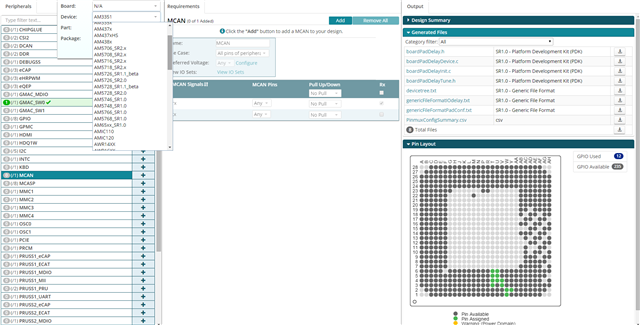
我安装了 PinMux 工具包、并尝试输出适当的型号。 请告诉我有关此工具包的两件事 ①I 在器件选项中找不到我的 SK-AM62 (PROC114E3)。 是与其他模型共享的吗? ②I 无法使用找到文件。 输出中的 DTS 扩展、如何获得器件树文件?
SK-AM62是电路板、而不是器件。
您将在此页面上归档 AM62 SK 板配置: https://www.ti.com/tool/SK-AM62B-P1
解压缩后、您可以使用"Open an Existing Design"功能加载特定于电路板的文件。 如果已加载设备,则可以从欢迎页面或文件->打开菜单中选择。
此时、您将在 GUI 的"Generated Files"部分中看到 devicetree.dtsi 选项。
--保罗