
This thread has been locked.

If you have a related question, please click the "Ask a related question" button in the top right corner. The newly created question will be automatically linked to this question.

[参考译文] LAUNCHXL-CC1352P:将 Launchpad 的 XDS110连接到 Launchpad 的"A"连接到 Launchpad 的 CC1352P "B"

Guru**** 2609955 points
Other Parts Discussed in Thread: CC1352P

请注意,本文内容源自机器翻译,可能存在语法或其它翻译错误,仅供参考。如需获取准确内容,请参阅链接中的英语原文或自行翻译。

https://e2e.ti.com/support/tools/simulation-hardware-system-design-tools-group/sim-hw-system-design/f/simulation-hardware-system-design-tools-forum/948373/launchxl-cc1352p-connecting-xds110-of-launchpad-a-to-cc1352p-of-launchpad-b

器件型号:LAUNCHXL-CC1352P
主题中讨论的其他器件:CC1352P

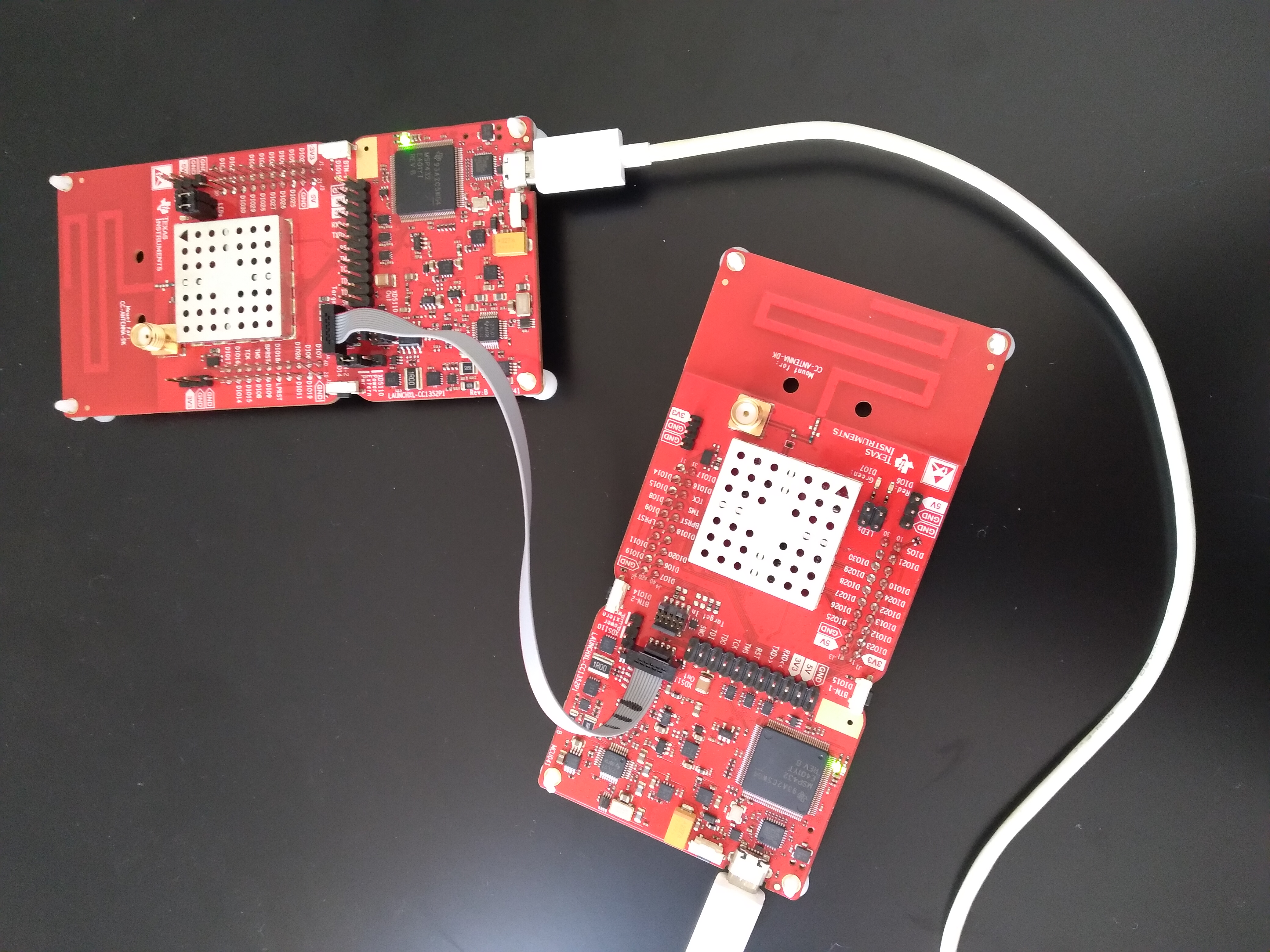
是否可以将一个 Launchpad 的 XDS110连接到另一个 Launchpad 的 CC1352P?  当我尝试执行此操作时、SmartRF Studio 会将其检测为"未知"。  请查看下面的设置,并告诉我是否只是为了以不同的方式设置跳线....
  • 请注意,本文内容源自机器翻译,可能存在语法或其它翻译错误,仅供参考。如需获取准确内容,请参阅链接中的英语原文或自行翻译。

    您似乎希望使用电路板"A"来调试电路板"B"。 您已(正确)连接了 A 和 B 之间的调试器电缆。  您已将 USB 电缆同时连接到电路板"A"和电路板"B"。 为什么要将其连接到"B"? 您没有使用它为 DUT 供电、因为您已移除所有跳线。  

    您连接电路板的方式是、电路板"A"应在连接到 CC1352P 时弹出、但电路板"B"将断开连接、因为您在这里只能看到调试器(正确)