


在BeagleBoneBlack的设备树中添加panel,外接1024*600的HDMI显示屏,显示屏总是提示“No Signed”
(1)SDK包是ti-processor-sdk-linux-am335x-evm-05.03.00.07
(2)根文件系统是tisdk-rootfs-image-am335x-evm
(3)显示屏是HDMI接口的1024*600
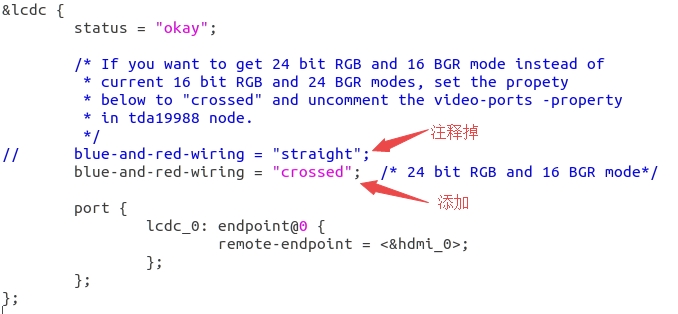
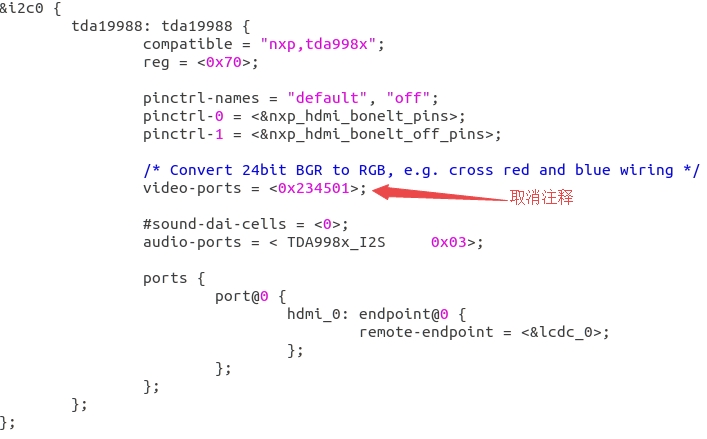
(4)am335x-boneblack-common.dtsi修改如下:
4.1 lcdc使用“crossed”
4.2 tda19988取消video-ports注释
4.3 添加 panel


