按照install文档步骤:
1) Connect JTAG to IPNC debug board.
2) Start Code Composer Studio v5.0.1 (Click on Start -> All Programs ->Texas Instruments-> Code Composer Studio v5.0.1-> Code Composer Studio v5
3) On the “Select a Workspace” prompt, pick a convenient workspace directory to store the code composer project files and context. Click OK.
4) Creating New target configuration
4.1 Click on View->Target Configurations. On the Target Configurations (Tabbed Window), Right Click to get a menu. Select New Target Configuration. Enter the Target Configuration name (ex: TI814xPF.ccxml). In the New Target Configuration window, under Connection tab choose „Spectrum Digital XDS560V2 STM USB Emulator‟. Under device, choose „TI814x‟. Save the Configuration. TI814xPF.ccxml appears in the Target Configurations (Tabbed Window). For "Spectrum Digital XDS510USB Emulator" user, please select under devices select TI814x (no STM,ETB only).
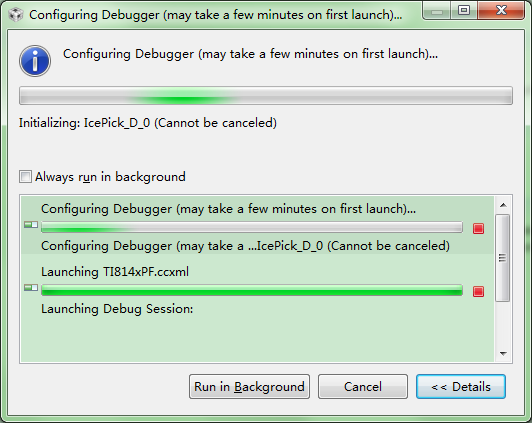
4.2 On the Target Configurations (Tabbed Window), right click on the TI814xPF.ccxml and select „Launch Selected Configuration‟. Wait for Launch operation to complete (Bottom Right corner of the CCS App Window shows the status) and Debug” window appears
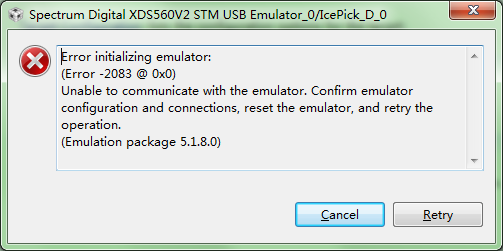
进行到 4.2 时, 出错:
Error initializing emulator:
(Error -2083 @ 0x0)
Unable to communicate with the emulator. Confirm emulator configuration and connections, reset the emulator, and retry the operation.
(Emulation package 5.1.8.0)
设备使用 SEED-XDS560PLUS 仿真器连接,驱动为SEED-XDS560Plus Emulator Driver。
请求牛人指点。
硬件设置不对?或者是哪里步骤有错误?或者CCS必须为5.0的版本?