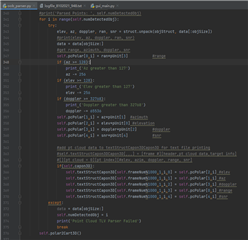
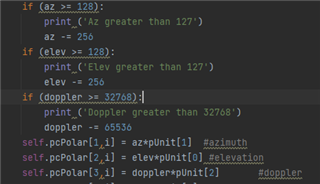
我按照之前介绍的操作对参数进行修改,保存后运行gui出现下面问题,请问如何解决!
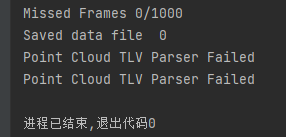
Missed Frames 0/1000
Saved data file 0
Point Cloud TLV Parser Failed
This thread has been locked.
If you have a related question, please click the "Ask a related question" button in the top right corner. The newly created question will be automatically linked to this question.
我按照之前介绍的操作对参数进行修改,保存后运行gui出现下面问题,请问如何解决!
Missed Frames 0/1000
Saved data file 0
Point Cloud TLV Parser Failed


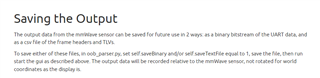
请问只改了self.saveBinary 或self.saveTextFile其中一个参数吧?不要两个都置1。
请参考一下下面的帖子。
请问对oob_parser.py文件除了修改self.saveBinary参数,还有做其他修改吗?是用了Python 3.6 64 Bit这个版本么?
我把您的问题升级到英文e2e论坛了,请关注下面帖子的回复。
https://e2e.ti.com/support/sensors-group/sensors/f/sensors-forum/1174043/iwr6843-point-cloud-tlv-parser-failed
抱歉回复晚了,请看下面e2e工程师的回复。
Some questions to help me better understand the situation:
抱歉回复晚了,请看下面e2e工程师的最新回复。
My sincerest apologies for the delayed response. I am unable to recreate this behavior on my end when following the same steps. However, please allow me until the end of this week to investigate this issue further. I will respond here on Friday at the latest.
BTW, could you explain the meaning of the code of the above snapshot?
This snippet of the visualizer's code is related to decompressing the compressed point cloud TLV. Please find more information regarding the compressed point cloud TLV in the 3D People Counting Demo User Guide.