If you have a related question, please click the "Ask a related question" button in the top right corner. The newly created question will be automatically linked to this question.
CC32xx Out of Box Application Overview This Application demonstrates Out of Box Experience with CC3200 Launch Pad. It highlights the following features 1. Easy Connection to CC3200 Launchpad • Direct Connection to Launchpad by using CC3200 device in Access Point Mode(Default) • Connection using TI SmartConfig [1]Technology 2. Easy access to CC3200 Using Internal HTTP server and on-board webcontent 3. Attractive Demos • Home Automation • Appliance Control • Security System • Thermostat For more information please refer CC32xx Quick Start Guide Usage • The CC3200 Launchpad comes with all the required content flashed to run the application • Refer Quick Start Guide for detailed information • In case user flashed other SDK applications and need to download the out of box content again, follow below steps • Open <cc3200-sdk>\examples\out_of_box\html\out_of_box.ucf session file in Uniflash. • Flash the files to the device. Detailed instructions at Uniflash User Guide. • Run the reference application 1. Run From IDE (IAR/CCS) • Open the Example Project as mentioned in the <cc3200-sdk>\docs\CC3200-Getting Started Guide.pdf • Build and download the application to the board 2. Run From Flashed Binary • Connect to CC3200 device as mentioned in Quick Start Guide, You will see below main page on your browser Note: : In case device is coming up as AP (Jumper on VCC+P58) check Terminal prints to get to know device's AP name.



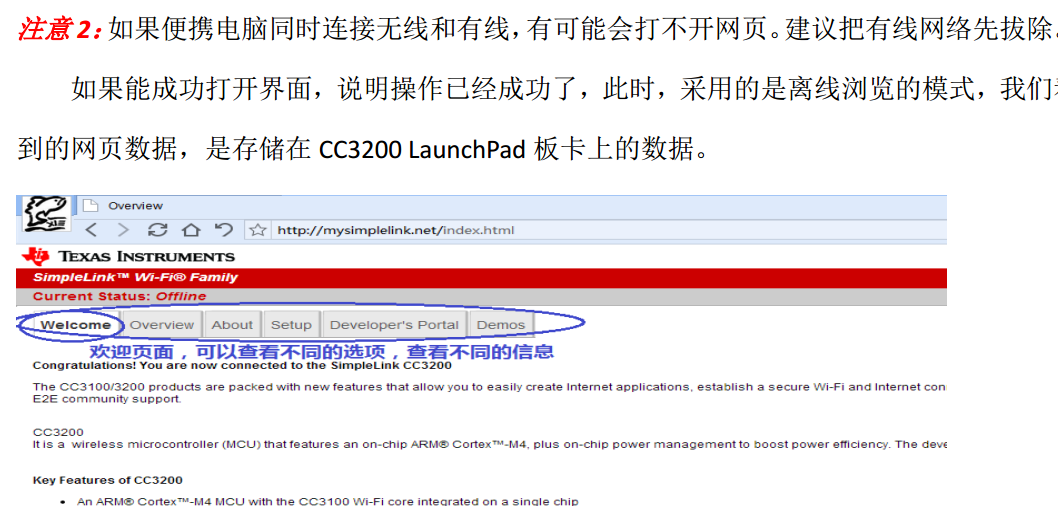 进不到这个界面 谢谢你们的解答!!