


--物联网Wi-Fi快速连接技术,SmartConfig iOS实现,TI Smart Config 配置不上路由,iOS更新新版SmargConfig源码!
最近接触了物联网方面的一点东西,有个小练习,要开发一个iOS APP,把一个小设备(LED灯)连接入网络,然后向它发送控制指令,控制它如开灯/关灯/白灯/彩灯等。
设备照片如下:
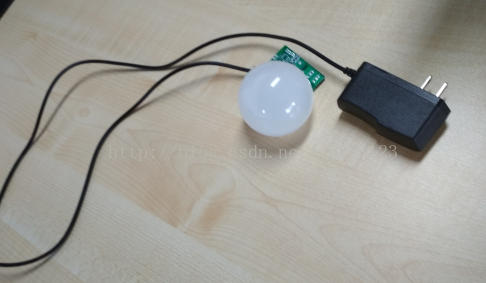
已知道这设备是带了Wi-Fi模块能连进网络;
但这东西没显示屏没操作按键的,怎么连接wifi呢?连wifi一般都要密码,起码有个地方让我输入wifi密码给它吧!
然后经过了解, 原来这东西使用一个叫 SmartConfig 的技术来配置连网,经过网上搜索了解,这是物联网设备配置上网的一个关键技术!
SmartConfig大概的原理是:设备的网卡开启混杂模式,在手机APP上输入wifi密码,然后APP就把这密码发送udp广播包,设备接收到广播包解析出密码然后连接入网!
相关细节可网上搜索,也可参考这文章:http://blog.csdn.net/sadshen/article/details/47049129 和 https://cjey.me/posts/smartconfig/
了解原理后就看怎么实现了,以我目前水平自己编码不太现实,我觉得这技术基本算是一个标准,肯定有相关开源的类库,于是网上寻找!
网上有关iOS的这方面资料好像不多,可能是我不会搜索。
我先是找到 TI-Texas Instruments德州仪器,http://www.ti.com.cn/tool/cn/smartconfig, 觉得这个比较权威,有源码下载,如图:
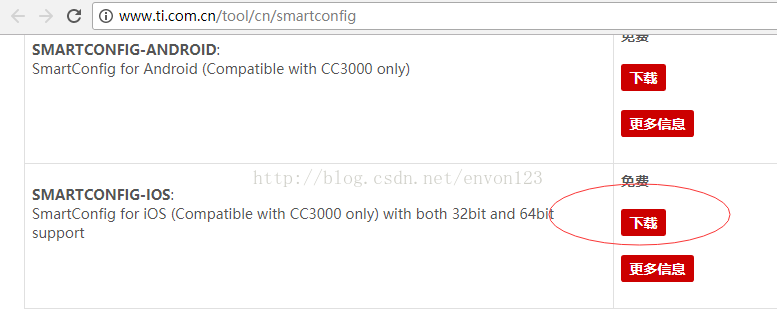
使用说明:http://processors.wiki.ti.com/index.php/Smart_Config_Application_development_information_-_IOS
下载编译运行,可能源码太旧了,编译时一大堆错误,花不少精力解决后,在真机上运行,看到IDE调试输出好多信息,感觉正常的样子,实际测试LED灯就是配置不上网,我用Wireshark抓包根本看不到有发送广播包。。。
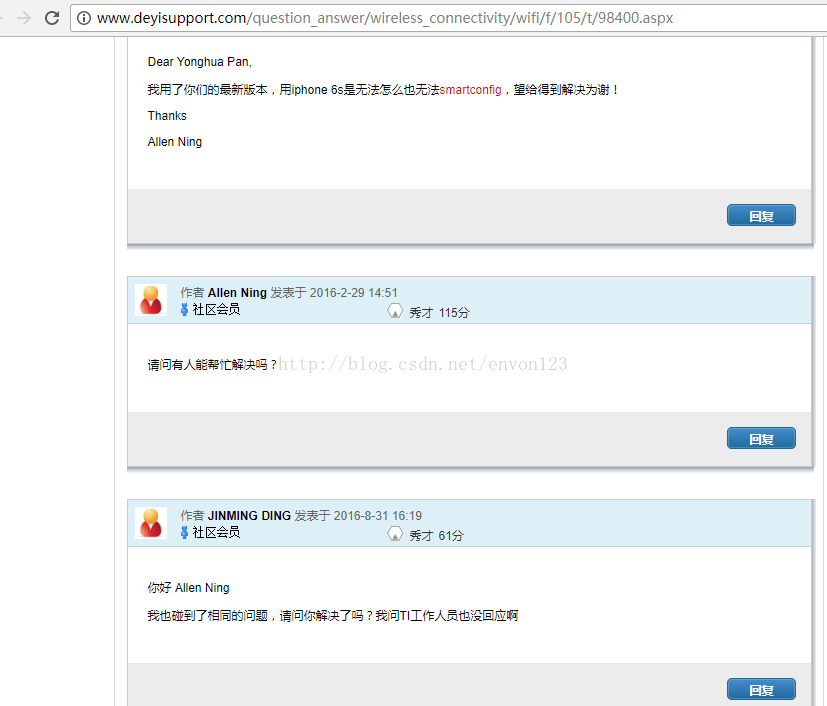
于是我到网上寻找问题所在,发现有不少人反映ti提供的源码在iOS都配置不上,我从这页面:http://www.deyisupport.com/question_answer/wireless_connectivity/wifi/f/105/t/98400.aspx,截图如下:
接着找到了这个 “iOS实现SmartConfig技术(TI)”:http://www.jianshu.com/p/01cb5c6c4418,文章里面提到一个类 https://github.com/ray-x/Wifi-TI3200,这个类貌似源于ti 的,下载编译运行, 测试也不成功, Wireshark也没监测到有发送广播包。
看来是不支持iOS新版,我直接在苹果“APP Store”上搜索 “SimpleLink”和“SmartConfig”,找到3个 TI 提供的APP,都下载测试,发现一个“SimpleLink....”开头的会发广播包,3个中,一定是下面截图的这个才行:
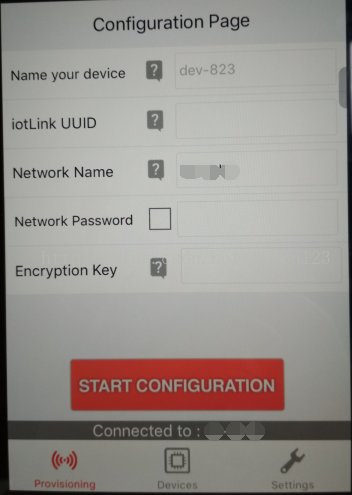
由于没源码,是否能让LED灯配置上网就不测试了,只监测到有发广播包!
折腾了大半天,根据现在了解到的资料,就剩下这一份代码比较有可能:
https://github.com/EspressifApp/EsptouchForIOS,
也没抱多大希望,先下载运行,用Wireshark抓包看下先,一下子看到发了好多包,有点小兴奋~,如图:
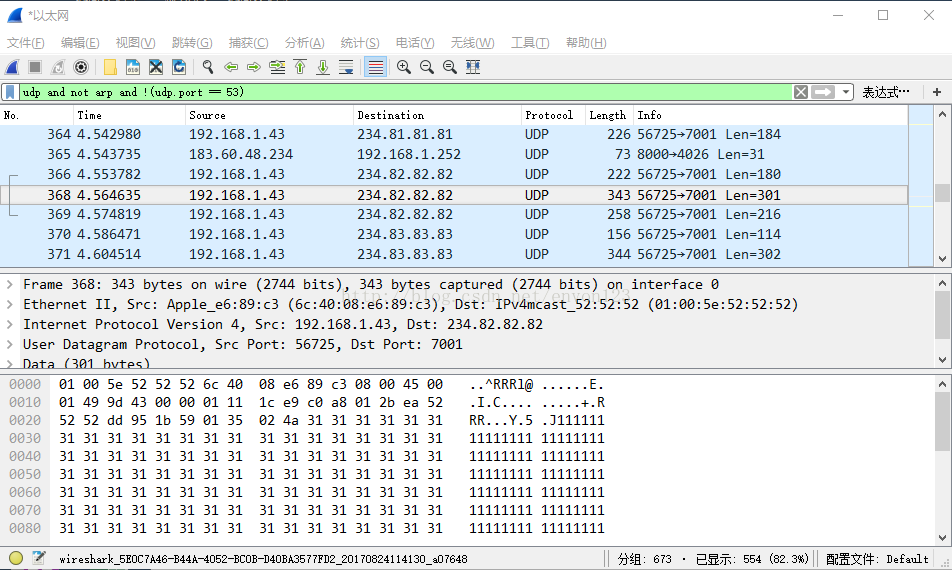
看到发送的这些包,我有点预感这个能使用,马上把LED灯接上电,然后用这个再广播一下,约5秒钟就LED灯就连接上网了,棒!!
由于EsptouchForIOS提供的示例代码不太方便快速使用(个人觉得),所以我写了一个辅助类,有需要的可了解,如下:
//
//  EVSmartConfig.h
//  EspTouchDemo
//
//  Created by chenenvon on 2017/8/22.
//  Copyright © 2017年 chenenvon. All rights reserved.
//
/*********************************************************************************
 *
 * 钉对EsptouchForIOS写的帮助类,见:github.com/.../EsptouchForIOS
 *
 *********************************************************************************
 */
#import <Foundation/Foundation.h>


/**
 * Builder
 *
 */
@interface EVSmartConfigBuilder : NSObject
///ssid(wifi名称?)
@property(nonatomic, copy)NSString *apSSID;
///wifi密码
@property(nonatomic, copy)NSString *apPWD;
///bssid(wifi的MAC地址?)
@property(nonatomic, copy)NSString *apBSSID;
///taskCount(?)
@property(nonatomic, assign)NSInteger taskCount;
///超时时间,毫秒,默认58000
@property(nonatomic, assign)NSInteger timeoutMillisecond;
@end


/**
 * wifi信息
 *
 */
@interface EVSmartConfigNetInfo : NSObject
///ssid(wifi名称?)
@property(nonatomic, copy)NSString *ssid;
///bssid(wifi的MAC地址?)
@property(nonatomic, copy)NSString *bssid;
@end


/**
 * 成功时返回的结果
 *
 */
@interface EVSmartConfigResultModel : NSObject
///mac地址
@property(nonatomic, copy)NSString *macAddress;
///ip地址
@property(nonatomic, copy)NSString *ipAddress;
@end
@protocol EVSmartConfigResultModel <NSObject>
@end


/**
 * 失败时返回的结果
 *
 */
typedef enum _EVSmartConfigFailType {
    EVSmartConfigFailCancel = 0,
    EVSmartConfigFailTimeout
} EVSmartConfigFailType;


/**
 * SmartConfig帮助类
 *
 */
@interface EVSmartConfig : NSObject

///单例
+(instancetype)sharedObject;

///尝试请求网络授权?建议在 application:didFinishLaunchingWithOptions: 方法里调用本方法
-(void)tryOpenNetworkPermission;

///取wifi网络信息
- (EVSmartConfigNetInfo*)fetchNetInfo;

///开始发射信号
-(void)startTransmittingWithBuilder:(void(^)(EVSmartConfigBuilder*builder))builderBlock andEachResult:(void(^)(EVSmartConfigResultModel *model))eachResultBlock andAllResult:(void(^)(NSArray<EVSmartConfigResultModel> *listModel))allResultBlock andFail:(void(^)(EVSmartConfigFailType failType))failBlock;

///停止发射信号
-(void)stopTransmitting;

@end
//
//  EVSmartConfig.m
//  EspTouchDemo
//
//  Created by chenenvon on 2017/8/22.
//  Copyright © 2017年 chenenvon. All rights reserved.
//

#import "EVSmartConfig.h"

#import "ESP_NetUtil.h"
#import <SystemConfiguration/CaptiveNetwork.h>

#import "ESPTouchTask.h"
#import "ESPTouchResult.h"
#import "ESP_NetUtil.h"
#import "ESPTouchDelegate.h"


#pragma mark - Model -

@implementation EVSmartConfigBuilder
@end

@implementation EVSmartConfigNetInfo
@end

@implementation EVSmartConfigResultModel
@end


@interface ESPTouchResult(EVSmartConfig)
-(EVSmartConfigResultModel*)toEVSmartConfigResultModel;
@end
@implementation ESPTouchResult(EVSmartConfig)
-(EVSmartConfigResultModel *)toEVSmartConfigResultModel {
    NSString *ipAddrDataStr = [ESP_NetUtil descriptionInetAddr4ByData:self.ipAddrData];
    if (ipAddrDataStr==nil) {
        ipAddrDataStr = [ESP_NetUtil descriptionInetAddr6ByData:self.ipAddrData];
    }
    EVSmartConfigResultModel *model = [[EVSmartConfigResultModel alloc] init];
    model.ipAddress = ipAddrDataStr;
    model.macAddress = self.bssid;
    return model;
}
@end


@interface EVSmartConfig()<ESPTouchDelegate>
{
    void(^_oneResultBlock)(EVSmartConfigResultModel* resultModel);
}
@property (nonatomic, strong) NSCondition *condition;
@property (atomic, strong) ESPTouchTask *_esptouchTask;
@end
@implementation EVSmartConfig


///我就是伪单例
+(instancetype)sharedObject {
    static EVSmartConfig *obj = nil;
    static dispatch_once_t once;
    dispatch_once(&once, ^{
        obj = [[self alloc] init];
    });
    return obj;
}

-(NSCondition *)condition {
    if(!_condition){ _condition = [[NSCondition alloc]init]; }
    return _condition;
}

///尝试请求网络授权, iOS 10以上需要
-(void)tryOpenNetworkPermission {
    [ESP_NetUtil tryOpenNetworkPermission];
}


///取网络信息, refer to stackoverflow.com/.../iphone-get-ssid-without-private-library
- (EVSmartConfigNetInfo*)fetchNetInfo {
    NSArray *interfaceNames = CFBridgingRelease(CNCopySupportedInterfaces());
    //    debugLog(@"%s: Supported interfaces: %@", __func__, interfaceNames);

    NSDictionary *SSIDInfo;
    for (NSString *interfaceName in interfaceNames) {
        SSIDInfo = CFBridgingRelease(
                                     CNCopyCurrentNetworkInfo((__bridge CFStringRef)interfaceName));
        //        debugLog(@"%s: %@ => %@", __func__, interfaceName, SSIDInfo);

        BOOL isNotEmpty = (SSIDInfo.count > 0);
        if (isNotEmpty) {
            break;
        }
    }
    // @{@"SSID":@"", @"BSSID":"@"}
    EVSmartConfigNetInfo *info = [[EVSmartConfigNetInfo alloc] init];
    info.ssid = [SSIDInfo objectForKey:@"SSID"];
    info.bssid = [SSIDInfo objectForKey:@"BSSID"];
    return info;
}


#pragma mark - Transmit -


///发射信号
-(void)startTransmittingWithBuilder:(void (^)(EVSmartConfigBuilder *))builderBlock andEachResult:(void (^)(EVSmartConfigResultModel *))eachResultBlock andAllResult:(void (^)(NSArray<EVSmartConfigResultModel> *))allResultBlock andFail:(void (^)(EVSmartConfigFailType))failBlock
{
    EVSmartConfigBuilder *builder = [[EVSmartConfigBuilder alloc] init];
    builderBlock(builder);
    //
    NSString *apSsid = @"";
    NSString *apPwd = @"";
    NSString *apBssid = @"";
    NSInteger taskCount = 1;
    NSInteger timeoutMillisecond = 58000;
    //
    if(builder.apSSID){
        apSsid = [NSString stringWithFormat:@"%@", builder.apSSID];
    }
    if(builder.apBSSID){
        apBssid = [NSString stringWithFormat:@"%@", builder.apBSSID];
    }
    if(!builder.apSSID || !builder.apBSSID){
        EVSmartConfigNetInfo *netInfo = [self fetchNetInfo];
        if(!builder.apSSID) {apSsid = netInfo.ssid;}
        if(!builder.apBSSID) {apBssid = netInfo.bssid;}
    }
    apPwd = builder.apPWD ? [NSString stringWithFormat:@"%@",builder.apPWD] : @"";
    if(builder.taskCount >0){ taskCount = builder.taskCount; }
    if(builder.timeoutMillisecond>=22000){ timeoutMillisecond=builder.timeoutMillisecond; }
    /*
     * begin
     */
    dispatch_queue_t  queue = dispatch_get_global_queue(DISPATCH_QUEUE_PRIORITY_DEFAULT, 0);
    dispatch_async(queue, ^{
        /*
         * execute the task
         */
        [self.condition lock];
        self._esptouchTask = [[ESPTouchTask alloc]initWithApSsid:apSsid andApBssid:apBssid andApPwd:apPwd andTimeoutMillisecond:(int)timeoutMillisecond];
        // set delegate
        [self._esptouchTask setEsptouchDelegate:self];
        if(eachResultBlock){
            _oneResultBlock = ^(EVSmartConfigResultModel *oneModel){
                eachResultBlock(oneModel);//block在调用时已在主线程里
            };
        }else{
            _oneResultBlock = nil;
        }
        [self.condition unlock];
        //
        NSArray * esptouchResultArray = [self._esptouchTask executeForResults:(int)taskCount];
        debugLog(@"ESPViewController executeForResult() result is: %@",esptouchResultArray);
        /*
         * show the result to the user in UI Main Thread
         */
        dispatch_async(dispatch_get_main_queue(), ^{
            //
            ESPTouchResult *firstResult = [esptouchResultArray objectAtIndex:0];
            // check whether the task is cancelled and no results received
            if (firstResult.isCancelled){
                if(failBlock){ failBlock(EVSmartConfigFailCancel); }
            }else if([firstResult isSuc]){
                if(allResultBlock){
                    NSMutableArray *arr = [NSMutableArray array];
                    for (int i = 0; i < [esptouchResultArray count]; ++i){
                        ESPTouchResult *oneResult = [esptouchResultArray objectAtIndex:i];
                        [arr addObject:[oneResult toEVSmartConfigResultModel]];
                    }
                    allResultBlock((NSArray<EVSmartConfigResultModel>*)arr);
                }
            }else{
                if(failBlock){ failBlock(EVSmartConfigFailTimeout); }
            }
        });
    });
}


///停止发射信号
- (void)stopTransmitting {
    [self.condition lock];
    if (self._esptouchTask != nil)
    {
        [self._esptouchTask interrupt];
    }
    [self.condition unlock];
}


#pragma mark - ESPTouchDelegate -


-(void)onEsptouchResultAddedWithResult:(ESPTouchResult *)result {
    debugLog(@"EspTouchDelegateImpl onEsptouchResultAddedWithResult bssid: %@", result.bssid);
    dispatch_async(dispatch_get_main_queue(), ^{
        if(_oneResultBlock){
            _oneResultBlock([result toEVSmartConfigResultModel]);
        }
    });
}


@end
上面分别是 EVSmartConfig的头文件和实现文件,使用非常简单易理解,如下:
///停止发射信号示例
-(void)stopTransmitting {
    [[EVSmartConfig sharedObject] stopTransmitting];
}

///发射信号示例
-(void)startTransmitting {
    //取wifi名称
    EVSmartConfigNetInfo *netInfo = [[EVSmartConfig sharedObject] fetchNetInfo];
    //wifi密码
    NSString *wifiPassword = [self getWiFiPassword];//wifi密码
    //直接调用方法,使用block得结果
    [[EVSmartConfig sharedObject] startTransmittingWithBuilder:^(EVSmartConfigBuilder *builder) {
        builder.apSSID = netInfo.ssid;  //可理解为wifi名称
        builder.apBSSID = netInfo.bssid;//可理解为wifi的MAC地址
        builder.apPWD = wifiPassword;   //wifi密码
        builder.taskCount = 1; //配置多少个设备?
        builder.timeoutMillisecond = 30000;//超时,默认是58000(58秒)
    } andEachResult:^(EVSmartConfigResultModel *model) {
        //根据情况这里会多次调用,每配置成功一个就会回调
        NSLog(@"成功配置上一个,IP:%@, MAC: %@", model.ipAddress, model.macAddress);
    } andAllResult:^(NSArray<EVSmartConfigResultModel> *listModel) {
        //所有配置完成
        long count = 0;
        for(EVSmartConfigResultModel *model in listModel){
            NSLog(@"成功配置第 %ld 个,IP:%@, MAC: %@", ++count, model.ipAddress, model.macAddress);
        }
    } andFail:^(EVSmartConfigFailType failType) {
        if(failType==EVSmartConfigFailCancel){
            //取消
            NSLog(@"已取消操作");
        }else if (failType==EVSmartConfigFailTimeout){
            //超时
            NSLog(@"已超时");
        }else{
            //未知
            NSLog(@"未知错误");
        }
    }];
}
最后,来一张配置上的照片:
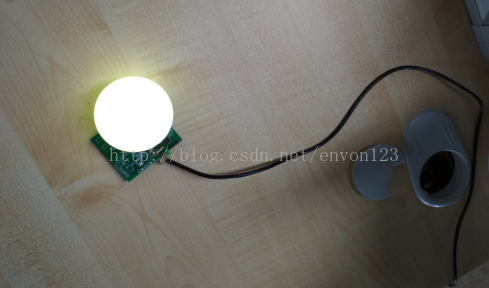
非常感谢EsptouchForIOS的作者,另外如果大家有使用它源码的话请遵守它的版权,我这里仅做学习练习!

