
This thread has been locked.

If you have a related question, please click the "Ask a related question" button in the top right corner. The newly created question will be automatically linked to this question.

dlpc2607 RGB565 格式 图象偏蓝色

Other Parts Discussed in Thread: DLPC2607

现在使用dlpc2607,投影出来的图象偏蓝,

 1: 硬件接口采用RGB565方式,
    PDATA[0~4]  端口接B[0~4]数据口
    PDATA[5~10] 端口接G[0~5]数据口
    PDATA[11~15]端口接R[0~4]数据口
 2: IIC通信设定
    addr 0x0b=0;    //输入源选择  
    addr 0x0c=12;   //800X480分辩率
    addr 0x0d=0;    //RGB565格式

 现在显示800X480正常,就是偏蓝,硬件接口如上接法,不知有没有错,IIC通信设定中不知还有没有调整色彩的寄存器。
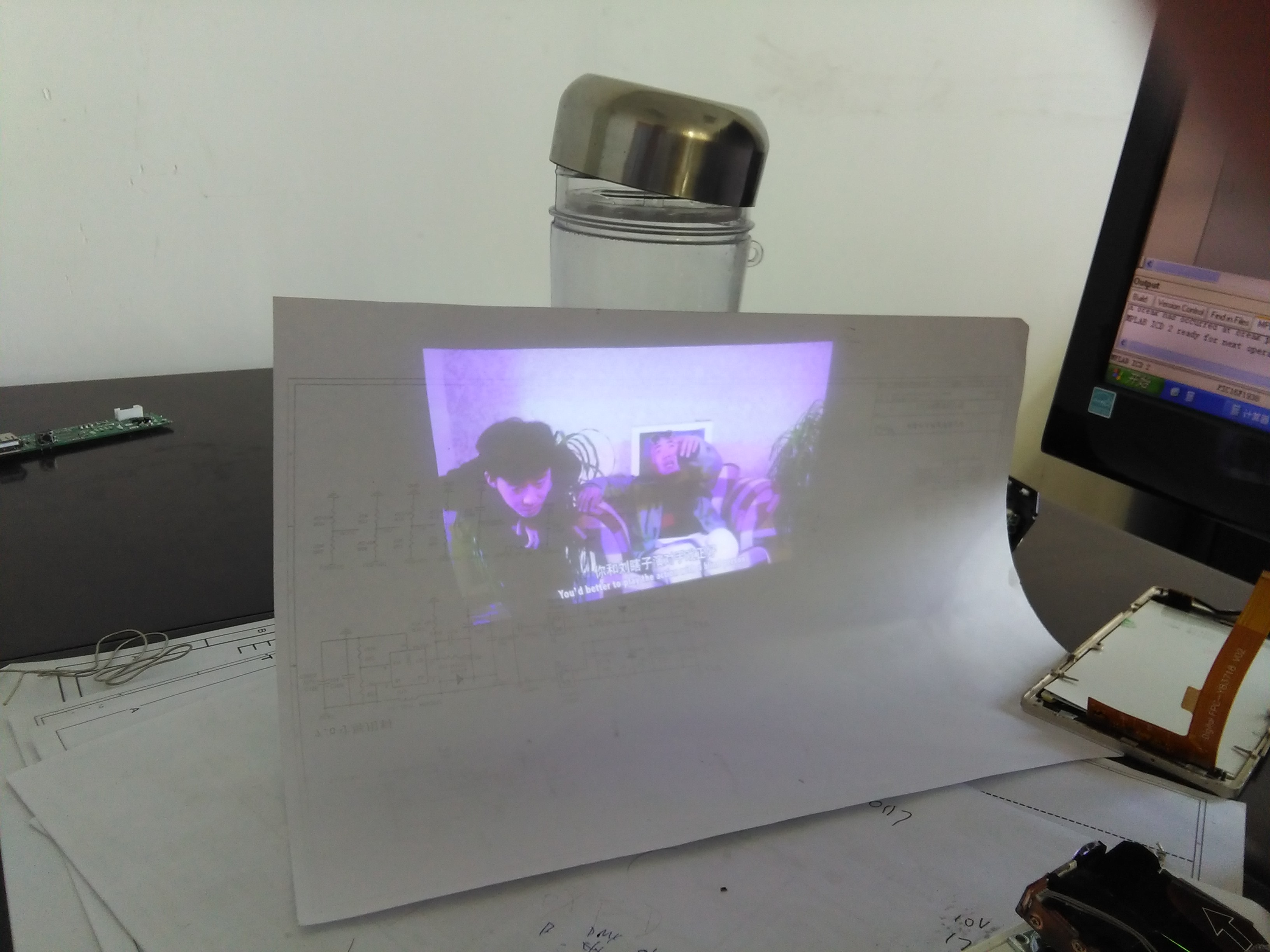
  • 硬件的接法是对的, 检查一下光机的LED灯(红、绿、蓝)是否都有点亮。另外还可以测量一下RGB565的信号是否都有输入给DLPC2607。

  • 通过IIC 通信将地址0xa6传不同值测到红绿那蓝正常,

    投影模块是采购的,模块有自带测试图片,色彩都正常,

    就是通过数据接口,传视频数据显示就偏蓝,将硬件接口接成RGB666及IIC也重新设置,显示也是偏蓝,

    视频接口接上LCD显示屏颜色正常,
     
    不知问题出在哪。

    Display Curtain Control (I C: 0xA6, Flash: 0x000000A6)

    Bits Description Reset Type
    3:0 Display Curtain Enable (all undefined values are reserved) x0 wr
    x0 = Curtain disabled
    x1 = Curtain enabled
    7:4 Display Curtain Color Select (all undefined values are reserved) x0 wr
    X0 = Black x3 = Yellow (Red + Green)
    x1 = Red x5 = Magenta (Red + Blue)
    x2 = Green x6 = Cyan (Green + Blue)
    x4 = Blue x7 = White