我使用的是 J784S4 EVM、我使用的是 RTOS SDK 8.6.1.3和 Linux 8.6.1.2
我正在使用 OSPI NOR 闪存、我正在尝试 在分区8中引导 Tiny rootfs、
下面是我的偏移
-
偏移为0x0时的 sbl_cust_img_mcu1_0_release.tiimage
-
tifs.bin、偏移量为0x8000
-
偏移量为0x100000的 boot_app_ospi_linux_mcu1_0_freertos_TestApp_release.appimage
-
偏移量为 1FC0000的 stage1图像
-
偏移为 27C0000时的 stage2图像
-
偏移量为 1C0000的 atf_optee.appimage
-
tidtb_linux.appimage、偏移量为 1EC0000
-
偏移量为 7C0000的 tikernelimage_linux.appimage
- 偏移量为 37C0000时的 stage3 ROOTFS UBI
下面是器件树中包含的分区->
提示1 (&O){
状态="可以";
pinctrl-names ="默认";
pinctrl-0 =<&mcu_fss0_ospipi1_pines_default>
闪存@0{
兼容="JEDEC、SPI-NOR";
寄存器=<0x0>;
SPI-TX-BUS-width =<1>;
SPI-Rx-bus-width =<4>;
spi-max-frequency =<40000000>;
CDN、tshsl-ns =<60>;
CDN、tsd2d-ns =<60>;
cdns,tchsh-ns =<60>;
CDN、tslch-ns =<60>;
CDN、读取延迟=<2>;
#address-Cells =<1>;
#size-cells =<1>;
分区{
兼容="固定分区";
#address-Cells =<1>;
#size-cells =<1>;
分区@0{
label ="ospi_nor.tiboot3";
寄存器=<0x0 0x80000>;
};
分区@80000{
label ="ospi_nor.sysfw";
寄存器=<0x80000 0x80000>
};
分区@100000{
label ="ospi_nor.mcu1_0";
寄存器=<0x100000 0xC0000>;
};
分区@1C0000{
label ="ospi_nor.atf";
REG =<0x1C0000 0x600000>;
};
分区@7C0000{
label ="ospi_nor.kernel";
REG =<0x7C0000 0x1700000>;
};
分区@1EC0000 {
label ="ospi_nor.dtb";
REG =<0x1EC0000 0x100000>;
};
分区@1FC0000 {
label ="ospi_nor.lateapp1";
寄存器=<0x1FC0000 0x800000>
};
分区@27C0000{
label ="ospi_nor.lateapp2";
REG =<0x27C0000 0x1000000>;
};
分区@37C0000{
label ="ospi_nor.rootfs";
REG =<0x37C0000 0x820000>;
};
分区@3FE0000 {
label ="ospi_nor.phypatern";
REG =<0x3FE0000 0x40000>;
};
};
};
};
此外、我还更新了 bootargs 以从分区8引导 rootfs -> bootargs ="console=ttyS2115200n8 earlycon=SERIAL2 root=/dev/mtdblock8 rw rootfsttype=ubifs rootwait";
我使用了以下命令来生成 UBI 文件、该文件用于在 OSPI 或分区8中进行闪存:
sudo mkfs.ubifs -r /tda4sdk/ti-processor-sdk-linux-j784s4-evm-08_06_01_02/filesystem1/filesystem_tinyfs -f -o newa72_490.ubifs -m 4096 -e 253952 -c 30 -v
sudo ubinize -o mynew526.ubi -m 4096 -s 4096 -p 256KiB mainapp.cfg -v
mainapp.cfg
[次序]
MODE=ubi
图像= newa72_490.ubifs
vol_id=0
VOL_TYPE=动态
VOL_NAME=rootfs
VOL_FLAGS=自动调整大小
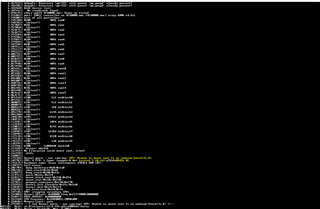
您能告诉我,为什么我得到这个错误-> ...