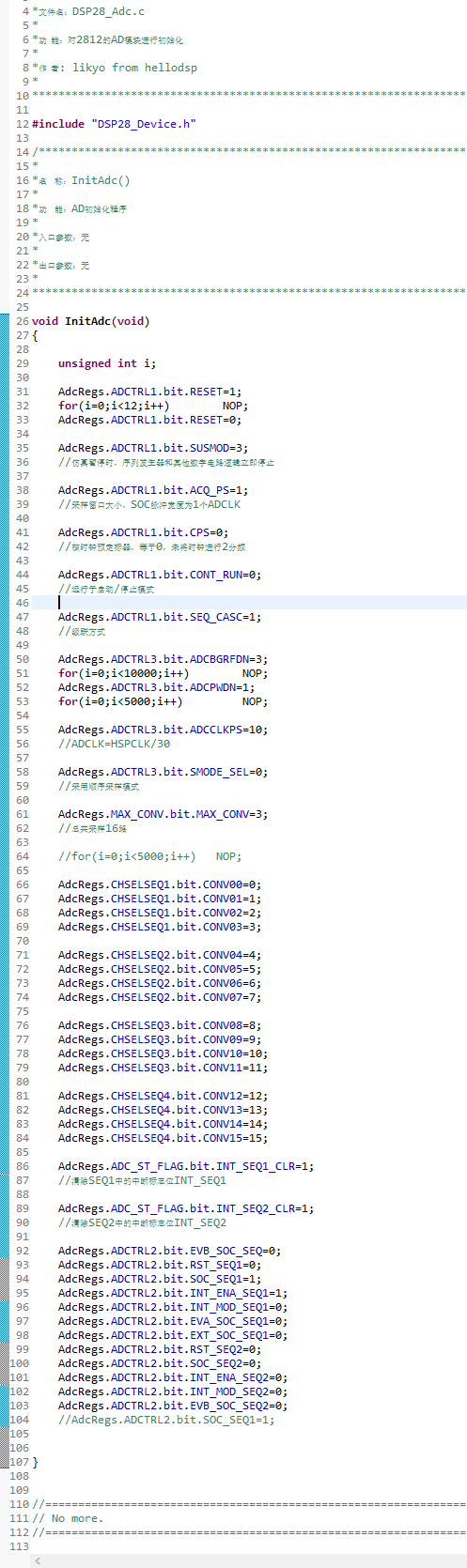
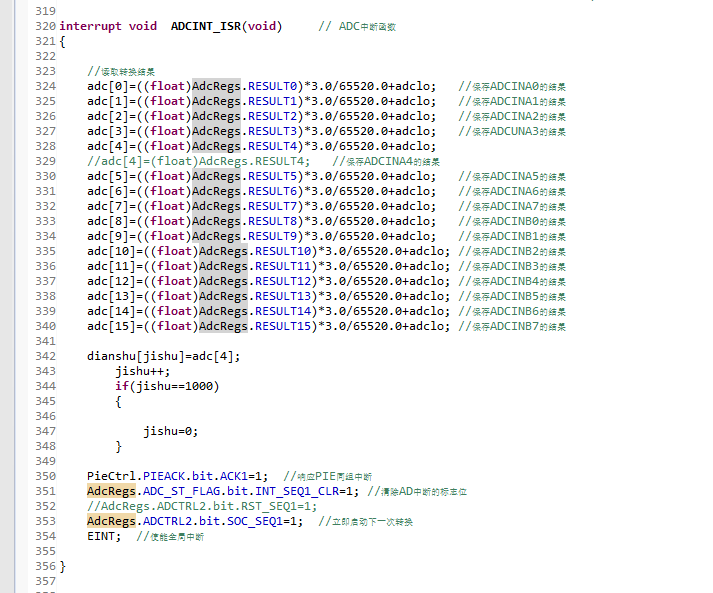
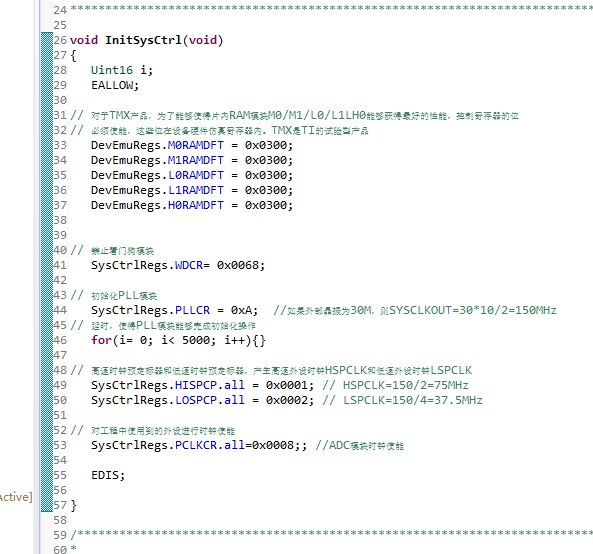
If you have a related question, please click the "Ask a related question" button in the top right corner. The newly created question will be automatically linked to this question.
// TI File $Revision: /main/3 $
// Checkin $Date: July 2, 2007   11:33:46 $
//###########################################################################
//
// FILE:   Example_281xAdc.c
//
// TITLE:  DSP281x ADC Example Program.
//
// ASSUMPTIONS:
//
//   This program requires the DSP281x V1.00 header files.
//   As supplied, this project is configured for "boot to H0" operation.
//
//   Make sure the CPU clock speed is properly defined in
//   DSP281x_Examples.h before compiling this example.
//
//   Connect signals to be converted to A2 and A3.
//
//
// DESCRIPTION:
//
//   This example sets up the PLL in x10/2 mode, divides SYSCLKOUT
//   by six to reach a 25Mhz HSPCLK (assuming a 30Mhz XCLKIN). The
//   clock divider in the ADC is not used so that the ADC will see
//   the 25Mhz on the HSPCLK. Interrupts are enabled and the EVA
//   is setup to generate a periodic ADC SOC on SEQ1. Two channels
//   are converted, ADCINA3 and ADCINA2.
//
//   Watch Variables:
//
//         Voltage1[10]     Last 10 ADCRESULT0 values
//         Voltage2[10]     Last 10 ADCRESULT1 values
//         ConversionCount  Current result number 0-9
//         LoopCount        Idle loop counter
//
//
//###########################################################################
// $TI Release: DSP281x C/C++ Header Files V1.20 $
// $Release Date: July 27, 2009 $
//###########################################################################

#include "DSP281x_Device.h"     // DSP281x Headerfile Include File
#include "DSP281x_Examples.h"   // DSP281x Examples Include File

// Prototype statements for functions found within this file.
interrupt void adc_isr(void);
interrupt void cpu_timer0_isr(void);
// Global variables used in this example:
Uint16 LoopCount;
Uint16 ConversionCount;
Uint16 Voltage1[10];
Uint16 Voltage2[10];


main()
{

// Step 1. Initialize System Control:
// PLL, WatchDog, enable Peripheral Clocks
// This example function is found in the DSP281x_SysCtrl.c file.
   InitSysCtrl();

// For this example, set HSPCLK to SYSCLKOUT / 6 (25Mhz assuming 150Mhz SYSCLKOUT)
   EALLOW;
   SysCtrlRegs.HISPCP.all = 0x3;  // HSPCLK = SYSCLKOUT/6
   EDIS;

// Step 2. Initialize GPIO:
// This example function is found in the DSP281x_Gpio.c file and
// illustrates how to set the GPIO to it's default state.
// InitGpio();  // Skipped for this example

// Step 3. Clear all interrupts and initialize PIE vector table:
// Disable CPU interrupts
   DINT;

// Initialize the PIE control registers to their default state.
// The default state is all PIE interrupts disabled and flags
// are cleared.
// This function is found in the DSP281x_PieCtrl.c file.
   InitPieCtrl();

// Disable CPU interrupts and clear all CPU interrupt flags:
   IER = 0x0000;
   IFR = 0x0000;

// Initialize the PIE vector table with pointers to the shell Interrupt
// Service Routines (ISR).
// This will populate the entire table, even if the interrupt
// is not used in this example.  This is useful for debug purposes.
// The shell ISR routines are found in DSP281x_DefaultIsr.c.
// This function is found in DSP281x_PieVect.c.
   InitPieVectTable();

// Interrupts that are used in this example are re-mapped to
// ISR functions found within this file.
   EALLOW;  // This is needed to write to EALLOW protected register
   PieVectTable.ADCINT = &adc_isr;
   PieVectTable.TINT0 = &cpu_timer0_isr;
       // This is needed to disable write to EALLOW protected registers
   GpioMuxRegs.GPAMUX.bit.PWM1_GPIOA0=0;
   GpioMuxRegs.GPADIR.bit.GPIOA0=1;
   EDIS;
// Step 4. Initialize all the Device Peripherals:
// This function is found in DSP281x_InitPeripherals.c
// InitPeripherals(); // Not required for this example
   InitCpuTimers();   // For this example, only initialize the Cpu Timers

// Configure CPU-Timer 0 to interrupt every second:
// 150MHz CPU Freq, 1 second Period (in uSeconds)
   ConfigCpuTimer(&CpuTimer0, 150, 1000000);

// Step 4. Initialize all the Device Peripherals:
// This function is found in DSP281x_InitPeripherals.c
// InitPeripherals(); // Not required for this example
   InitAdc();  // For this example, init the ADC

// Step 5. User specific code, enable interrupts:

// Enable ADCINT in PIE
   PieCtrlRegs.PIEIER1.bit.INTx6 = 1;
   PieCtrlRegs.PIEIER1.bit.INTx7 = 1;
   IER |= M_INT1; // Enable CPU Interrupt 1
   EINT;          // Enable Global interrupt INTM
   ERTM;          // Enable Global realtime interrupt DBGM

   LoopCount = 0;
   ConversionCount = 0;

// Configure ADC
   AdcRegs.ADCMAXCONV.all = 0x0001;       // Setup 2 conv's on SEQ1
   AdcRegs.ADCCHSELSEQ1.bit.CONV00 = 0x0; // Setup ADCINA3 as 1st SEQ1 conv.
   AdcRegs.ADCCHSELSEQ1.bit.CONV01 = 0x0; // Setup ADCINA2 as 2nd SEQ1 conv.
   AdcRegs.ADCTRL2.bit.INT_ENA_SEQ1 = 1;  // Enable SEQ1 interrupt (every EOS)


   StartCpuTimer0();
// Wait for ADC interrupt
   while(1)
   {
      LoopCount++;
   }

}


interrupt void  adc_isr(void)
{
 GpioDataRegs.GPATOGGLE.bit.GPIOA0=1;
  Voltage1[ConversionCount] = AdcRegs.ADCRESULT0 >>4;
  Voltage2[ConversionCount] = AdcRegs.ADCRESULT1 >>4;

  // If 40 conversions have been logged, start over
  if(ConversionCount == 9)
  {
     ConversionCount = 0;
  }
  else ConversionCount++;

  // Reinitialize for next ADC sequence
  AdcRegs.ADCTRL2.bit.RST_SEQ1 = 1;         // Reset SEQ1
  AdcRegs.ADCST.bit.INT_SEQ1_CLR = 1;       // Clear INT SEQ1 bit
  PieCtrlRegs.PIEACK.all = PIEACK_GROUP1;   // Acknowledge interrupt to PIE

  return;
}
interrupt void cpu_timer0_isr(void)
{

   while(AdcRegs.ADCST.bit.SEQ1_BSY==0)  //�˴�����ADת��ģʽ
   {
   AdcRegs.ADCTRL2.bit.SOC_SEQ1=1;
   }
   CpuTimer0.InterruptCount++;

   // Acknowledge this interrupt to receive more interrupts from group 1
   PieCtrlRegs.PIEACK.all = PIEACK_GROUP1;


}