This thread has been locked.
If you have a related question, please click the "Ask a related question" button in the top right corner. The newly created question will be automatically linked to this question.
我买了这个单片机,只有一根USB线,插上电脑后驱动也装好了,那么我能直接通过USB与PC通信吗?需要用额外的线吗?网上找了好多,是不是要动跳线帽?新手自学太困难了,谁能告诉我怎么接吗?
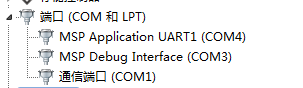
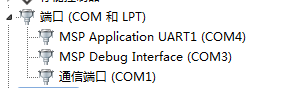
可以同UART COM4 和PC之间通信,无需其它接线。
MSP Debug Interface 是调试接口
MSP Application UART1 是通信接口
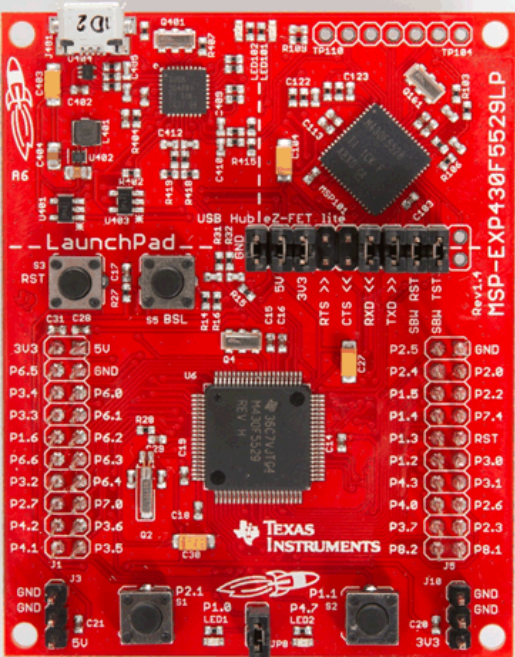
谢谢你!那我单片机上的跳线帽维持原样就可以了吗?还是说要怎么接?我用CCS下例程进去,用串口调试助手发东西接收不到。
保持原样就可以。具体可以看使用手册http://www.ti.com.cn/cn/lit/ug/slau533c/slau533c.pdf
不用改什么硬件,下的那个CCS例程,UART设置是否正常?
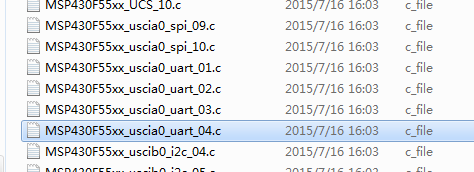
我用的这应该是官方提供的例程,具体程序如下:
**************************************************************************
#include <msp430f5529.h>
void main(void){ WDTCTL = WDTPW + WDTHOLD; // Stop WDT P3SEL = BIT3+BIT4; // P3.4,5 = USCI_A0 TXD/RXD UCA0CTL1 |= UCSWRST; // **Put state machine in reset** UCA0CTL1 |= UCSSEL_2; // SMCLK UCA0BR0 = 6; // 1MHz 9600 (see User's Guide) UCA0BR1 = 0; // 1MHz 9600 UCA0MCTL = UCBRS_0 + UCBRF_13 + UCOS16; // Modln UCBRSx=0, UCBRFx=0, // over sampling UCA0CTL1 &= ~UCSWRST; // **Initialize USCI state machine** UCA0IE |= UCRXIE; // Enable USCI_A0 RX interrupt
__bis_SR_register(LPM0_bits + GIE); // Enter LPM0, interrupts enabled __no_operation(); // For debugger}
// Echo back RXed character, confirm TX buffer is ready first#pragma vector=USCI_A0_VECTOR__interrupt void USCI_A0_ISR(void){ switch(__even_in_range(UCA0IV,4)) { case 0:break; // Vector 0 - no interrupt case 2: // Vector 2 - RXIFG while (!(UCA0IFG&UCTXIFG)); // USCI_A0 TX buffer ready? UCA0TXBUF = UCA0RXBUF; // TX -> RXed character break; case 4:break; // Vector 4 - TXIFG default: break; }}
PC发送过去接收不到返回数据,是哪边有问题呢?
这个测试程序是自发自收的测试程序。UART服务函数需要你自己修改一下。
http://www.ti.com/tool/MSP-EXP430F5529LP
这是官网的链接,里面有说明书等教程,新手先看文档。



 我买了这个单片机,只有一根USB线,插上电脑后驱动也装好了
 ,那么我能直接通过USB与PC通信吗?需要用额外的线吗?网上找了好多,是不是要动跳线帽?新手自学太困难了,谁能告诉我怎么接吗?