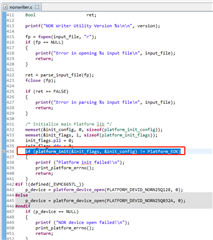
我是参考下面的方法进行操作的:
【Notice】本说明旨在快速实现基于SPI单核和多核boot例程,全部为操作指南,不含原理性解释
多核boot指南:(以4核boot为例)
1.打开spi_boot_suit\2_ledtestprj\LedTest\667x 下的4个测试工程,成功编译并生成4个.out文件,
生成.out 文件必须命名为simple0.out 、simple1.out、 simple2.out 以及simple3.out
2. 将4个.out文件拷贝到spi_boot_suit\1_utilities\multicore_boot_4cores路径下,双击spiboot_multi_4cores.bat批处理文件,开始生成文件,得到spirom_le.dat
3. 将evm板调成no-boot 模式,拨码开关对应 SW3~SW6 1000 0000 0000 1100 (0 对应on 1对应off)
4. 打开MCSDK自带的nor-writer工程,将工程bin文件夹下的nor_writer_input.txt 打开,修改输入文件名为spirom_le.dat 并将spirom_le.dat拷贝到mcsdk_xxxx\tools\writer\nor\evmc667xl\bin路径下
5. 链接工程,等PC指针停在main函数入口,打开view--memory browser,输入0x80000000,load memory 选择spirom_le.dat,(自动)勾上Use the header...
再次确认start address 为0x80000000,length为spirom_le.dat的长度(单位是word) 开始往DDR里灌数。
6. 烧写工程run,注意console输出 显示与length长度大小相同的文件烧入flash,则烧写成功,此时单位是字节。
[C66xx_0] Flashing sector 1 (65536 bytes of 121920)
[C66xx_0] Reading and verifying sector 0 (0 bytes of 121920)
[C66xx_0] Reading and verifying sector 1 (65536 bytes of 121920)
[C66xx_0] NOR programming completed successfully
7.将evm修改拨码开关为spi-boot模式,SW3~SW6:1011 0000 0010 1000 (0 对应on 1对应off)
单核boot 与4核boot 类似,将核0的.out文件更名为simple.out 拷贝到singlecore_boot 下即可,其他类似。
烧写工程run的时候进程会死在下面的循环里面(在evmc6678_phy.c中):
/* Setup the Advertised Ability register for this port:
* (1) Enable Full duplex mode
* (2) Enable Auto Negotiation
* (3) Enable the Link
*/
sgmiiCfg.linkSpeed = CSL_SGMII_1000_MBPS;
sgmiiCfg.duplexMode = CSL_SGMII_FULL_DUPLEX;
CSL_SGMII_setAdvAbility (macPortNum, &sgmiiCfg);
do
{
CSL_SGMII_getStatus(macPortNum, &sgmiiStatus);
} while (sgmiiStatus.bIsLinkUp != 1);
求大佬解答一下哪里存在问题?(另外现在图片应该怎么插入)