If you have a related question, please click the "Ask a related question" button in the top right corner. The newly created question will be automatically linked to this question.
AM2434: How to set the 4-bit mode and 1-bit mode of sdio for AM2434 development board+BP3351 module
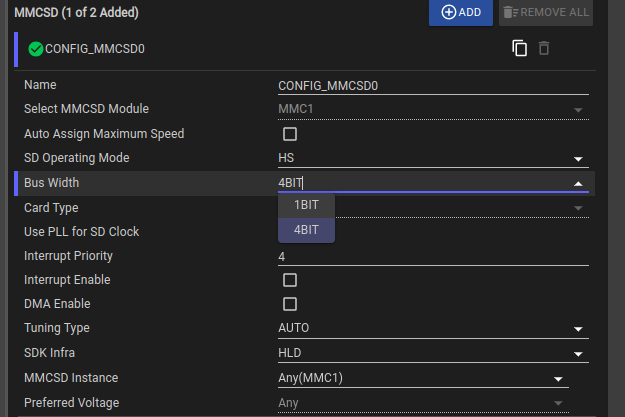
The suggestions above regarding changing the bit positions seem acceptable.
However,SDIOis not currently supported in theMCU+SDK. If the customer wants to achieve SDIO functionality, they will need to modify theMMCSD driveraccording to theSDIO protocol.
Thank you. Can you provide an example of the SDIO interface driver on the development board I am using? Or SDIO drivers on similar development boards, I don't know how to implement the driver for this SDIO interface.
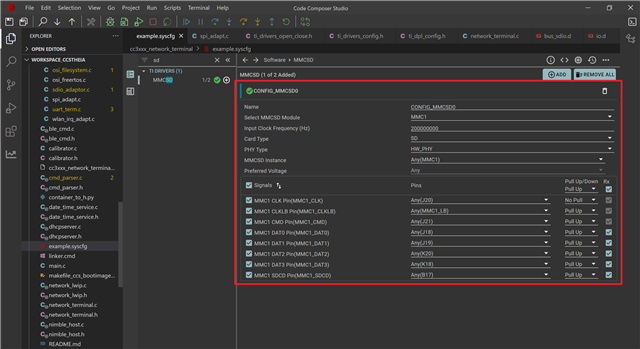
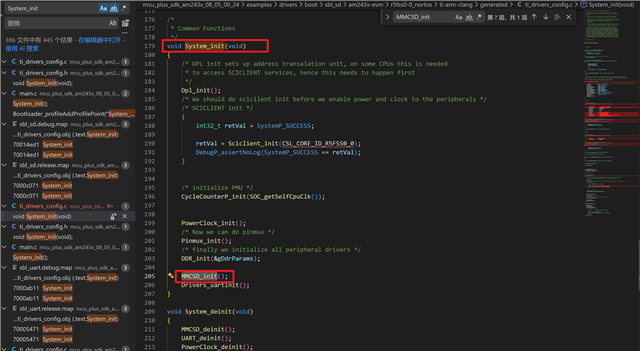
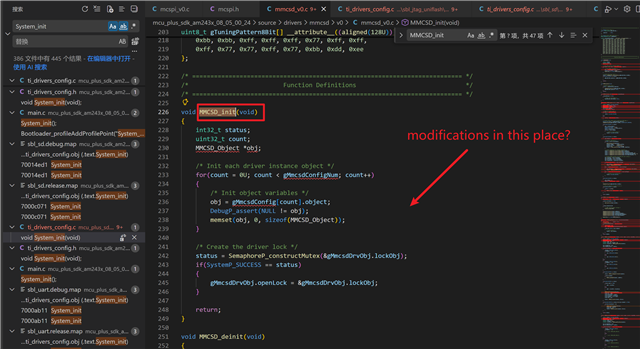
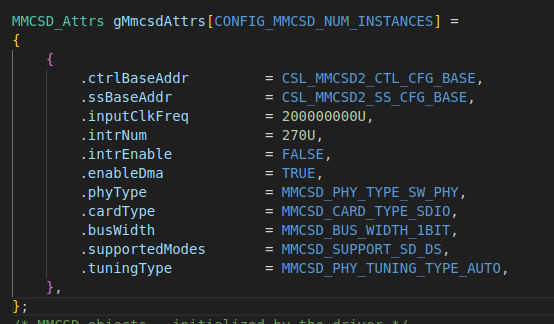
For the SDIO configuration, you would need to manually setup the required MMCSD instance and the pinmux configurations. This can be implemented in a similar way to what happens in the System_init() API that is given. Instead of the default MMCSD_init() API, you can make a custom API with the changes required for SDIO. In this setup itself, you would be able to setup the attributes for the SDIO including 1 bit or 4 bit mode.
You could also take reference from the Linux implementation of SDIO on the Processor SDK.
The SDIO mode is however, not supported in the MCU+SDK and must be tested on the customer's side.
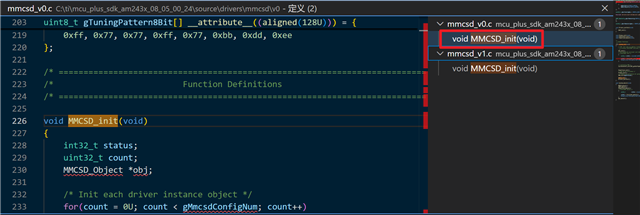
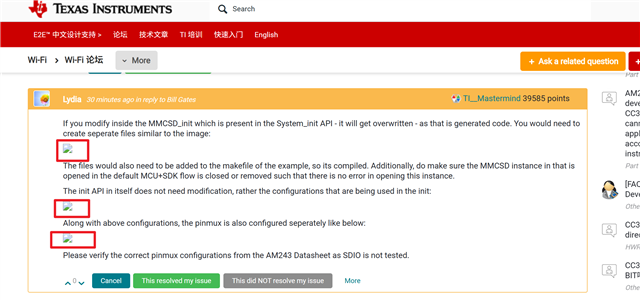
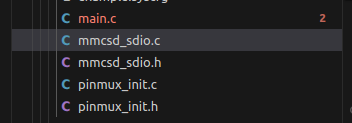
If you modify inside the MMCSD_init which is present in the System_init API - it will get overwritten - as that is generated code. You would need to create seperate files similar to the image:
The files would also need to be added to the makefile of the example, so its compiled. Additionally, do make sure the MMCSD instance in that is opened in the default MCU+SDK flow is closed or removed such that there is no error in opening this instance.
The init API in itself does not need modification, rather the configurations that are being used in the init:
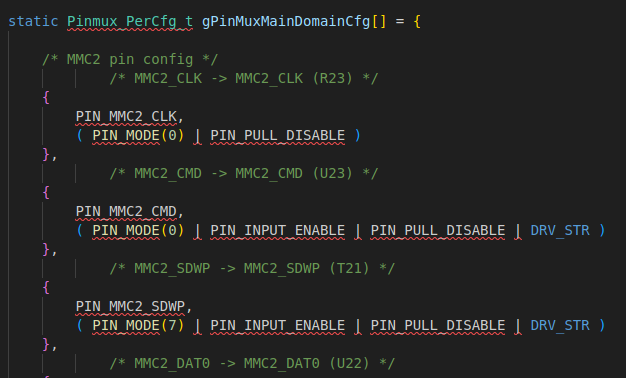
Along with above configurations, the pinmux is also configured seperately like below:
Please verify the correct pinmux configurations from the AM243 Datasheet as SDIO is not tested.