This thread has been locked.
If you have a related question, please click the "Ask a related question" button in the top right corner. The newly created question will be automatically linked to this question.
Other Parts Discussed in Thread: AM4379
https://e2e.ti.com/support/processors-group/processors/f/processors-forum/650776/linux-am4379-qt-creator-build-issue
工具/软件:Linux
我的 SDK 版本是 ti-processor-sdk-linux-rt-am437x-evm-03.00.00.04-Linux-x86-install.bin
请给我一些帮助、谢谢。
高 Biser:
非常感谢您的反馈。
以下信息是我的补充信息、可帮助软件专家找到原因。
[Linux-devkit]:~ tl-am4379-refence/qwt-6.1.0> qmake -v Qmake 版本3.0 使用/home/alex/sitara/ti/linux-devkit/sysroots/cortexa9hf-neon-linux-gnueabi/usr/lib 中的 Qt 版本5.6.1 [Linux-devkit]:~ tl-am4379-refence/qwt-6.1.0>哪个 qmake /home/alex/sitara/ti/linux-devkit/sysroots/x86_64-arago-linux/usr/bin/qt5/qmake [Linux-devkit]:~ tl-am4379-refence/qwt-6.1.0> ls 复制 doc install qwtbuild.pri qwtfunctions.pri qwt.pro src 设计人员示例 pl游乐场 qwtconfig.pri qwt.prf 自述文件扩展名 [Linux-devkit]:~ tl-am4379-refence/qwt-6.1.0> qmake qwt.pro 无法读取/home/alex/sitara/ti/linux-devkit/sysroots/cortexa9hf-neon-linux-gnueabi/usr/lib/qt5/mkspecs/oe-device-extra.pri:无此类文件或目录 [Linux-devkit]:~ tl-am4379-refence/qwt-6.1.0>
您好 Alex824、 $轻触/home/alex/sitara/ti/linux-devkit/sysroots/cortexa9hf-neon-linux-gnueabi/usr/lib/qt5/mkspecs/oe-device-extra.pri $ sudo apt-get install git build-essential python diffstat texinfo gchrawk path dos2unix wget unzip SOCAT doxygen libc6:i386 libncurses5:i386 libstdc++6:i386 libz1:i386 $ sudo dpkg-reconfigure dash 出现提示时、选择"否"。
$ wget releases.linaro.org/.../gcc-linaro-5.3-2016.02-x86_64_arm-linux-gnueabihf.tar.xz $ tar -Jxvf gcc-linaro-5.3-2016.02-x86_64 arm-linux-gnueabihf.tar.xz -C $home $ git 克隆 git://arago-project.org/git/projects/oe-layersetup.git tisdk $ cd tisdk $./oe-layertool-setup.sh -f configs/processor-sdk/processor-sdk-03.00.00.04-config.txt $ CD 生成 $。 配置/设置 $导出路径=$HOME/gcc-linaro-5.3-2016.02-x86_64 arm-linux-gnueabihf/bin:$path $ MACHINE=AM437X-EVM Arago_rt_enable=1 bitbake qttools 将 build/arago-tmp-externo-linaro-toolchain/work /cortexa9hf-neon -linux-gnueabi/qttools/5.6.0+gitAUTOINC+e33532e048-r0/image/usr/复制到 ti-processor-sdk-linux-am437x-evm-03.00.04/gitude/linux-cortex/uexue-rode/uexuf-neon 将构建 qwt-6.1.0、甚至 qwt-6.1.3。 此致、 Kemal
您好、Kemal:
感谢您的详细答复。
根据你们的指导,我在最后一步之前就进展顺利了。
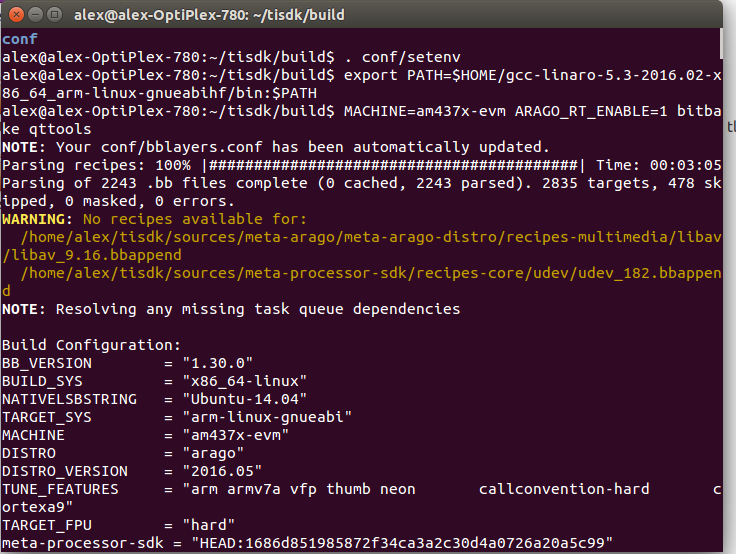
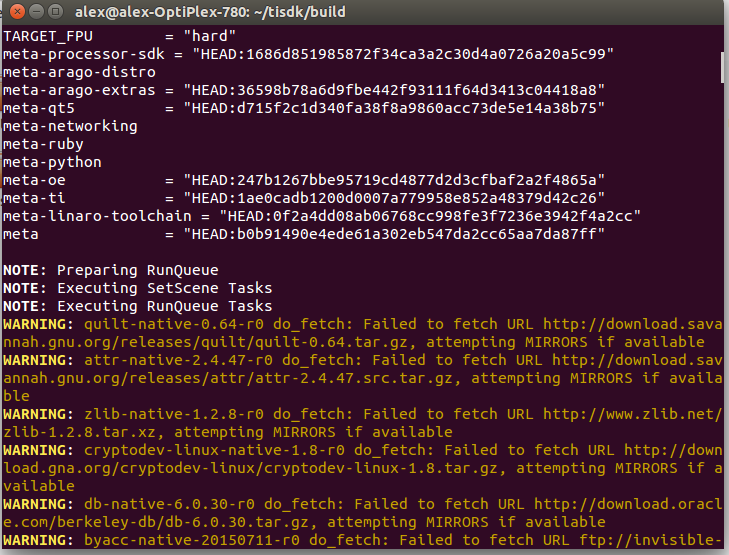
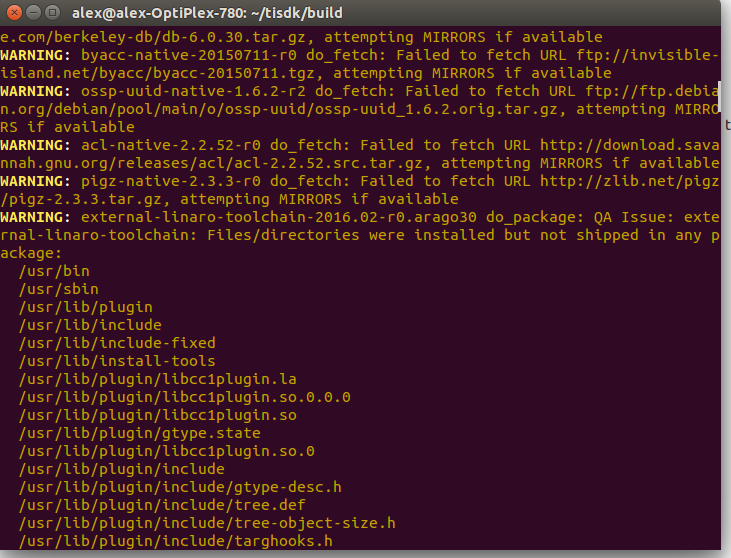
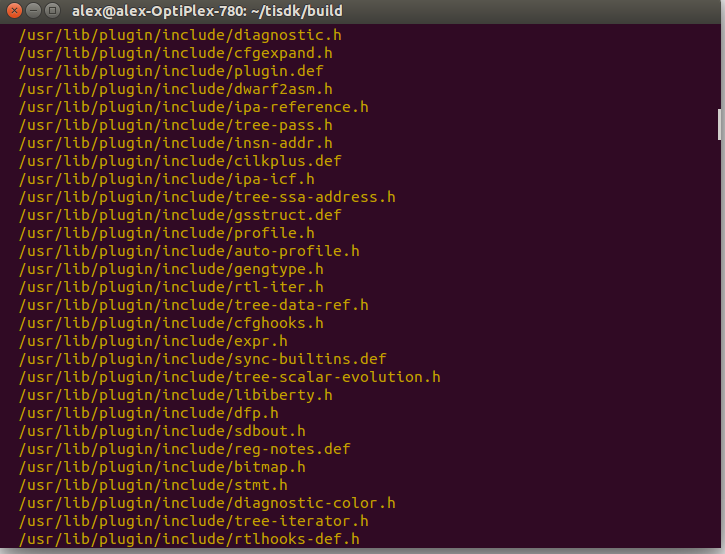
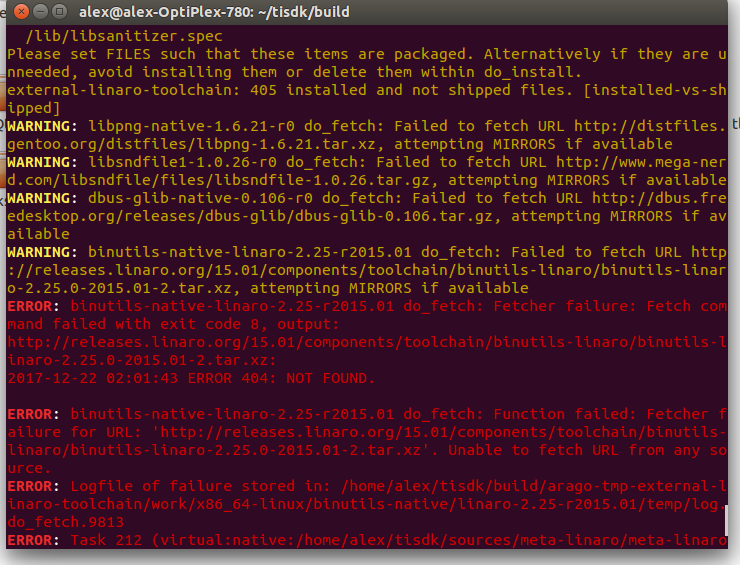
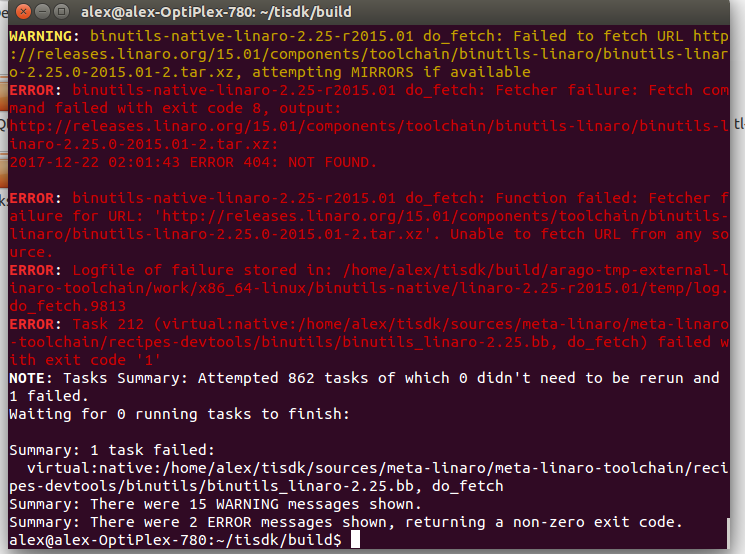
以下图片和附件是我的编译过程和提示。 根据编译警报、我在某些提取文件中失败。
我想这可能是导致我最终编译的失败。 因为它不会在我的 tisdk 路径中生成/work/cortexa9hf-neon-linux-gnueabi/qttools/5.6.0 +gitAUTOINC+e33532e048-r0/image/usr
您是否有手动方法来获取这些缺失的文件、然后重新执行 $ MACHINE=AM437X-EVM Arago_rt_enable=1 bitbake qttools,以解决此问题?
e2e.ti.com/.../compile.txt
忽略黄色警告、这些警告信息量很大、源已通过后视镜下载。 对于红色错误、请将 sources/meta-linaro/meta-linaro-toolchain/meta-devtoolchain/meta-devtools/binutils/binutils-linaro-2.25.inc 中的 releases.linaro.org/.../binutils-linaro-${BPV}-${RELEASE}.tar.xz \更改为 releases.linaro.org/.../binutils-linaro-${BPV}-${RELEASE}.tar.xz \