Other Parts Discussed in Thread: C2000WARE
器件型号: TMS320F28P650DK
主题: C2000WARE 中讨论的其他器件
您好:
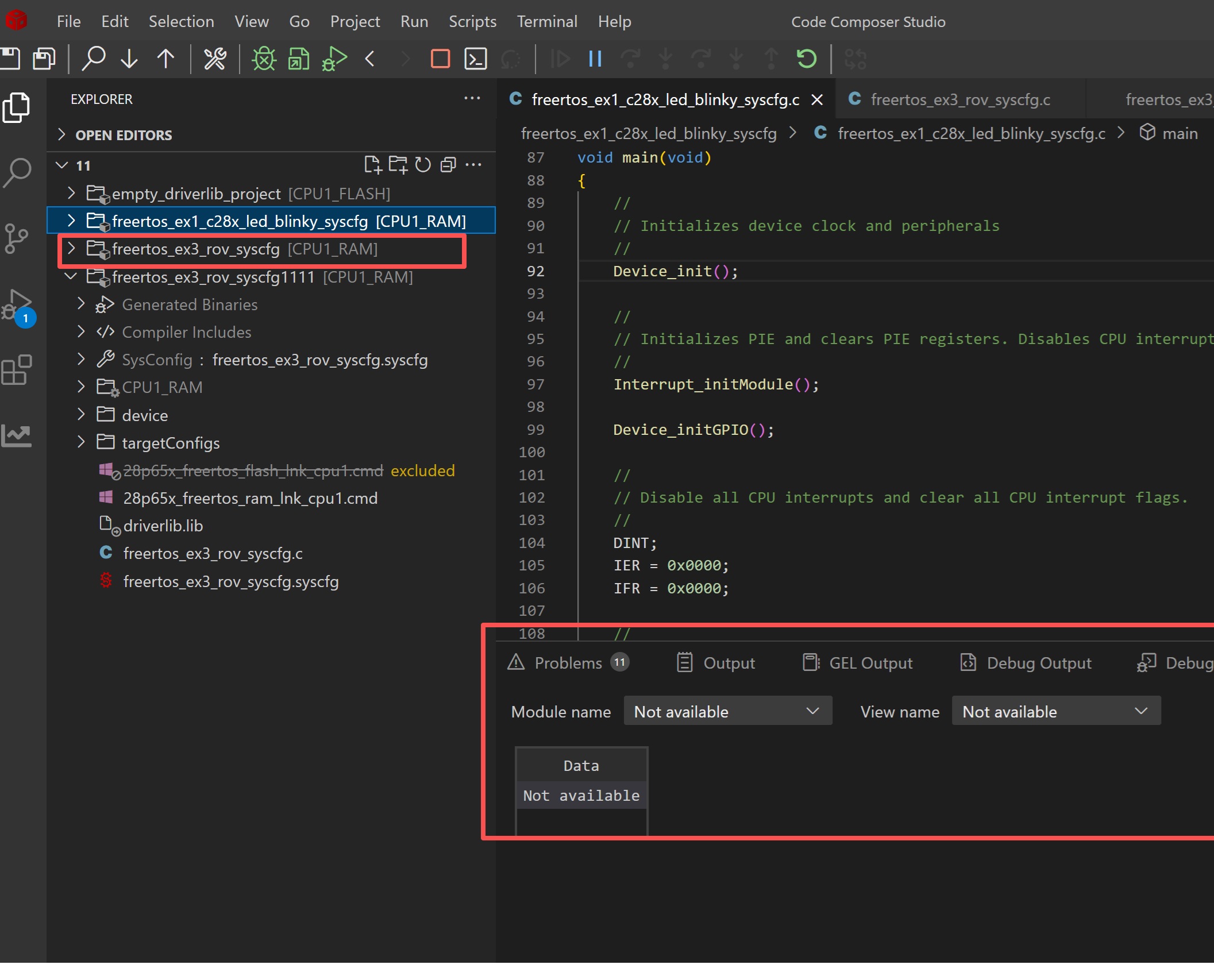
客户使用 TI 28P650DK9 芯片从官方网站下载示例代码和带有 ROV 的 FreeRTOS 示例代码并将代码烧录到开发板后、尝试打开视图来查看结果。 但是、运行时对象显示为不可用、如下图所示。 您能告诉我原因是什么吗? 谢谢你。
This thread has been locked.
If you have a related question, please click the "Ask a related question" button in the top right corner. The newly created question will be automatically linked to this question.
Other Parts Discussed in Thread: C2000WARE
器件型号: TMS320F28P650DK
主题: C2000WARE 中讨论的其他器件
您好:
客户使用 TI 28P650DK9 芯片从官方网站下载示例代码和带有 ROV 的 FreeRTOS 示例代码并将代码烧录到开发板后、尝试打开视图来查看结果。 但是、运行时对象显示为不可用、如下图所示。 您能告诉我原因是什么吗? 谢谢你。
尊敬的 Matt:
我看到同一个工程也有同样的问题。 我使用的是 C2000Ware 6.00.01.00。 为工程打开生成的 syscfg_c.ROV.xs 时、可以看到:
/* * ======== syscfg_c.rov.xs ======== * This file contains the information needed by the RTOS Objects * (ROV) tool. * * Specifically, this file names the C-ROV implementation files declared * by the modules that are part of the app's configuration. In the * future this file will also contain a serialization of corresponding * module configuration parameters which can be used by the ROV provided * views. * * DO NOT EDIT - This file is generated by the SysConfig tool. */ var crovFiles = [ ]; var objectViewerFiles = [ ];
这将解释为什么我看不到任何内容。
您在文件中看到了什么?
谢谢
Ki
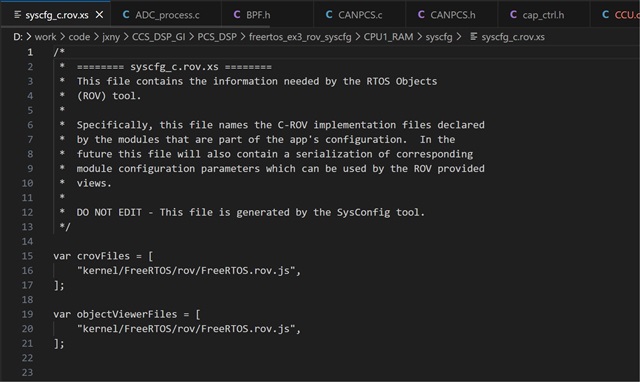
我又看了看,现在我看到我的 xs 文件看起来像你的。
该路径:
“kernel/freertos/ROV/freertos.ROV.js",“,</s>、
应指向 SDK 中的一个文件。
不过、此路径确实始终存在于 C2000Ware 中。 我认为这取决于您如何获得封装。
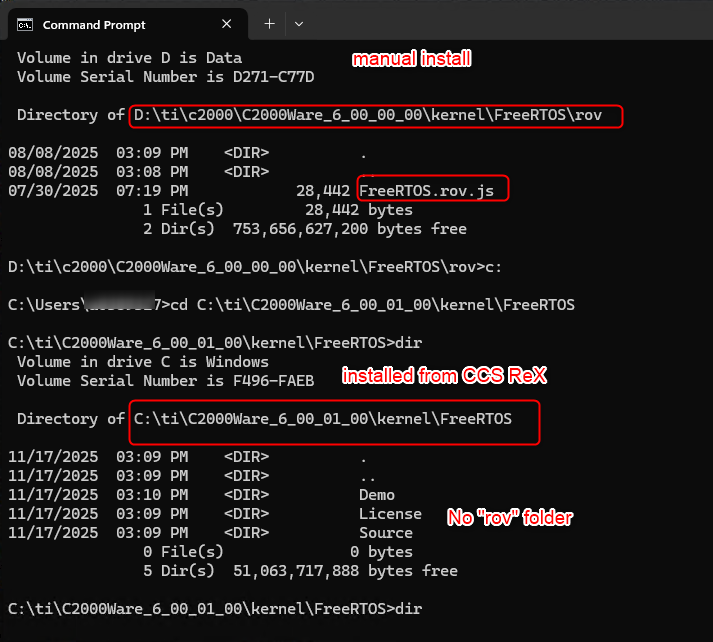
如果您直接从 TI.com 下载并安装了该文件、则该文件存在。
如果通过 CCS Resource Explorer 或 New Project 向导安装了该工程、则“ROV"文件夹“文件夹缺失。

Jimmy — 您是如何安装的? 您的 SDK 中是否存在该文件?
Matt — 您看到文件了吗? 我假设您使用的是手动安装的 SDK 安装?
谢谢
Ki
Jimmy — 您是如何安装的? 您的 SDK 中是否存在该文件?
如果此文件和文件夹不存在、请将以下 zip 文件解压缩到:
C:\ti\C2000Ware_6_00_01_00\kernel\freeRTOS